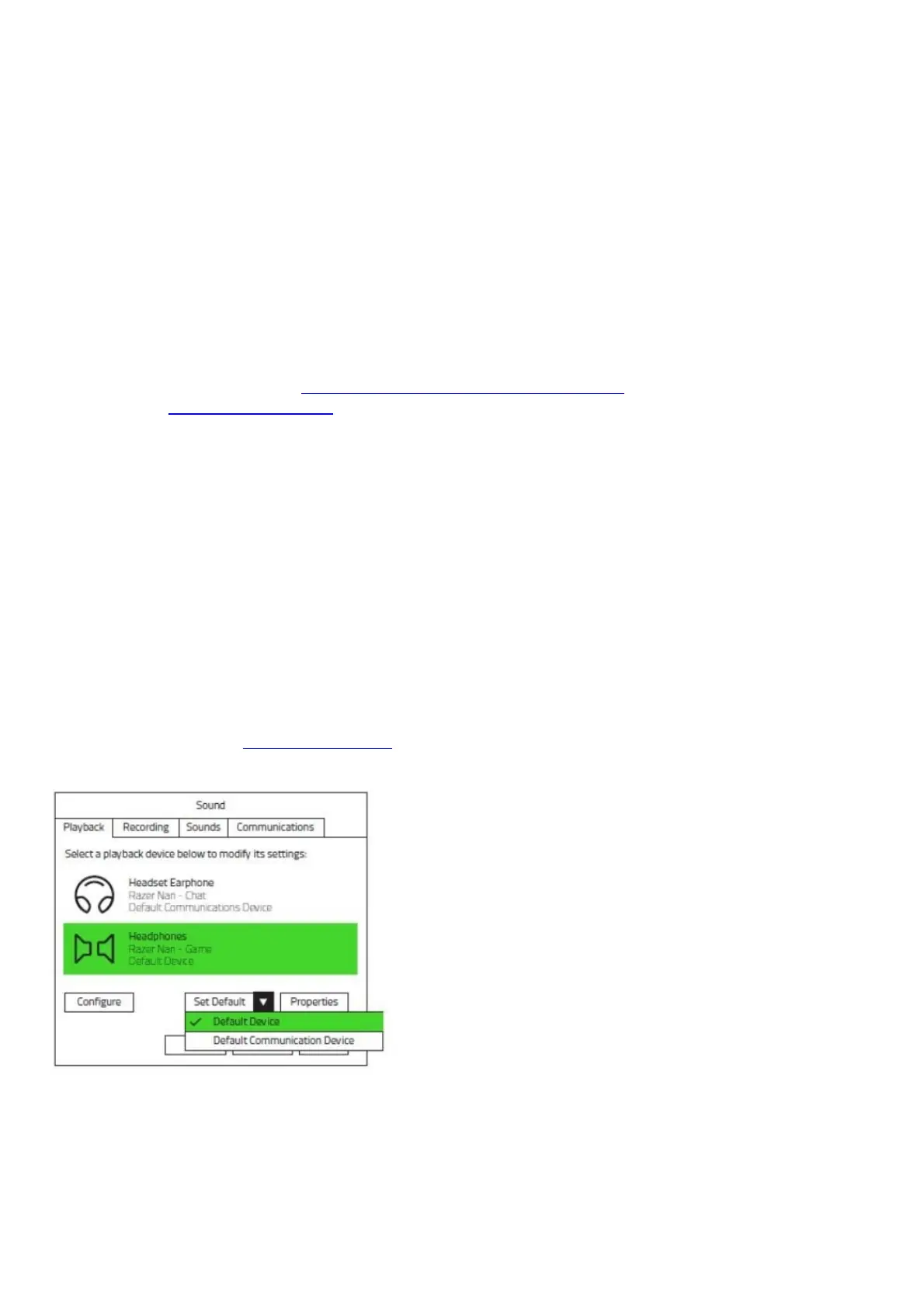
Please ensure the Razer Nari Essential is not muted in your operating system and that the headset is
set to be the default playback device in the Audio Control panel or in the Software Audio Options.
I lost or damaged my USB wireless transceiver for my Razer Nari Essential, can I
purchase a new one?
A replacement USB transceiver or dongle for the Nari Ultimate can be purchased from the RazerCare
Store.
Is the Razer Nari Essential compatible with Mac?
Yes, it will work via the USB dongle. However, users will not be able to configure the headset using
Razer Synapse 3 as it is not available for Mac.
Where can I purchase replacement earcups for my Razer Nari Essential?
You may refer to this list of our current spare parts and accessories. If the item you need is not
listed, contact Customer Support.
Is my Razer Nari Essential headset supported in Synapse? What are the features
supported in Synapse?
Yes, the Razer Nari Essential is supported in Razer Synapse 3. The following features are supported in
Synapse 3: Mixer, Enhancement, EQ, Mic, Lighting, and Power.
Can I use the Razer Nari wirelessly without installing Razer Synapse?
Yes, Synapse 3 is not a requirement to use the Nari Essential wirelessly. However, you will lose the
ability to further configure the headset without Synapse 3.
I plugged in my Razer Nari Essential headset and I cannot hear surround sound,
what should I do?
Please be sure to install Razer Synapse 3 and ensure you are signed in. Also, ensure that “Razer Nari
Essential” is selected as your default sound device in your computer’s Audio Control Panel.
Troubleshooting
Why am I hearing myself speak on the Razer Nari Essential headset? Can I turn it
off?
Mic monitor is a built-in feature that allows you to hear your own voice via a feedback loop, designed
specifically to help gamers avoid repeating themselves or shouting unnecessarily into the mic for fear










 To Next Page