6. USING YOUR RAZER NARI
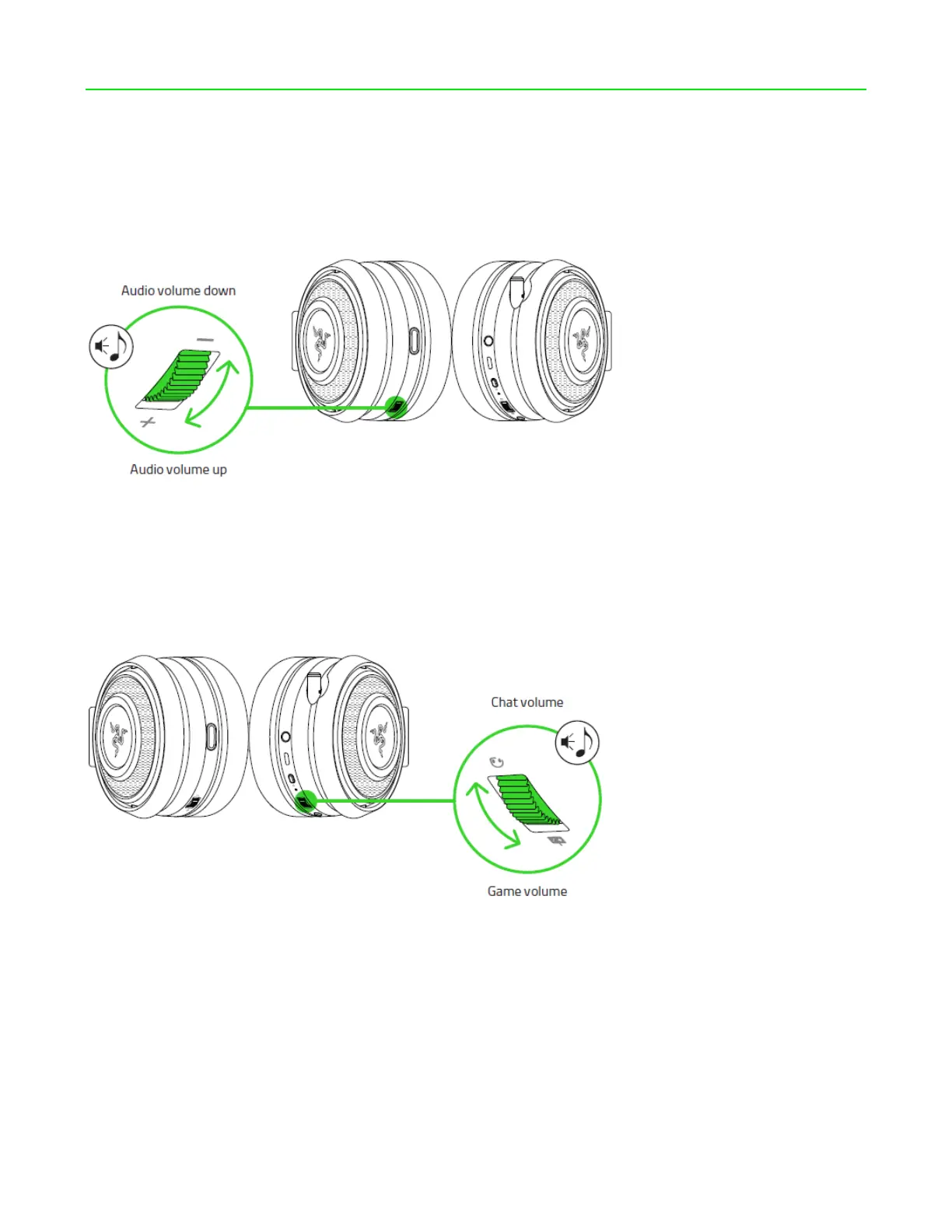
USING THE VOLUME CONTROL
Rotate the volume control to increase or decrease the volume.
USING THE GAME/CHAT BALANCE
Rotate the game/chat balance to increase the in-game volume and decrease the voice chat
volume or vice versa. By default, the notch on the wheel is set to the middle to indicate 50%
chat and 50% game volume.









 To Next Page