22
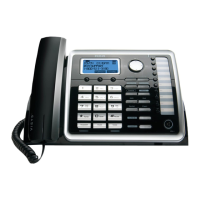
Making Calls with the Corded Handset
1. Pick up the handset and the unit will pick the available line. If both lines are available,
Line 1 will be used first.
-OR
Pick up the handset and press line 1 or line 2 button to select the line you want.
2. Wait for a dial tone, then dial a phone number.
3. Hang up the handset when finished.
6. Press headset button when finished.
5. Wait for a dial tone, and then dial the phone number.
Making Calls with the RCA Wireless Headset
Please refer to the Instruction Booklet for your RCA Wireless Headset for instructions
on setup and use
1. Plug the headset into the Headset jack on the side of the unit.
4. Press the headset button on the phone and the first available line
will be selected. If both lines are available, Line 1 will be used.
Adam smith
123-456-9999
OR



 To Next Page