17
Graphics are for representation only. Your unit may differ slightly.
Playing Discs
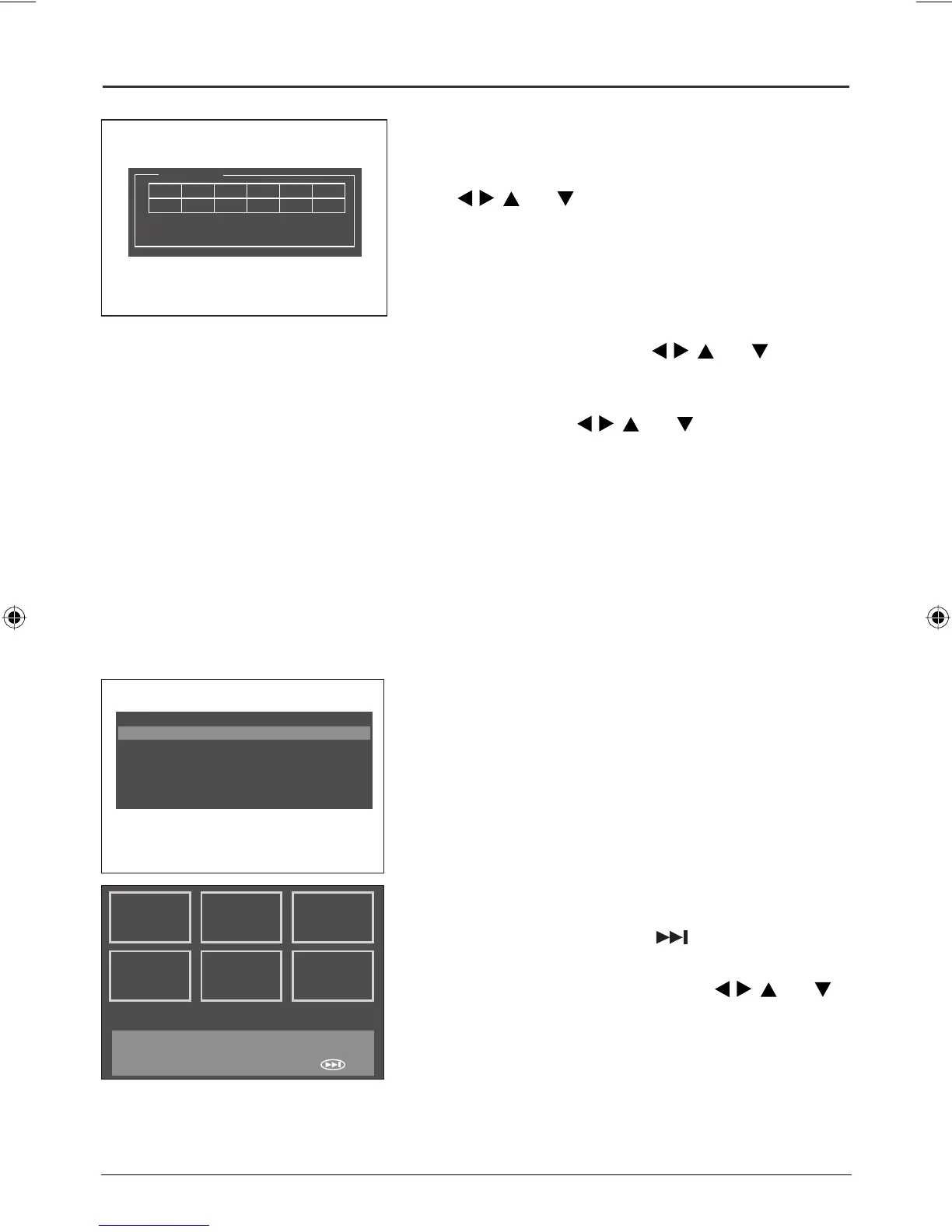
1. During playback, press BOOKMARK. The Bookmark
program appears on the screen.
2. To create a bookmark, select an unused bookmark using
the
, , , and buttons.
3. Press PLAY or ENTER when you locate a point on the
disc you want to replay at a later time.
4. Repeat steps 2 and 3, to enter up to 12 bookmark. Press
BOOKMARK to resume playback.
5. To play bookmarks during playback, press BOOKMARK,
select the bookmark using the
, , , and buttons
and then press PLAY or ENTER.
6. To delete a bookmark, press BOOKMARK, select the
bookmark using the
, , , and buttons and press
CLEAR.
7. To exit the Bookmark program, press BOOKMARK.
Bookmark
TT: 01 CH: 08 Time: 0:37:53
01
Digest (DVD and VCD)
The Digest feature enables you to review the first few seconds of each track or chapter. You can choose
from several digest options.
DVD: Title Digest, Chapter Digest, Title Interval, Chapter Interval, and Bookmark Digest.
VCD: Track Digest, Disc Interval, Track Interval and Bookmark Digest.
Note: mp3 discs do not support this feature.
1. Press the DIGEST button during playback to display the
Digest menu.
2. Select one of the digest types and press ENTER:
Title/Chapter/Track Digest: shows a digest of all titles/
chapters/tracks available on the disc.
Title/Chapter/Disc/Track Interval: shows a digest of the
titles/chapters/tracks in 10-minute intervals.
Bookmark Digest: shows a digest of all the bookmarks
that you created on the disc with the Bookmark feature.
Highlight and select the Digest type (TRACK).
3. To display the next page, press or select NEXT.
4. To start playback from a specific title, chapter, track,
interval or bookmark, select it by using
, , , and
buttons and press ENTER, or input the corresponding
number in the Select box and press ENTER.
• To return to the digest menu, select Menu on screen,
and press ENTER.
• To return to normal playback, select Exit on screen,
and press ENTER or PLAY.
Select Digest Type:
Title Digest
Chapter Digest
Title Interval
Chapter Interval
Bookmark Digest
01
04
02
05
03
06
Type: Chapter (Title 01)
Select (01-30): - -
Exit Menu NEXT
Book 1.indb 17Book 1.indb 17 4/29/05 10:04:33 AM4/29/05 10:04:33 AM



 To Next Page