Setup and Connections
9
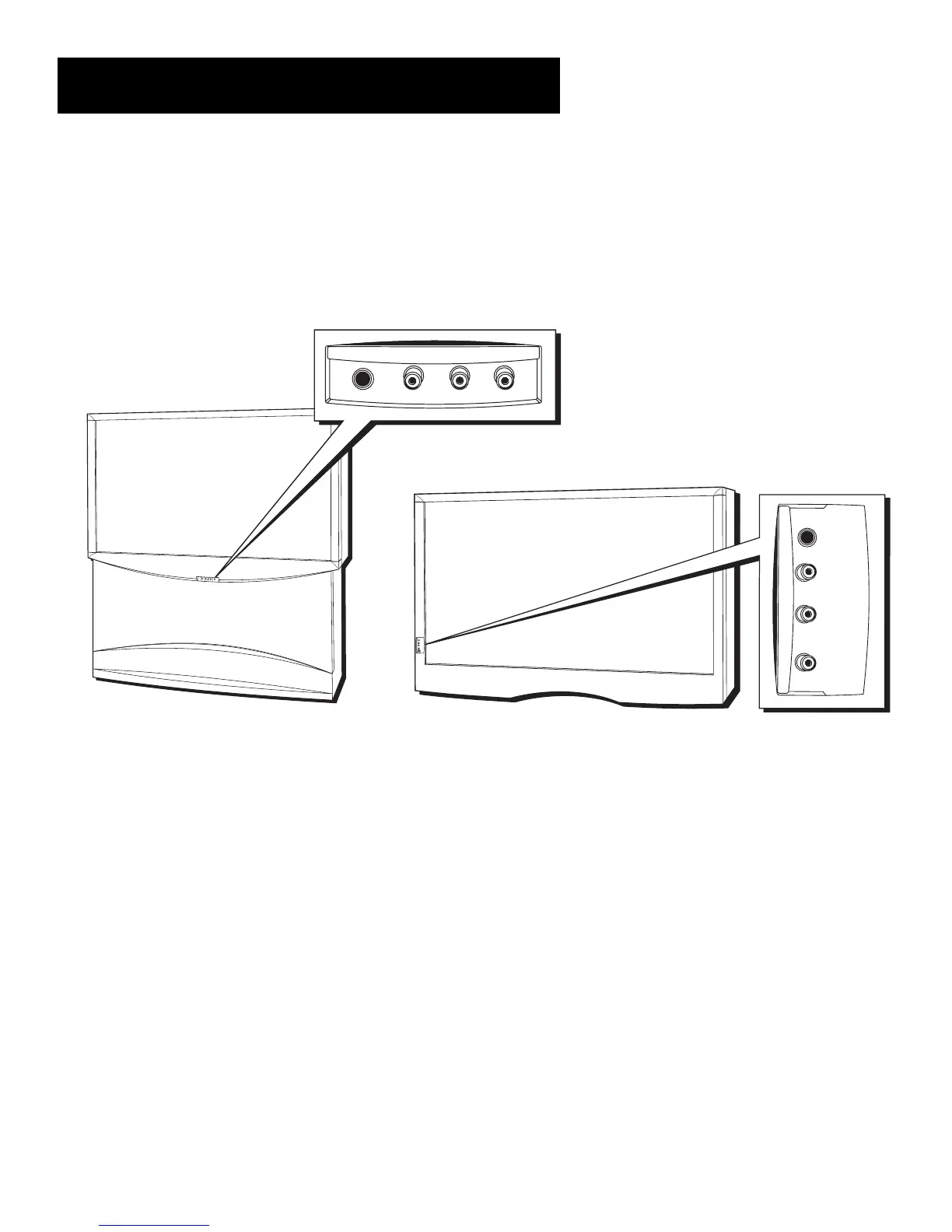
Front Inputs
The monitor has front inputs for convenience; one set of audio/video
inputs and a headphone jack. These jacks let you connect a baseband
NTSC (analog) component such as a VCR, Internet access device, game, or
camcorder. Look for a hinged door and gently lift the cover open. Please
note that the exact look of the jacks or the TV pictured here may be
different from yours.
PHONES Provides a connection for headphones.
VIDEO IN Provides video connection. The video connector is usually
yellow.
AUDIO IN L Provides left audio connection. The left audio connector
is usually white. When connecting devices that use a monaural cable, such
as some camcorders, use the left input jack to get sound from both
speakers.
AUDIO IN R Provides right audio connection. The right audio
connector is usually red.
M
E
N
U
C
H
C
H
V
O
L
—
V
O
L
+P
O
W
E
R
S
-
V
I
D
E
O
V
I
D
E
O
L
/
M
O
N
O
R
A
U
D
I
O
I
N
P
U
T
4
H
E
A
D
P
H
O
N
E
PHONES VIDEO IN
L
R
AUDIO IN
P
H
O
N
E
S
V
I
D
E
O
I
N
L
(
M
O
N
O
)
A
U
D
I
O
I
N
R
U
S
B
PHONES
VIDEO IN
AUDIO IN
R
L
Front panel jacks on model P61310
Front panel jacks on model F38310



 To Next Page