Need help?
Do you have a question about the RCA Mobile DVD Player and is the answer not in the manual?
Register product for warranty and service updates.
Record model/serial numbers for warranty and service.
List of included accessories and their part numbers.
Key safety notes for player installation and power connection.
Precautions to review before connecting the DVD player.
Guide for securing the player in a vehicle.
Instructions for setting up and using the player at home.
Wiring instructions to connect the DVD player to a television.
Identifies and describes the ports on the rear of the unit.
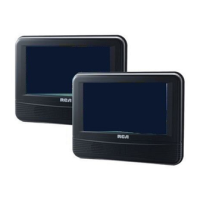
Describes the player's LCD screen, storage, and buttons.
Explains the function of each button on the remote control.
Detailed explanation of remote control buttons.
Information on DVD regional coding and disc compatibility.
Explains navigating disc menus and status banners.
Lists types of discs the player can and cannot play.
Step-by-step process for loading and playing discs.
Details on how disc menus function and their variations.
General information about disc playback variations.
How to use picture scan and skip tracks/songs.
Defines and uses a specific segment for repeated playback.
Adjusting audio sound profiles for different genres.
How to activate and change surround sound effects.
Using the status banner to display disc information.
Navigating to specific chapters within a DVD.
Changing audio and subtitle languages on DVDs.
Switching between different camera angles on discs.
Setting disc or chapter repeat modes.
Information specific to playing audio CDs.
Repeat options for audio CDs.
Information specific to playing MP3 discs.
Navigating and playing MP3 files.
Selecting song order and playback modes.
Creating custom playlists for MP3 discs.
Deleting playlists.
Accessing and using the player's setup menu.
Adjusting aspect ratio and screen settings for TV output.
Changing the language of the player's menus.
Enabling or disabling the screen saver.
Managing the Smart Navi screen for MP3 discs.
Restoring all settings to factory defaults.
Adjusting volume for headphones or amplifiers.
Solutions for common operational problems.
Guidelines for cleaning and handling the player.
Troubleshooting specific disc playback problems.
Best practices for handling and cleaning discs.
Troubleshooting a non-functional remote control.
Information on warranty coverage, claims, and service procedures.
Details on what the warranty does not cover and legal disclaimers.
How state laws affect warranty rights and limitations.
 General
| Screen Size | 7 inches |
|---|---|
| Screen Resolution | 480 x 234 pixels |
| Aspect Ratio | 16:9 |
| Headphone Jack | Yes |
| AV Output | Yes |
| Car Adapter | Yes |
| AC Adapter | Yes |
| Supported Formats | DVD, CD, CD-R/RW, MP3, JPEG |
| Weight | 1.5 lbs |
| Battery Type | Lithium-ion |


 To Next Page