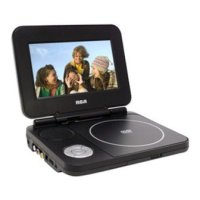
Need help?
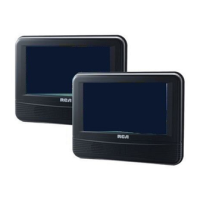
Do you have a question about the RCA DRC69705E30G and is the answer not in the manual?
Instructions for pointing the remote and potential interference issues.
Guidance on replacing the remote control battery and important safety notes.
Controls for playing, pausing, stopping, navigating menus, and accessing setup.
Features for selecting audio, subtitles, angles, and memory functions.
Adjusting screen settings and displaying disc information.
Buttons and switches on the main DVD player unit for operation.
Jacks for power and video output on the DVD player unit.
Jacks on the monitor for audio, video input, and game controller.
Instructions for connecting and using the 12V car power adapter.
Procedure for replacing the fuse in the car power adapter.
Important warnings and cautions for using the power adapter in vehicles.
How to connect the DVD player to the monitor using the connection cable.
Instructions for connecting a game controller to the monitor.
Steps for plugging headphones into the player or monitor jacks.
Warning about potential hearing loss from excessive sound pressure.
Using straps to attach the units to vehicle headrests.
Important safety precautions for using the unit while driving.
Procedure for powering the DVD player on and putting it into standby.
Instructions for loading, playing, and handling potential playback limitations.
How to pause, stop, and resume disc playback at different points.
Using fast forward and fast reverse functions for playback.
How to advance or go back to previous titles, chapters, or tracks.
Procedure for choosing different audio formats or languages on a DVD.
How to turn subtitles on/off or select a desired subtitle language.
Viewing scenes from multiple camera angles available on some DVDs.
Showing playback status like chapter, time, subtitle, and audio information.
How to adjust brightness, contrast, and screen size of the LCD.
Setting the player to repeat a specific chapter or the entire title.
Setting the player to repeat a single CD track or the whole CD.
How to set a specific segment of a disc to play repeatedly.
Directly selecting a chapter or title using its number.
Navigating to a precise time point within a DVD title.
Steps for loading a disc with JPG files and starting playback.
Controls for freezing, resuming, changing, and rotating JPG images.
How to select and sequence favorite titles/chapters for playback.
Returning to normal playback mode from a programmed sequence.
Configuring player language, audio, and subtitle preferences.
Adjusting video settings like brightness and contrast.
Setting TV display formats like Pan Scan, Letter Box, and Wide Screen.
Procedure for restoring the DVD player's settings to factory defaults.
Steps to take if the unit does not power on.
Troubleshooting steps for a non-functional remote control.
Solutions for issues like no sound, low volume, or no picture.
Troubleshooting for discs that won't play or have unclear playback.
Proper methods for handling and cleaning discs to ensure playback quality.
Instructions for cleaning the exterior surfaces of the DVD player.
Details about Dolby Digital technology and its features.
 General
| Brand | RCA |
|---|---|
| Model | DRC69705E30G |
| Category | Portable DVD Player |
| Language | English |

 To Next Page