Need help?
Do you have a question about the RCA RP4801 and is the answer not in the manual?
Warning to replace fuse only with the same type to prevent fire risk.
Caution to match wide blade of plug to wide slot for electrical shock prevention.
Instructions on setting clock time using SET, REV, FWD buttons; confirms settings by checking for flashing icons.
Steps to turn on, select band, tune stations, and turn off the radio.
Steps to open, insert disc, play, adjust volume, skip tracks, stop playback, and notes for no disc.
Instructions to set wake time using SET, REV, FWD buttons; includes GRAD-U-WAKE feature and note on alarm persistence.
How to choose wake source (WAKE, RADIO, CD) and adjust volume.
How to silence the alarm momentarily (Snooze) or stop it completely.
How to set the snooze duration for extra sleep time after the alarm sounds.
 General
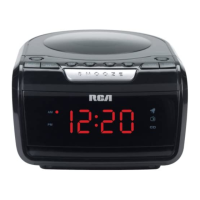
| Brand | RCA |
|---|---|
| Model | RP4801 |
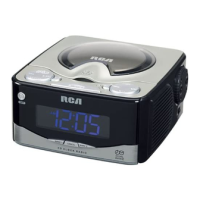
| Category | Clock Radio |
| Display Type | LED |
| Snooze Function | Yes |
| Power Source | AC |
| Battery Backup | Yes |
| Radio Band | AM/FM |
| Presets | 10 |
| Alarm Type | Buzzer |

 To Next Page