First Things First
4
Step 1: What’s in the Box?
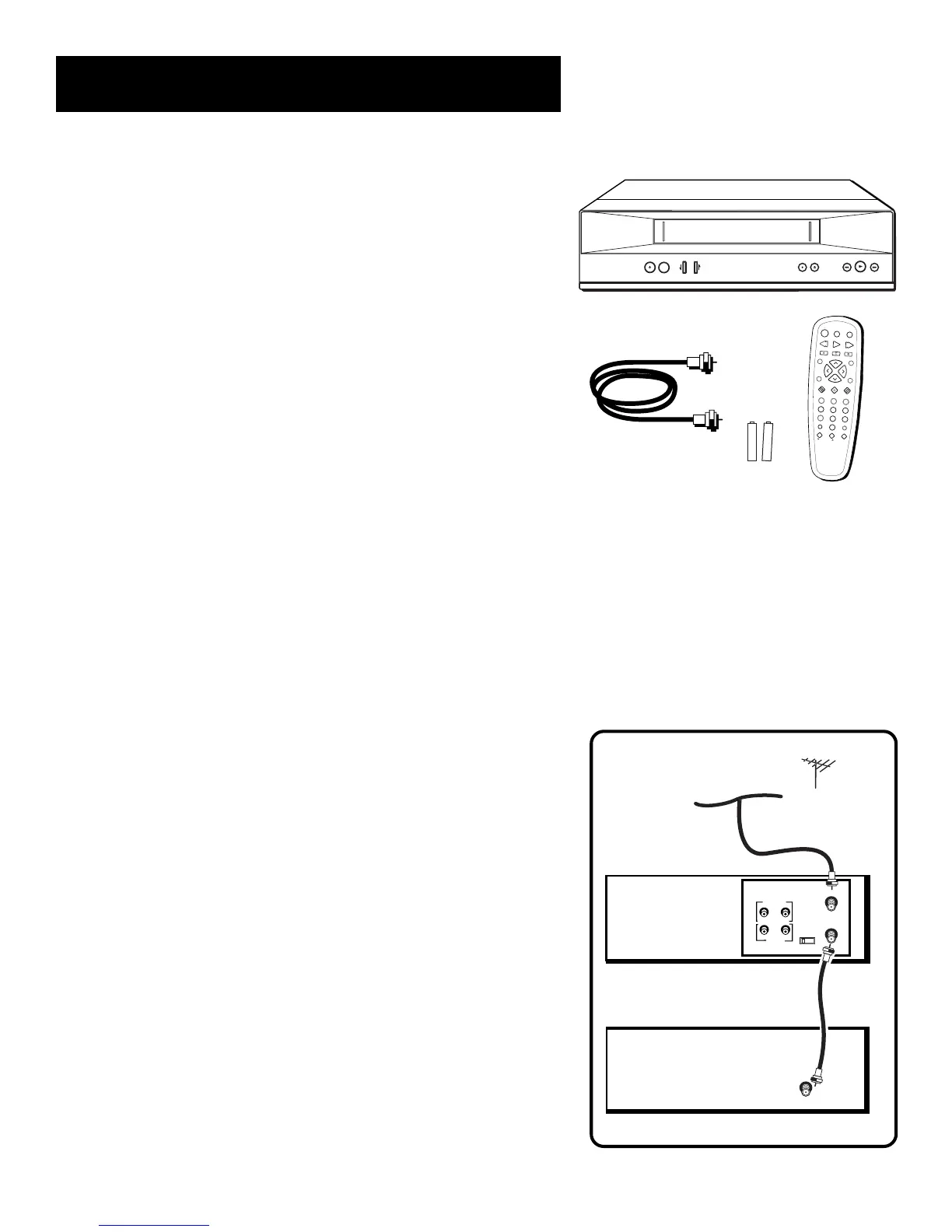
The following items come packed in the box:
• VCR
• Remote control
• RF coaxial cable
• AA Batteries
STEP 2: Install Batteries In
the Remote Control
Follow these steps whenever you need to install or change the
batteries in your VCR remote.
1. Remove the cover of the battery compartment.
2. Place the batteries into the remote’s back panel. Match the
positive (+) and negative (–) ends of each battery to the
diagram inside the battery compartment.
3. Replace the cover.
STEP 3: Connect your VCR
If you connect your VCR to your home antenna or cable system
and then to your TV, use the VCR’s ANT IN and RF OUT jacks for
a good signal as shown to the right.
If you have a TV with AUDIO/VIDEO jacks, use the jacks for a
better connection. Refer to the section, Connections, toward
the back of the manual, for additional connection options.
STEP 4: PLUG IN THE VCR
Your VCR’s power cord has a plastic band strung through the
blades. Remove plastic band before plugging the cord into
the power outlet. To remove band, cut with a pair of scissors
and pull it free of the blades. Once the plastic is removed, match
the wide blade of the power cord to the wide slot in the AC
outlet. Be sure to insert the plug completely.
I
N
P
U
T
T
V
•
V
C
R
R
E
V
E
R
S
E
P
L
A
Y
F
O
R
W
A
R
D
R
E
C
O
R
D
S
T
O
P
P
A
U
S
E
IN
F
O
S
E
A
R
C
H
M
U
T
E
G
O
B
A
C
K
123
456
78 9
0
F.A DV
T
V
V
C
R
T
R
A
C
K
IN
G
O
N
O
F
F
C
H
A
N
V
O
L
V
O
L
C
H
A
N
C
L
E
A
R
M
E
N
U
S
P
E
E
D
TRACKING
POWER
TV•VCR
CHANNEL
RECORD
STOP•EJECT
REW
FWD
P
L
A
Y
P
A
U
S
E
VCR
TV
CH
VIDEO
AUDIO
ANT. IN
RF OUT
OUT
IN
3
4
CABLE/
ANTENNA
CABLE, CABLE BOX, OR ANTENNA
+
–
+
–



 To Next Page