10
DISPENSING MODE:
Step 1. Use the number keys to key in the desired weight, and press [GO] key to start the
dispensing process. The decimal point must be used to enter charges using tenth grain
increments. (e.g., 45.5) Use [CANCEL] key to clear the value and re-enter the charge.
Note: To discard the entered desired weight, please press [ZERO] key and return to scale
mode.
Note: the valid values: 2.0 – 999.9, and 1000-2000
Step 2. After the dispenser has nished dispensing the charge, press [GO] key again to
dispense the same weight again. Continue this process as long as you do not want to
change the powder charge.
Step 3. If you need to change the weight, key in the new weight as in Step #1 and press
[GO] key.
Step 4. If you are dispensing powder and wish to exit dispensing mode, press [CANCEL]
key.
Step 5. To change the dispensed weight value in dispensing mode, the [TRICKLE] key
may be used to ne-tune the exact value. For example, 10.0GN is the rst dispensing
weight, press [GO] key to start the dispensing process. After the dispensing process, press
[TRICKLE] key to keep dispensing till 12.5GN.
MANUALLY DISPENSING OPERATION WITH TRICKLE KEY:
Press [TRICKLE] key to dispense the powder slowly. Release [TRICKLE] key to stop
dispensing.
AUTOMATIC DISPENSE MODE:
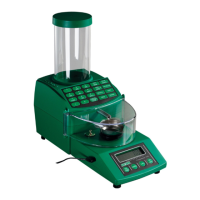
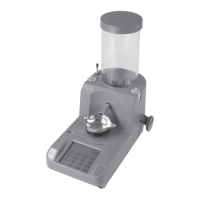
The improved ChargeMaster Lite has been outtted with an Auto-Dispense feature. This
allows powder charges to automatically dispense from the unit once an empty scale pan is
placed onto the unit.
Step 1. Press and hold [MODE] key until the display shows “Auto”
Step 2. Enter the desired charge and press [GO] key to dispense the rst charge.
Step 3. Return the empty scale pan onto the scale platen. When the display shows “0.0” the
Dispenser will automatically dispense the charge.
Step 4. Return to the normal operating mode. Press and hold [MODE] key until the display
shows “Manual”.


 To Next Page