▶ By pressing the + and OK buttons for 3 seconds at the same time the OPTN(option) sign
appears.
▶
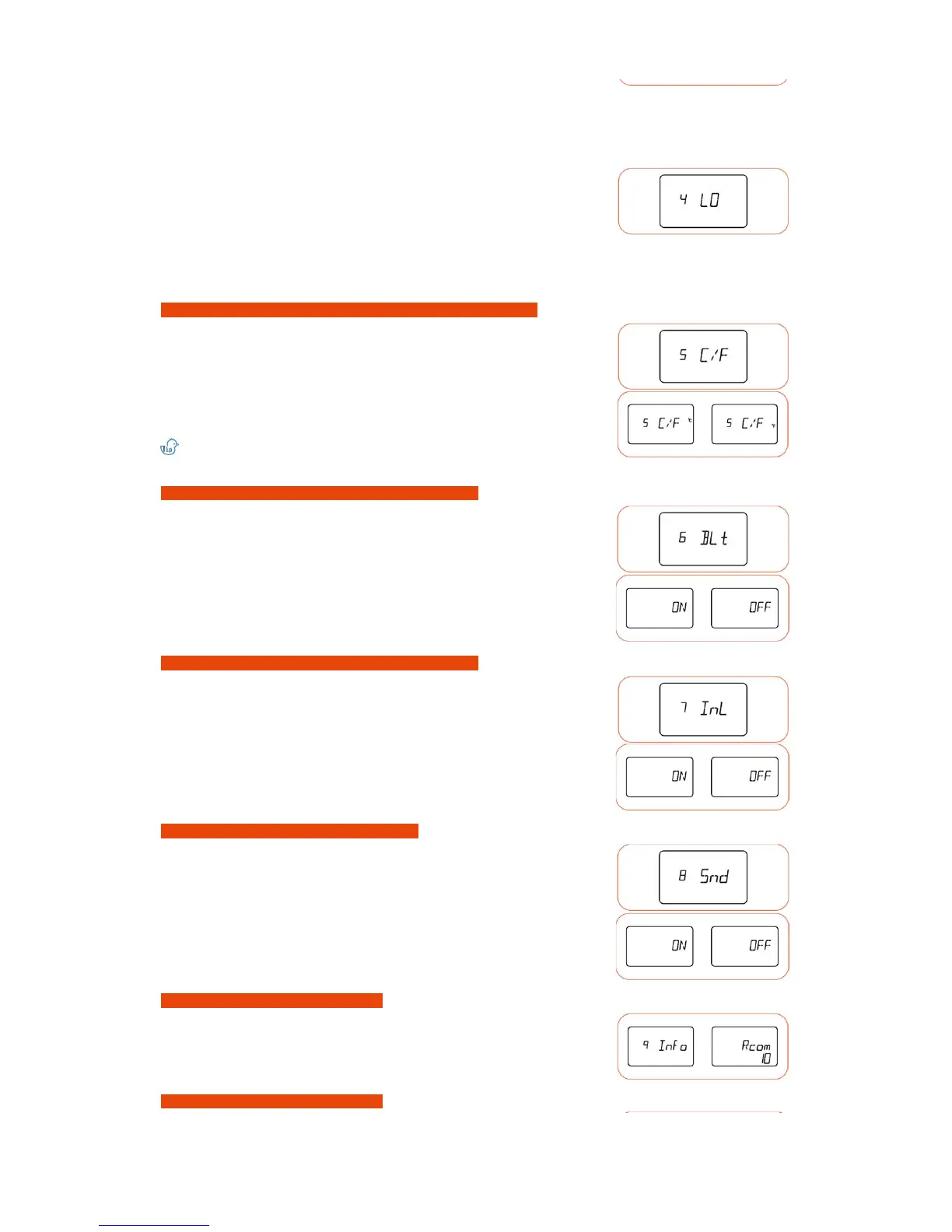
Select the 9.I.nfo by pressing + or - button and press OK to display basic information of
the
device.
▶ By pressing the + and OK buttons for 3 seconds at the same time the OPTN(option) sign
appears.
▶ By pressing + or - button select 8.Snd and press OK to go back to Sound setup.
▶ By selecting the ON or OFF with + or - button and pressing OK, the setup values are saved.
[Default value : ON]
▶ If pressed Candling sign(button) during setup you can go back to previous step.
are
saved. When setup as EVENT ON the back light is only turned on for 30 seconds when the
button is pressed or the alarm is produced.
[Default value : ON]
▶ By pressing the + and OK buttons for 3 seconds at the same time the OPTN(option) sign
appears.
▶ By pressing + or - button select 7.I.nL and press OK to go back to Interior Lighting setup.
▶ By selecting the ON or OFF with + or - button and pressing OK, the setup values are saved.
[Default value : ON]
▶ If pressed Candling sign(button) during setup you can go back to previous step.
▶ By pressing + or - button select 3.HI and press OK to go back to Abrnormal High Temperature Alarm setup.
How to switch between Celsius ↔ Fahrenheit degrees (optional function)
Back light ON↔OFF↔EVENT ON method (optional function)
How to ON↔OFF Interior Lighting (optional function)
How to ON↔OFF SOUND (optional function)
Information display (optional function)
How to leave Optional Function
▶ By selecting the alarm value with + or - button and pressing OK, the setup values are saved.
▶ If pressed Candling sign(button) during setup you can go back to previous step.
[How to setup Abnormal Low Temperature Alarm] : It is an alarm function which notifies when the device's interior temperature is lower than setup value.
▶ Setup scope : 0.0 ~ -5.0℃ (0 ~ -5℉), Default setup value : -3℃
▶ By pressing the + and OK buttons for 3 seconds at the same time the OPTN(option) sign
appears.
▶ When pressed OK after selecting ℃ = Modified to Fahrenheit degree.
When pressed OK after selecting ℉ = Modified to Celsius degree..
[Default value : ℃]
℃ = 5/9 (℉ - 32)
▶ If pressed Candling sign(button) during setup you can go back to previous step.
▶ By pressing the + and OK buttons for 3 seconds at the same time the OPTN(option) sign
appears.
▶ By pressing + or - button, select 6.B.Lt and press OK to go back to Back Light setup.
▶ By pressing + or - button select 4.LO and press OK to go back to Abnormal Low Temperature alarm setup.
▶ By selecting the alarm value with + or - button and pressing OK, the setup values are saved.
▶ If pressed Candling sign(button) during setup you can go back to previous step.
▶ By pressing the + and OK buttons for 3 seconds at the same time the OPTN(option) sign
appears.
▶ By pressing + or - button select 5.C/F and press OK to go back to Celsius/Fahrenheit
modification mode.













 To Next Page