Serial No.
(EX:RCM0950278)
K5H9F
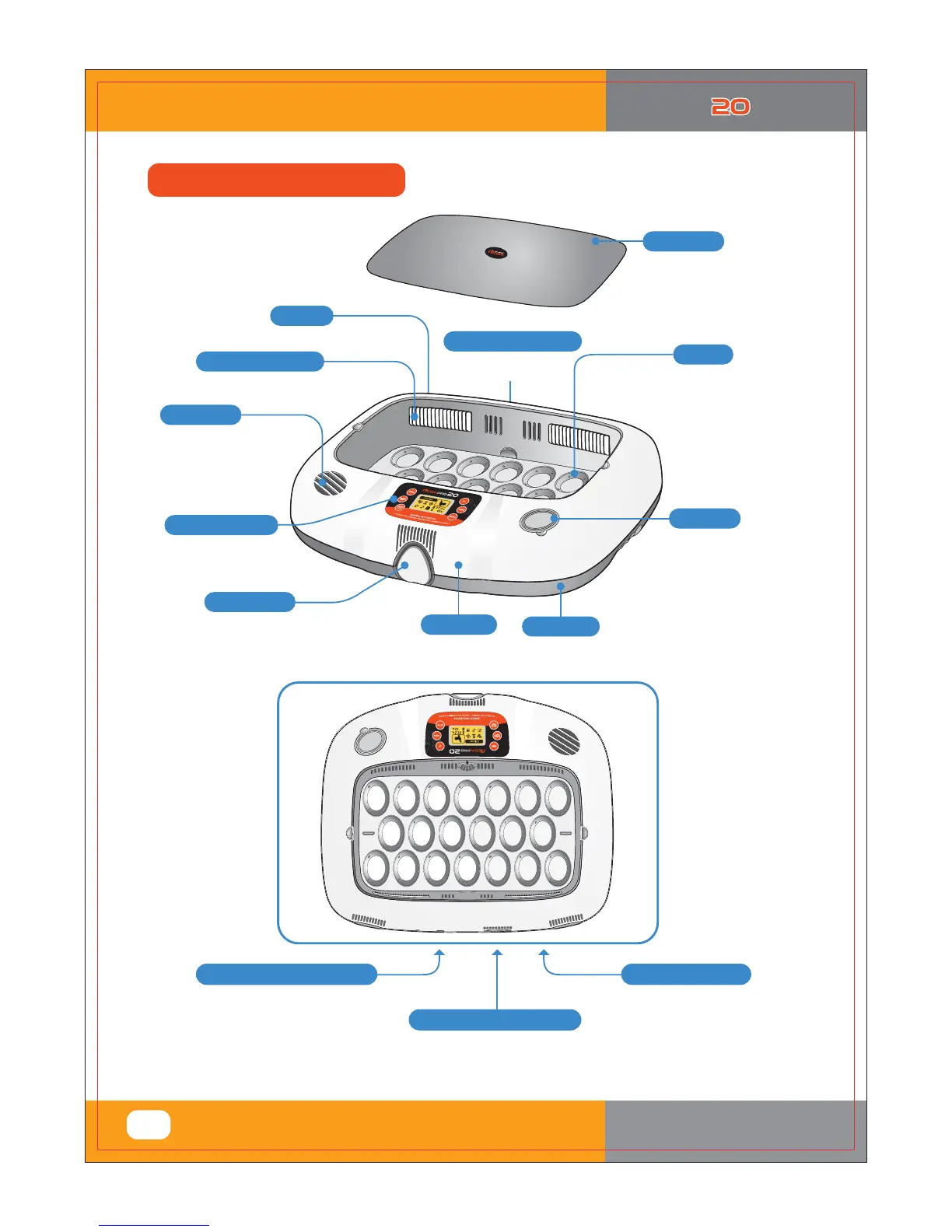
Power Connecting (the rear)
For connecting
power cord.
For inlet of air
from outside
Air inlet vent
For circulating warm air
Vents for air circulation
Water hole
To facilitate water top-up
for the humidity control.
Digital Control Center
See description of
the function and operation.
Main Body-1
Main Body-2
Locking Button
View Window
For a clear view of
the incubation process.
(Double Skin Viewing Window)
< USB MODEL Only >
Egg Tray
Small, Standard,
or Large egg tray
according to egg size.
Universal Tray
(Sold Seperately)
Connecting the electric cord
Power Connecting Socket
%*(*5"-*/$6#"503
9
1. Introduction
(3) Identification of Parts and
Compositio
Identification of Parts
K5H9F
(EX:RCM0950278)
If you register your information
with your machine’s serial
number on our web-site
(www.Rcom.co.kr), you can get
2 year warranty service.
Product Serial No.
Connecting the USB cable.
You can set and store
incubation conditions
with your Computer.
USB Cable Connecting Socket



 To Next Page