(EX:RCM0950278)
#BDL
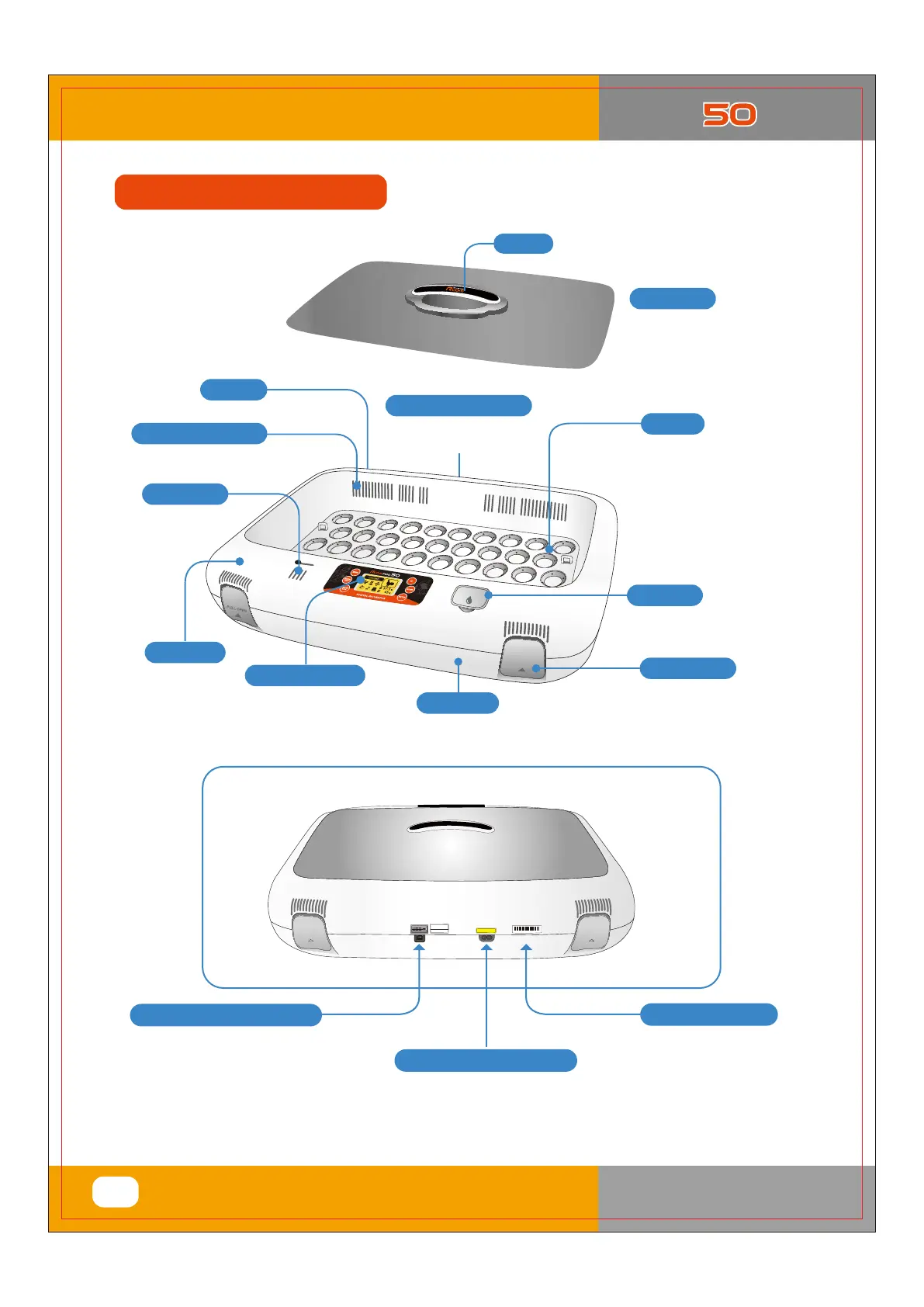
Product Serial No.
Handle
Power Connecting (the rear)
For connecting
power cord.
For inlet of air
from outside
Air inlet vent
Water hole
To facilitate water top-up
for the humidity control.
Digital Control Center
See description of
the function and operation.
Main Body-1
Main Body-2
Locking Button
View Window
For a clear view of
the incubation process.
(Double Skin Viewing Window)
Egg Tray
Small, Standard,
or Large egg tray
according to egg size.
Universal Tray
(Sold separately)
< USB MODEL Only >
Connecting the USB cable.
You can set and store
incubation conditions
with your Computer.
USB Cable Connecting Socket
Connecting the electric cord
Power Connecting Socket
%*(*5"-*/$6#"503
9
1. Introduction
(3) Identification of Parts and
Compositio
Identification of Parts
1
10V~120V
PAS S
Calibration
RCM 0901278
W
A
T
E
R
P
U
L
L
O
P
EN
P
U
L
L
O
P
EN
P
U
LL
O
P
E
N
For circulating warm air
Vents for air circulation
Serial No.
(EX:RCM0950278)
USA & Canada Official Sales & Service https://www.R-Com-Hatcher.com
Egg Incubator Hatcher Rcom USB and Pro 50 User Manual



 To Next Page