DCN: 140-02034-03 Page 10
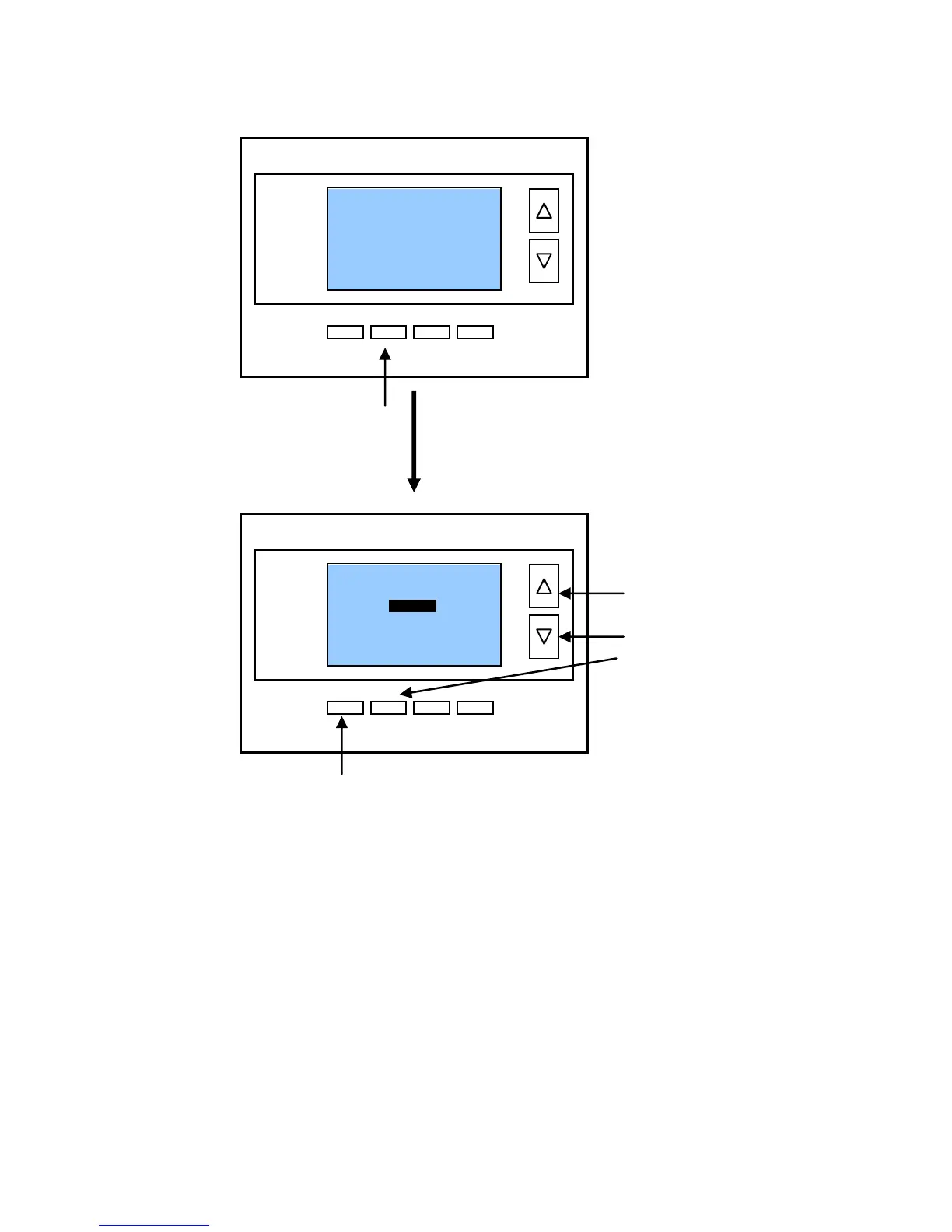
Setting the System Mode: Off, Heat, Cool, Auto
System Modes
OFF Mode: System is off. No heating or cooling will come on. If system was
on, it will turn off immediately.
HEATING Mode: Only heating will occur.
COOLING Mode: Only cooling will occur.
AUTO Mode: Heating or cooling will come on according to the heating and
cooling setpoints. The system will automatically switch between heating and
cooling modes as needed to maintain the setpoints.
! Special Heat Pump Mode: Emergency Heat
EHEAT Mode: An additional system mode, “EHEAT” for Emergency Heat will be
displayed if the HVAC system type is set to Heat Pump. If there is a compressor
failure with the Heat Pump system, setting the mode to EHEAT will allow the
supplemental Aux heat to come on first whenever there is a call for heating. It also
disables the compressor output to prevent further damage to the HVAC system.
Press “DONE” button to select the mode and exit back to
the main thermostat screen or wait for the screen to
automatically time out.


 To Next Page