Thermostat Setup: Standard Gas/Electric HVAC Systems
To set the HVAC system type, go to the Thermostat Info screen Setup or the Installer Settings menu
(a hidden screen – go to the main menu screen and press and hold the center two buttons for 5 seconds)
In the Installer Settings Menu, Select System Settings then select Mechanical Settings and set the following:
1. Type. Set the HVAC System Type: set to Gas/Elec
2. Fan Type. Set the HVAC Fan Type:
Set to Gas for typical gas furnace (fan is controlled by the furnace)
Set to Elec for electric heat (fan call with heat call)
3. C/O type. Not used for standard systems. Ignore this setting.
4. 2nd Stage Heat. Enable second stage heating outputs
If you have a single stage heating system, leave this set to N
If you have a 2 stage heating system, set to Y to enable.
5. Aux Heat (HP). Not used for standard systems. Ignore this setting
6. 2nd Stage Cool. Enable second stage cooling outputs
If you have a single stage cooling system, leave this set to N.
If you have a two stage cooling system , set to Y to enable.
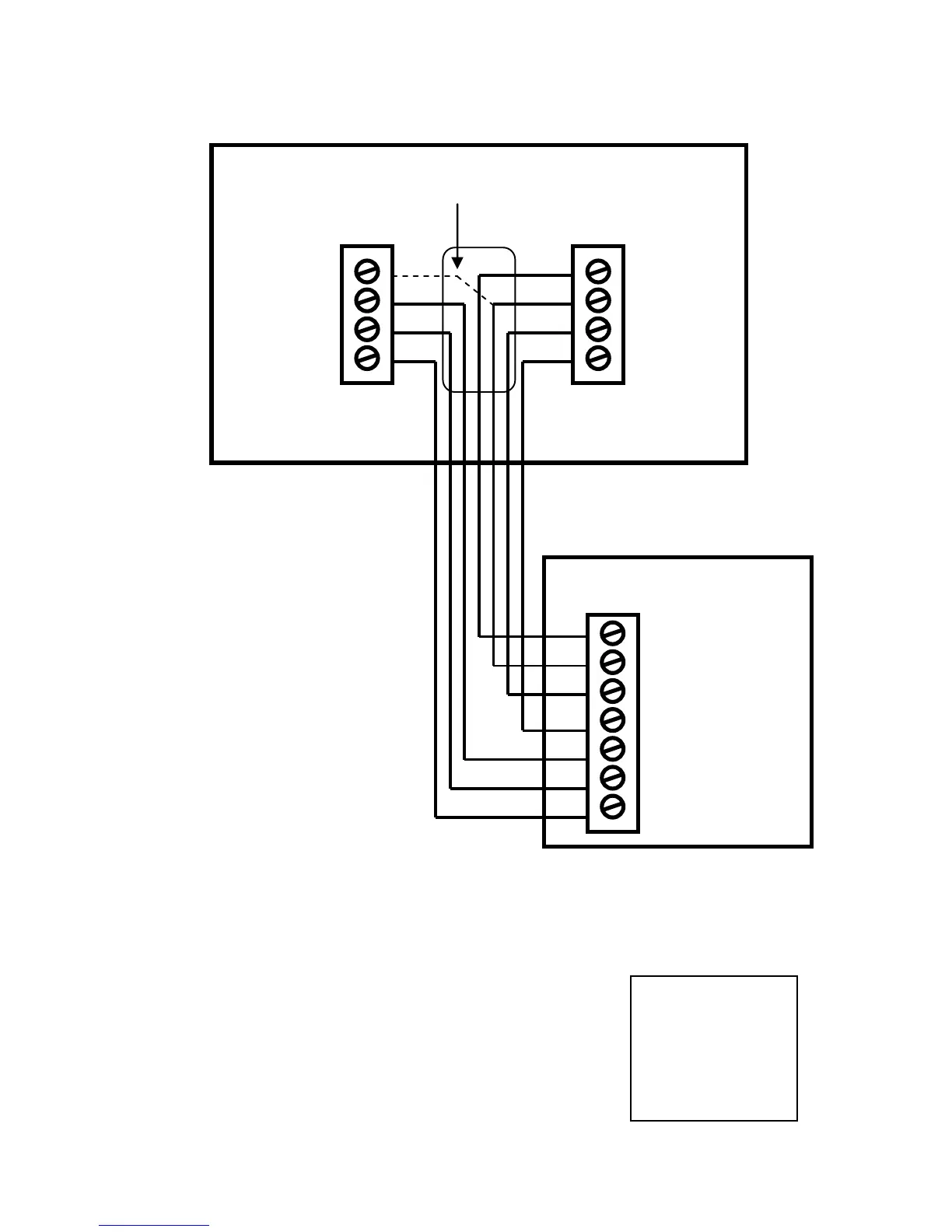
Optional 24R Connection for single transformer HVAC Systems
RC and RH are jumpered together on thermostat board.
Cut RC/RH jumper JP1 for separate heating and cooling transformers


 To Next Page