"Understanding the Configuration Menu" to display Lb. Then, rotate TUNE to
select 4, 8, 12, or 16 seconds.
USING TOUCH-TONE FEATURES
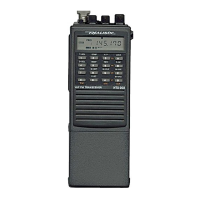
Your transceiver has a built-in 16-key touch-tone encoder. You can
manually send touch tones, or send tones from one of the five DTMF
memories. You can also set your transceiver so that it is silent until it
receives a specific sequence of touch tones.
MANUALLY SENDING TOUCH TONES
Some repeaters require you to enter a touch-tone code to key-up the
repeater. Also, some repeaters have autopatch devises that let you make
telephone calls through the repeater. To manually send the required tones,
press and hold down PTT. Then, enter the touch-tone digits.
NOTES: You must press D twice to send the D digit.
If the auto-reply feature is turned off, you can release PTT after
you enter the first digit. The transceiver continues to accept and
transmit the touch-tone signals until you pause at least 1 second.
STORING A DTMF MEMORY SEQUENCE
You can store frequently-used touch-tone sequences in the transceiver's
five DTMF memories. Each memory can hold up to 15 digits. Follow these
steps to store touch-tone frequencies.
1. Press and hold down F+DTMF for at least 1 second. The display changes
to show the first DTMF memory.
2. Press D. Then, press a digit from 1-5 to select one of the DTMF
memories.
3. Enter the touch-tone sequence. If the sequence is less than 15 digits,
press D, then press a digit from 1 to 5 to select a different DTMF
memory or press PTT to exit the DTMF memory store mode.



 To Next Page