EasyManua.ls Logo

Realistic PRO-2023 - SEARCHING FOR ACTIVE FREQUENCIES

Realistic PRO-2023
23 pages
Print Icon
To Next Page IconTo Next Page
To Previous Page IconTo Previous Page
Loading...
SEARCHING
FOR
ACTIVE
FREQUENCIES
Use
this
procedure
to
search
for
a
transmission
within
a
range
of
frequen¬
cies.
You
must
set
the
frequency
range
within
each
band
listed
below.
That
is,
you
cannot
set
the
upper
and
lower
frequencies
in
different
bands.
For
example,
if
you
set
the
lower
frequency
to
30
MHz
and
set
the
upper
frequency
at
110
MHz,
the
scanner
does
not
accept
the
entry
and
the
display
shows
Error.
29
MHz
to
54
MHz
(VHF
Lo)
108
MHz
to
136
MHz
(Air)
136.005
MHz
to
174
MHz
(VHF
Hi)
406
MHz
to
512
MHz
(UHF)
When
you
find
an
interesting
fre¬
quency,
you
can
store
the
frequency
in
the
monitor
memory
and
later
move
it
to
a
channel.
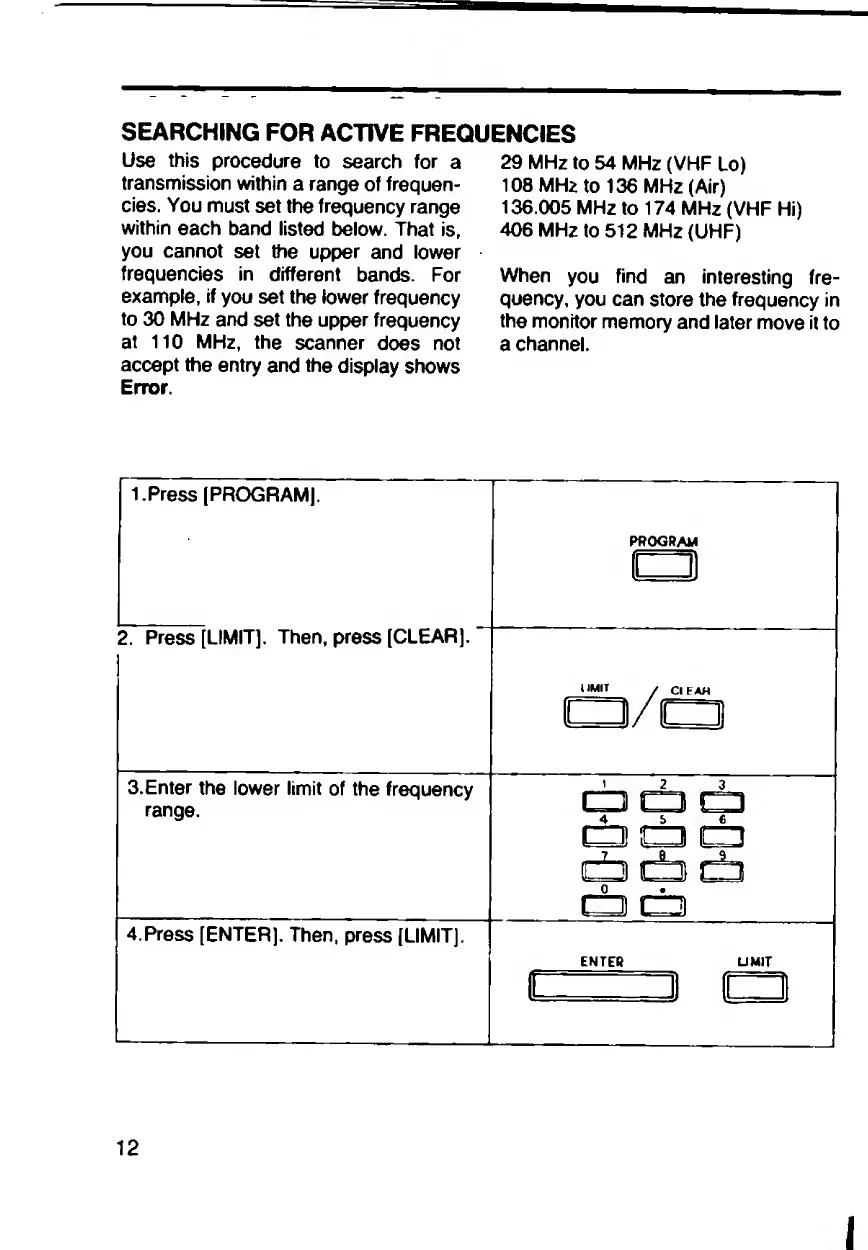
1.Press
(PROGRAM).
PROGRAM
1
1
2.
Press
[LIMIT].
Then,
press
(CLEAR).
UMIT
/
CIFAH
czvcr
3.
Enter
the
lower
limit
of
the
frequency
range.
CD
C3
C±D
t±j
db
db
cb
t±i
db
da
t±3
4.Press
[ENTER].
Then,
press
(LIMIT).
ENTER
UMIT
ir=
i
cr
12
I

Related product manuals