EasyManua.ls Logo

Realistic PRO-2023 - PREPARATION; CONNECTING THE ANTENNA

Realistic PRO-2023
23 pages
Print Icon
To Next Page IconTo Next Page
To Previous Page IconTo Previous Page
Loading...
PREPARATION
CONNECTING
THE
ANTENNA
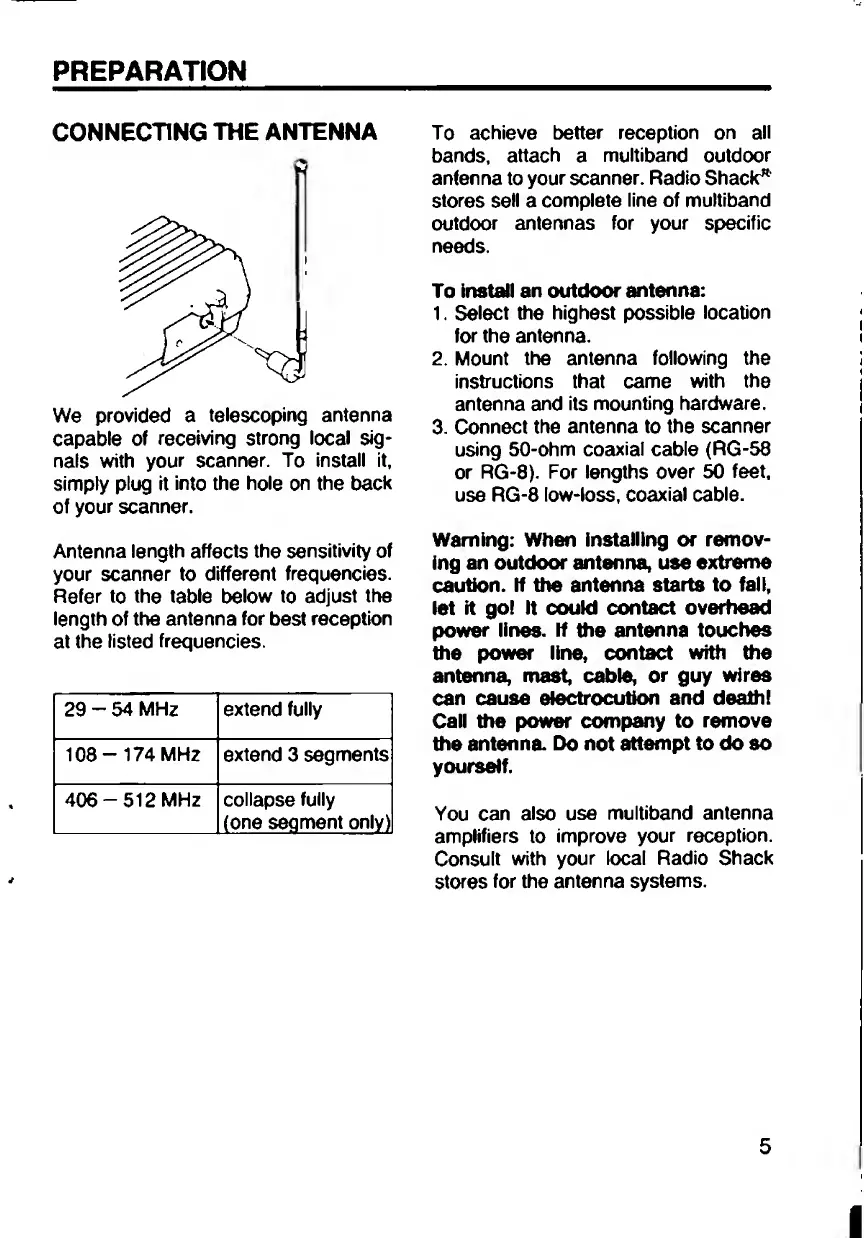
We
provided
a
telescoping
antenna
capable
of
receiving
strong
local
sig¬
nals
with
your
scanner.
To
install
it,
simply
plug
it
into
the
hole
on
the
back
of
your
scanner.
Antenna
length
affects
the
sensitivity
of
your
scanner
to
different
frequencies.
Refer
to
the
table
below
to
adjust
the
length
of
the
antenna
for
best
reception
at
the
listed
frequencies.
29
-
54
MHz
extend
fully
108-174
MHZ
extend
3
segments
406-512
MHz
collapse
fully
(one
segment
only)
To
achieve
better
reception
on
all
bands,
attach
a
multiband
outdoor
anfenna
to
your
scanner.
Radio
Shack"
stores
sell
a
complete
line
of
multiband
outdoor
antennas
for
your
specific
needs.
To
install
an
outdoor
antenna:
1.
Select
the
highest
possible
location
for
the
antenna.
2.
Mount
the
antenna
following
the
instructions
that
came
with
the
antenna
and
its
mounting
hardware.
3.
Connect
the
antenna
to
the
scanner
using
50-ohm
coaxial
cable
(RG-58
or
RG-8).
For
lengths
over
50
feet,
use
RG-8
low-loss,
coaxial
cable.
Warning:
When
installing
or
remov¬
ing
an
outdoor
antenna,
use
extreme
caution.
If
the
antenna
starts
to
fall,
let
it
go!
It
could
contact
overhead
power
lines.
If
the
antenna
touches
the
power
line,
contact
with
the
antenna,
mast,
cable,
or
guy
wires
can
cause
electrocution
and
death!
Call
the
power
company
to
remove
the
antenna.
Do
not
attempt
to
do
so
yourself.
You
can
also
use
multiband
antenna
amplifiers
to
improve
your
reception.
Consult
with
your
local
Radio
Shack
stores
for
the
antenna
systems.
5

Related product manuals