EasyManua.ls Logo

Realistic PRO-2023 - UNDERSTANDING YOUR SCANNER; A LOOK AT THE DISPLAY

Realistic PRO-2023
23 pages
Print Icon
To Next Page IconTo Next Page
To Previous Page IconTo Previous Page
Loading...
UNDERSTANDING
YOUR
SCANNER
A
LOOK
AT
THE
DISPLAY
CH
MHz
kHz
LOCK
OUT
DELAY
pn
C
C
u
_l
/
nnnn
IL.UUU
PRIORITY
WX
SEARCH
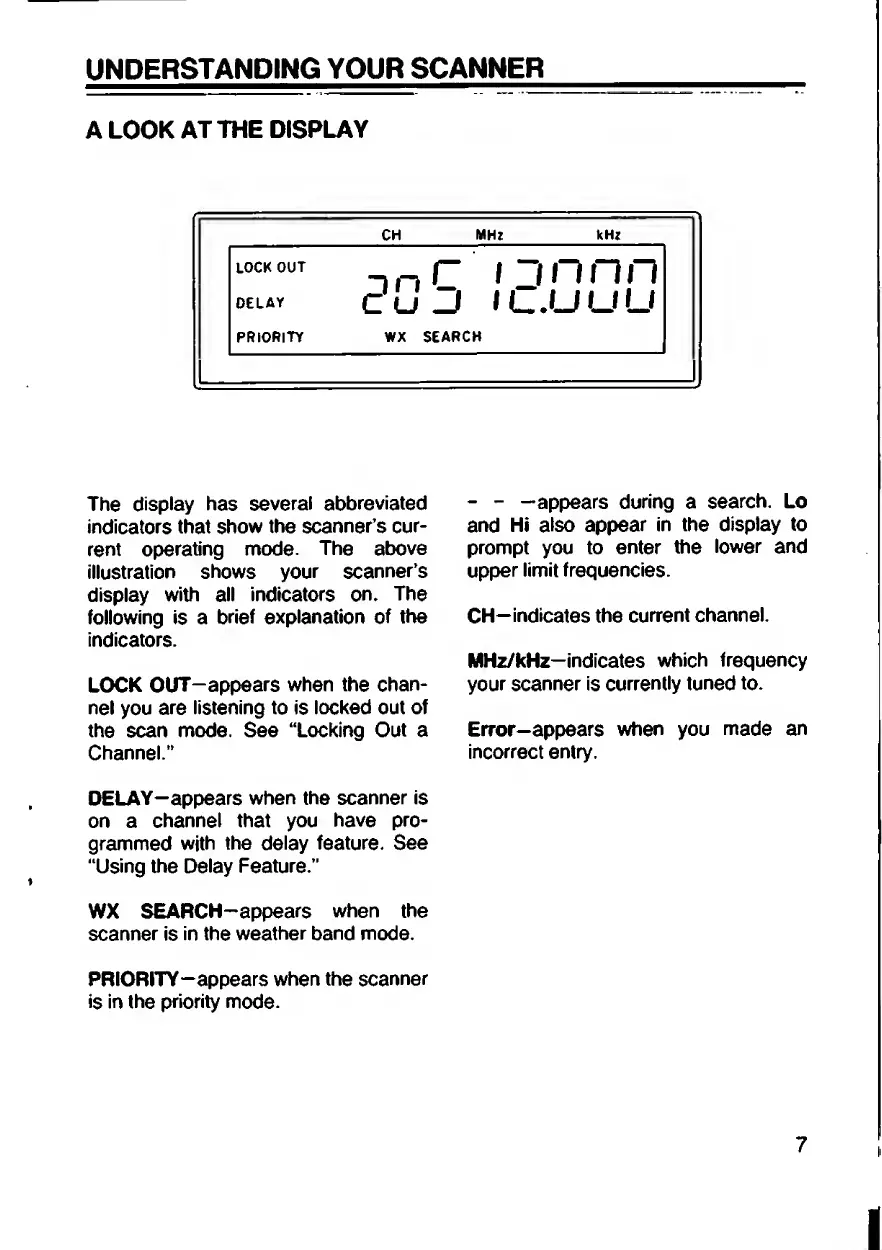
The
display
has
several
abbreviated
indicators
that
show
the
scanner’s
cur¬
rent
operating
mode.
The
above
illustration
shows
your
scanner’s
display
with
all
indicators
on.
The
following
is
a
brief
explanation
of
the
indicators.
LOCK
OUT-appears
when
the
chan¬
nel
you
are
listening
to
is
locked
out
of
the
scan
mode.
See
“Locking
Out
a
Channel.”
DELAY—appears
when
the
scanner
is
on
a
channel
that
you
have
pro¬
grammed
with
the
delay
feature.
See
“Using
the
Delay
Feature.”
WX
SEARCH-appears
when
the
scanner
is
in
the
weather
band
mode.
PRIORITY-appears
when
the
scanner
is
in
the
priority
mode.
-
-
—appears
during
a
search.
Lo
and
Hi
also
appear
in
the
display
to
prompt
you
to
enter
the
lower
and
upper
limit
frequencies.
CH—indicates
the
current
channel.
MHz/kHz-indicates
which
frequency
your
scanner
is
currently
tuned
to.
Error—appears
when
you
made
an
incorrect
entry.
i

Related product manuals