Note:
The
scanner displays
Pch
Loc
Oul it on
y
one
bank s turned on
and
lhe
curent
prior
ty channel rn the
bank
s empty
The
scanner strll des
gnates
the channel
you
selecled as the new
pr
ority clrannel
To turn on the
pr
orty leature
pr€ss
l,HtuH
Y Ine
scanner cnec[s eacn
pfior
ty channel
(lrom
lowest to highesl
channel number) every 2 seconds, and
slays on
the cnannel
I there is aci vity,
PB
ORITY
appears
above the
ire-
quency.
To turn oii lhe
priority
feature,
press
PFIORITY
PBIOFITY
disappears
from
the
display.
LISTENING TO THE
WEATHER BAND
(Can
be
rec€ived in Canada only)
To scan
the
preprogrammed
weather
channels,
s mply
press
WX
To manualy lune through the
pre-
programmed
weather
channels:
1. Press l\4ANUAL,lhen
press
WX.
2. Press
FREO/CHAN
unlilthe
FREQ
ndcalor
lLrrns
on.
The
scanner
beeps sotlly
3. Repeated
y
press
(or
press
and ho d
down) HOLDT.
or
lurn
lhe rotary
tuner t0
scan through the
pre-
programmed
wealher band fre-
quencies
Note: You can still tune and
scan
wealhet
channels that ale nol
pre-
programme0.
Turning
the Weather Alert
On
and off
You can
use
your
scanner's wealher
alert feature to warn
you
when
youT
o-
calweather slaton
broadcasts
a
severe
weather
emergency
slgna
,
1. PressWX The
scannerstops on the
clearest weather broadcasting
station,
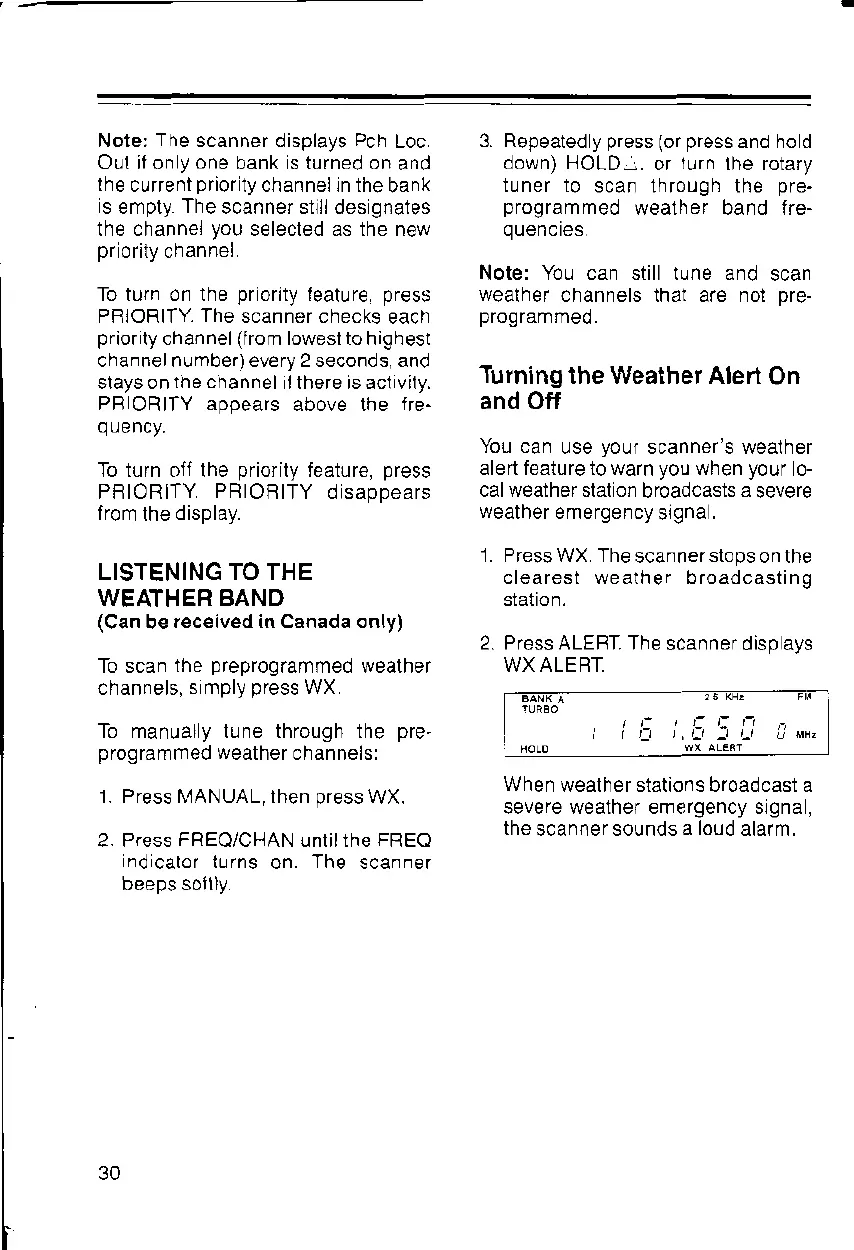
2. Press ALEFT. The
scanner disp ays
WX ALERT.
When
wealher stations broadcast a
sevefe wealner emergency srgna,
the
scanner sounds
a loud
alatm,
30



 To Next Page