EasyManua.ls Logo

Realistic Pro-30 - Preparation For Use

Realistic Pro-30
20 pages
Print Icon
To Next Page IconTo Next Page
To Previous Page IconTo Previous Page
Loading...
PREPARATION
FOR
USE
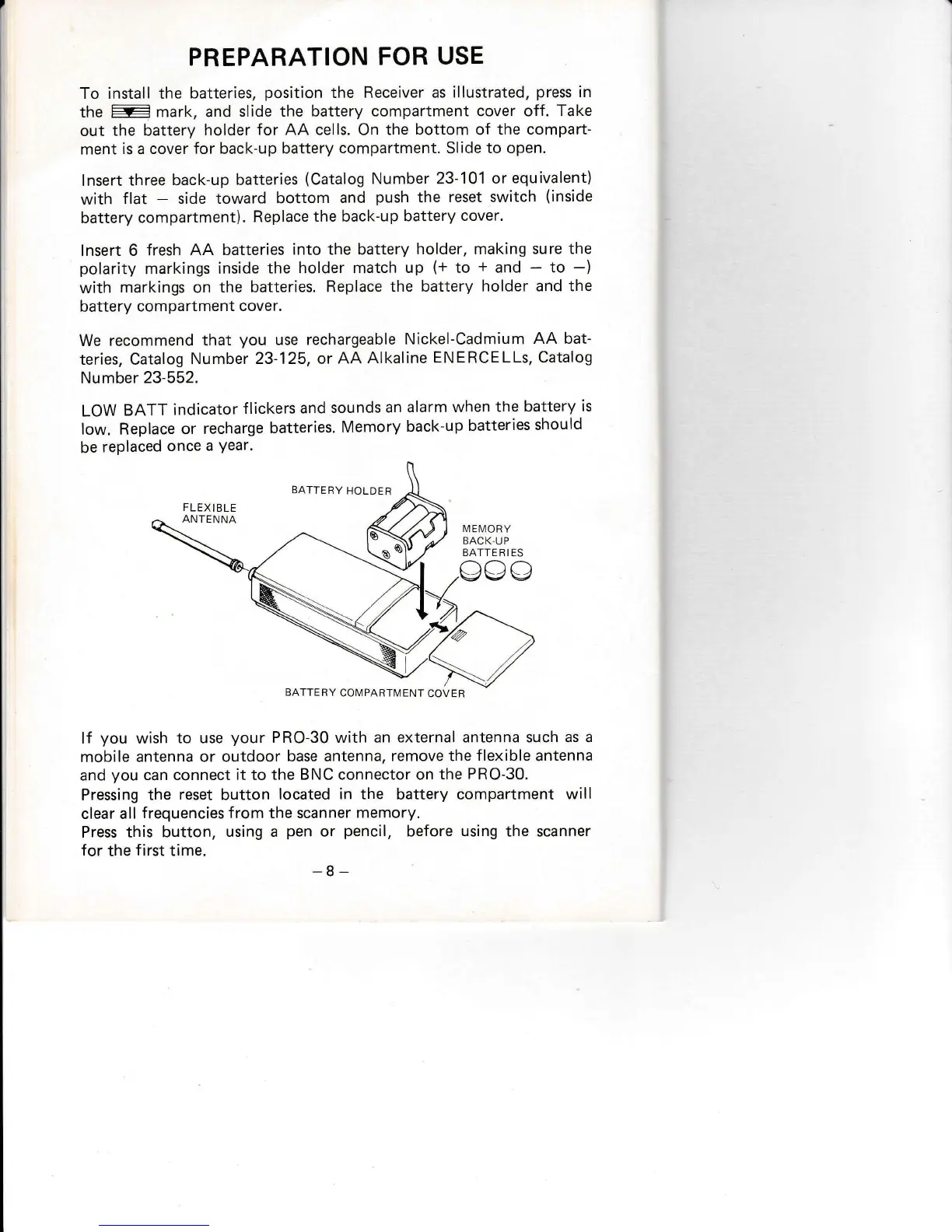
To install the
batteries,
position
the Receiver
as illustrated,
press
in
1fis
:
mark, and
slide the battery
compartment cover off.
Take
out
the battery
holder
for AA cells. On the
bottom
of
the compart-
ment
is a cover
for
back-up
battery
compartment. Slide to open.
lnsert
three back-up
batteries
(Catalog
Number 23-101
or
equivalent)
with
flat
-
side toward
bottom
and
push
the
reset switch
(inside
battery
compartment).
Replace
the back-up
battery
cover.
lnsert 6
fresh AA
batteries
into the battery
holder, making
sure the
polarity
markings
inside
the holder
match up
(+
to
+
and
-
to
-)
with
markings on
the batteries.
Replace
the battery
holder and the
battery
compartment
cover.
We recommend
that
you
use
rechargeable
Nickel-Cadmium
AA bat-
teries, Catalog
Number 23'125,
or AA
Alkaline
ENERCELLs, Catalog
Number 23-552.
LOW
BATT
indicator
f lickers
and
sounds
an alarm
when
the
battery
is
low. Replace
or recharge
batteries.
Memory
back-up
batteries
should
be
replaced
once
a
Year.
BATTERY
HOLDER
lf
you
wish
to use
your
PRO-30 with an
external antenna such as
a
mobile
antenna or outdoor
base antenna,
remove the
flexible
antenna
and
you
can connect
it
to
the BNC connector on
the
PRO-30-
Pressing
the
reset
button
located in the
battery compartment
will
clear all
frequencies
from
the scanner
memory.
Press this
button,
using a
pen
or
pencil,
before
using
the scanner
for
the
f irst
time.
-8-
F
LEX
I BLE
ANTENNA
IIl
EI\4O RY
BACK,UP
BATTE R I ES
BATTERY
COMPARTMENT
COVER

Related product manuals