EasyManua.ls Logo

Realistic Pro-30 - Operating Your PRO-30; Understanding the Display

Realistic Pro-30
20 pages
Print Icon
To Next Page IconTo Next Page
To Previous Page IconTo Previous Page
Loading...
OPERATING
YOUR
PRO.3O
Turn on
your
PRO-30
by rotating VOLUME
clockwise.
(When
first turned
on,
your
PRO-30
might start scanning.)
Rotate
SOUELCH
fully
counterclockwise.
You'll
hear a rushing noise
from
the
speaker.
Slowly rotate SOUELCH clockwise until the
noise
just
stops.
You're
now
ready to start
entering frequencies!
Understanding
the Display
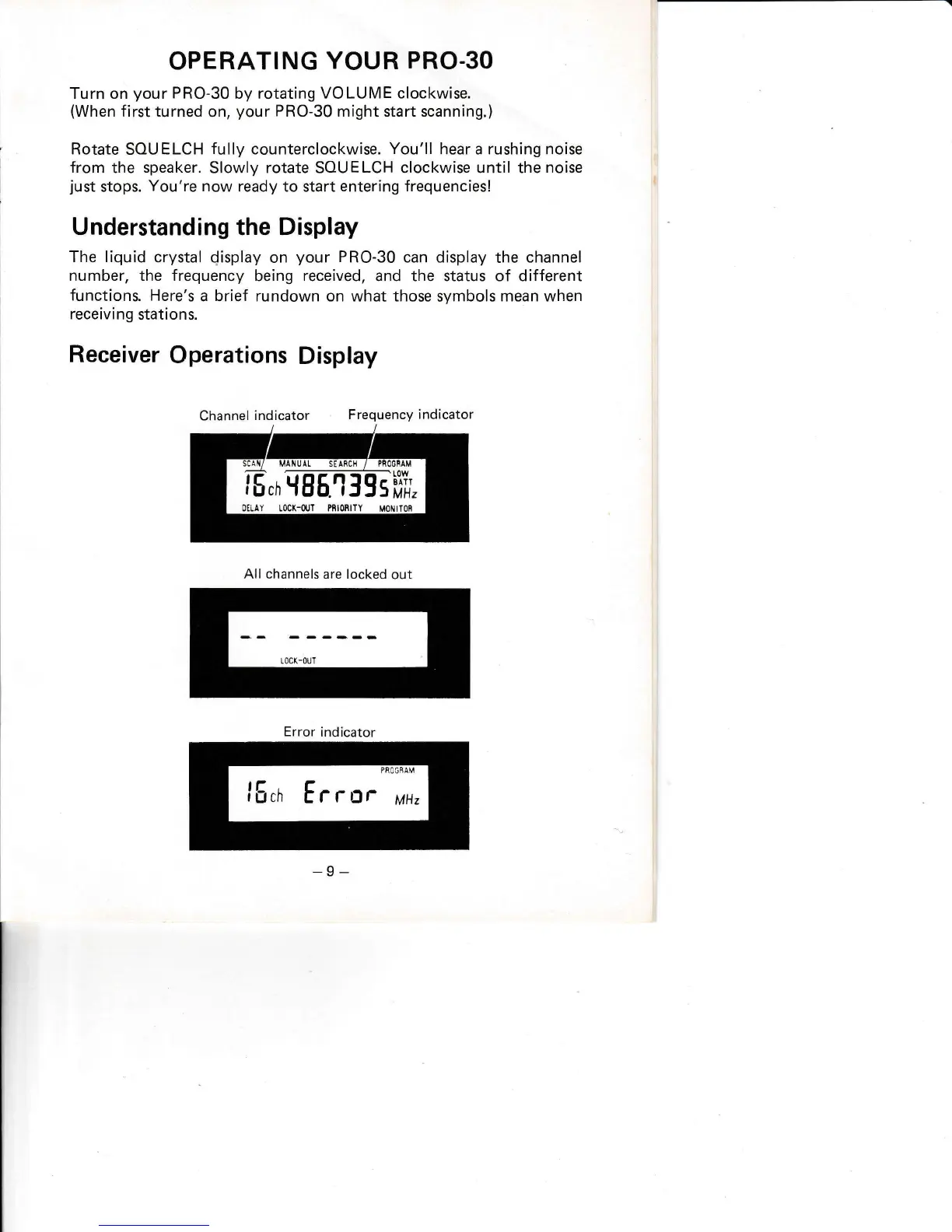
The liquid
crystal display
on
your
PRO-30
can display
the channel
number, the frequency
being
received,
and the status of different
functions.
Here's
a brief rundown on
what
those
symbols
mean when
receiving
stations.
Receiver
Operations
Display
Channel
indicator
Frequency
indicator
All channels
are locked
out
Error
indicator

Related product manuals