EasyManua.ls Logo

RECO EasyLine RM-216 C - User Manual

RECO EasyLine RM-216 C
18 pages
Print Icon
To Next Page IconTo Next Page
Loading...
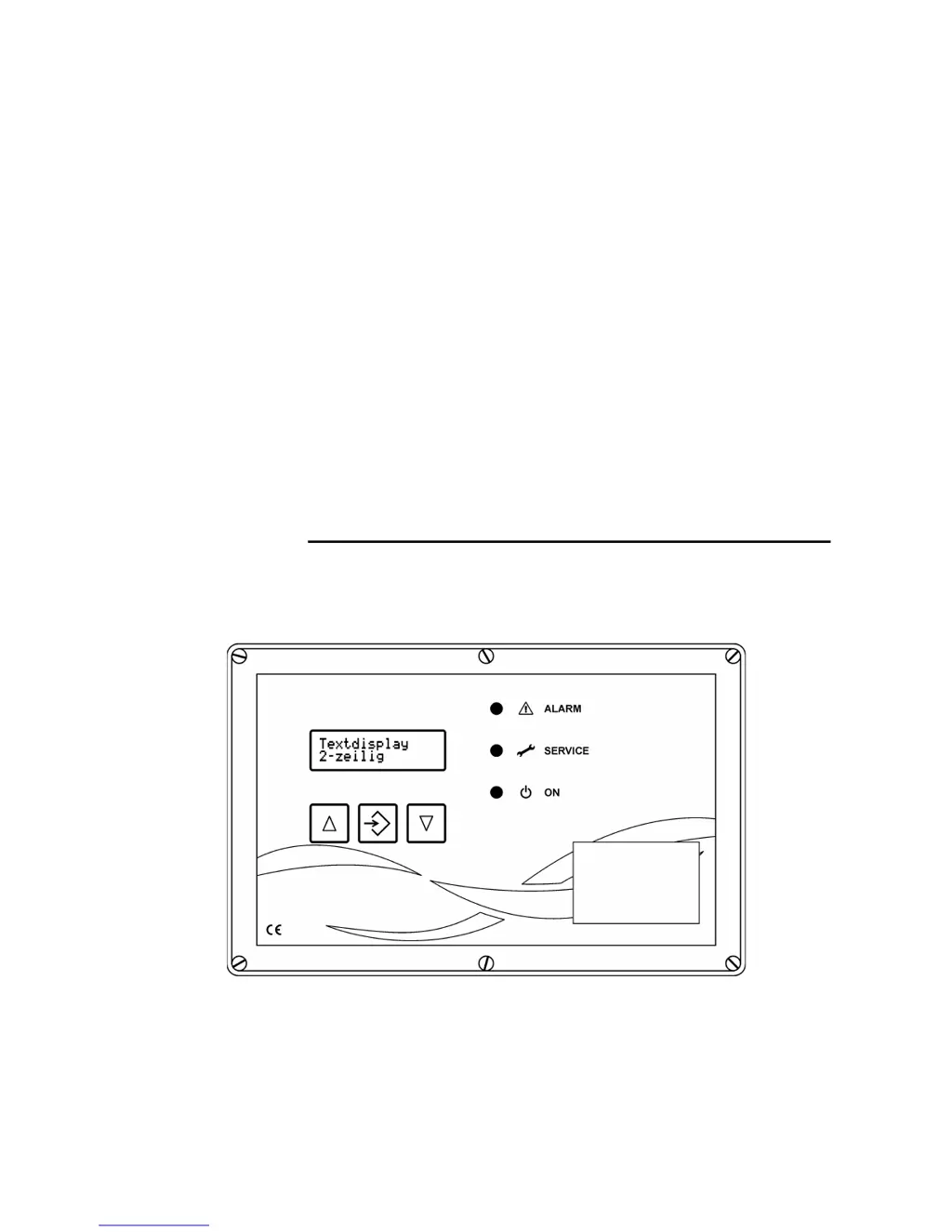
Operating and Installation Instructions
Filter control system
RM-216 C
EasyLine

Questions and Answers

  • T
    Taylor OnealAug 2, 2025
    Why is cleaning ineffective with my RECO EasyLine RM-216 C?
    • N
      njonesAug 2, 2025
      If cleaning with the RECO Control Unit is ineffective, several factors could be at play. The interval time might be too long, requiring you to set parameter P04 “Interval time” to a lower value. The pressure could be too low; in this case, set the pressure to 6 ... 8 bar (minimum 5 bar) and consider setting parameter P04 “Interval time” to a higher value. A faulty valve could also be the cause, so check or replace the valves. If the pulse time is too short, set parameter P03 “Pulse time” to a higher value. Lastly, frequent cycle interruptions may occur due to issues with the differential pressure monitor or hose connections; inspect these components.
  • R
    raymond18Aug 7, 2025
    What to do if the 'ON' LED is not lit on my RECO EasyLine RM-216 C Control Unit?
    • P
      Peter SullivanAug 7, 2025
      If the “ON” LED on your RECO Control Unit isn't lit even when input E1, E2 is bridged, there could be a few reasons. First, check the power feed to ensure there's mains voltage. Second, the device fuse might be defective, requiring a replacement. Finally, the EMERGENCY STOP might be activated; ensure it is disengaged.
  • M
    michaelmcneilAug 11, 2025
    Why is there no valve activity in my RECO EasyLine RM-216 C Control Unit?
    • L
      lcamposAug 11, 2025
      If there is no valve activity with the RECO Control Unit, it could be due to several reasons. First, there might be no control system release; in this case, bridge input E1, E2. Second, the wiring to the valves could be interrupted; check the cables and electrical connections. Third, the magnet coil might be faulty, requiring a replacement. Finally, the cycle might be interrupted; inspect the hose connections and set different values for ?p control.
  • D
    Diane PerryAug 16, 2025
    What does it mean when the 'Alarm' LED is on in my RECO EasyLine RM-216 C Control Unit?
    • M
      Margaret WallaceAug 16, 2025
      If the “Alarm” LED is on in your RECO Control Unit, it could be due to the number of valves being set incorrectly. To resolve this, set parameter P06 “Total no. of valves” correctly. It may also be a ?p-Alarm, in which case you should observe the service instructions for the filter.
  • J
    Joseph CastroAug 21, 2025
    Why is there no down time cleaning occurring with my RECO EasyLine RM-216 C Control Unit?
    • S
      Sheri WhiteheadAug 22, 2025
      If there is no down time cleaning with your RECO Control Unit, it might be because parameter P07 is set to 0. To fix this, set parameter P07 “Down time cleaning cycles” to a different value. Alternatively, there might be no signal from the valve controller; if this is the case, activate the signal to input I1, I2.
  • C
    Chelsea LeeAug 27, 2025
    What to do if I see a differential pressure display error on my RECO EasyLine RM-216 C?
    • J
      James GrahamAug 27, 2025
      If you're experiencing a differential pressure display error with your RECO Control Unit, it could be due to a hose connection error. You should drain the hoses and clean the joints between the hose connections and the filter casing with compressed air, directing it only towards the filter and never towards the sensor. Ensure the hoses are fitted without kinks and check the hose connections for water or kinks.

Summary

Safety Instructions

Equipment Specification

Assembly

Step-by-Step Installation

Supply Voltage Connection

Explains how to connect power for 230V AC, 110V AC, and 26-28V DC.

Solenoid Valve Connection

Details connections for solenoid valves to the RM-216 C.

Expansion Module Connection

Explains how to connect RM-LV8 and RM-LV16 expansion modules.

Other Connections

Connecting Differential Pressure Measurement Cables

Step-by-Step Settings

Function When Shipped

Describes default operation and cleaning parameters when shipped.

Setting Parameters

Provides a step-by-step guide to setting device parameters.

Parameter List

Lists all parameters, their explanations, factory settings, and ranges.

Operating Modes

Test Mode

Explains how to use test modes for checking functions.

Ap-Mode (Differential Pressure Controlled Cleaning)

Describes how to enable/disable differential pressure controlled cleaning.

Down Time Cleaning Modes

Introduces the different Down Time Cleaning (DTC) modes.

DTC Mode 1

Explains DTC mode 1, triggered by input E1/E2.

DTC Mode 2

Explains DTC mode 2, triggered by input E1/E2 and Ap-MAX.

DTC Mode 3

Explains DTC mode 3, triggered by Ap-MIN after Ap-MAX.

Cleaning via Start;Stop Input (External Ap Switch)

Details cleaning control using an external Ap switch.

Troubleshooting

Text Messages on the Display

Details on Equipment Function

Differential Pressure Controlled Cleaning

Explains the DP-controlled cleaning process and switch points.

Input E1, E2 Down Time Cleaning

Details the function of inputs E1, E2 for down time cleaning.

Relay Output S1, S2 for Extractor Elements

Explains the use of relay outputs S1, S2 for extractor elements.

Alarm Relay Output A1, A2, A3

Describes the behavior of alarm relay outputs A1, A2, A3.

Glossary

Technical Specifications

RECO EasyLine RM-216 C Specifications

General IconGeneral
BrandRECO
ModelEasyLine RM-216 C
CategoryControl Unit
LanguageEnglish