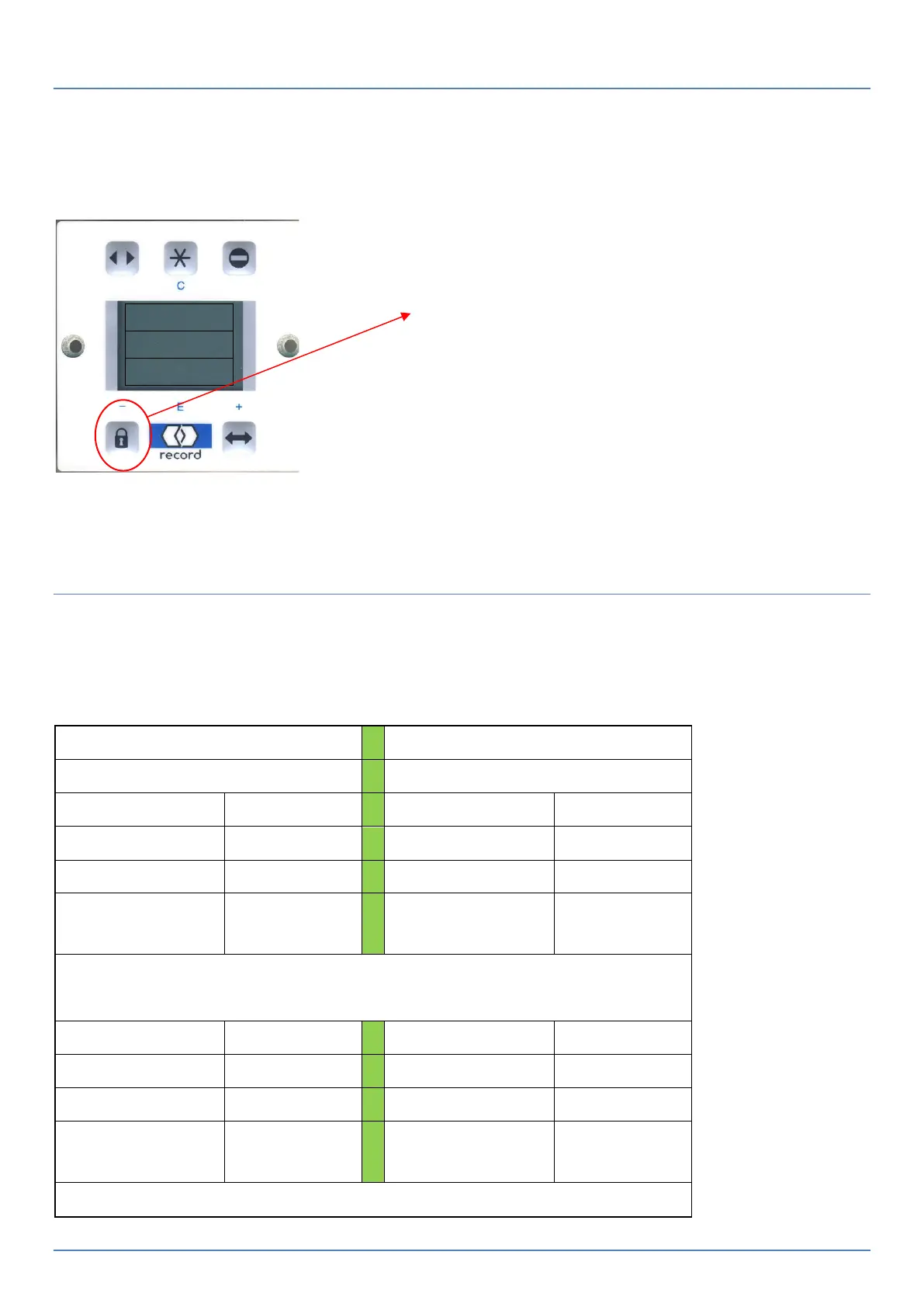
To reset the door:
Press and hold the Record logo for 10-13sec. The message “DFA127 Software Version “will flash up, followed by the
option to reset yes / No. Upon selecting Yes the doors will come to the closed position and reset. After 3sec
activate the doors to open so they may go through one learn cycle of open / close (moves slowly) and complete their
reset cycle.
BDI-M Set up
To Get the Door to lock on electric mags when the closed position is selected on the
Key switch you need to change the setting (In control panel Menu) to LOCK-A
Terminal Connections on BDI-M
For final exit of the building, place the program
selector into the locked function and when you are
ready to leave press the lock symbol once to give a
single open/close exit.
Once outside, stand clear of the sensors and after
the doors are closed, then set your manual locks.
Remember to unlock manual locks prior to using the
first entry key switch on the outside of the building.



 To Next Page