Need help?
Do you have a question about the RedEarth BushChook and is the answer not in the manual?
Safety precautions for lifting and transporting the BushChook system.
Procedures and precautions for handling fire incidents related to the battery system.
Information on the Private Power Plant program for homeowners and its benefits.
Details on the physical dimensions, weight, and ingress protection rating of the BushChook.
Recommended placement and clearance requirements for the BushChook system.
Steps to open the BushChook enclosure for component access.
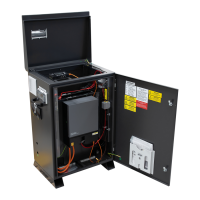
Description of the internal layout, dividing the system into main areas.
Information about the battery compartment and installation process.
Details on the inverter and electrical panel locations and connections.
Overview of connecting the system to the electrical grid.
Instructions for installing the feed-in meter and current transformer.
Guidance on connecting loads to the BushChook system.
Information on connecting and configuring solar panels.
Steps for installing the Troppo batteries into the BushChook.
Requirements and options for establishing remote monitoring.
Details on configuring and using the SMART Port for various functions.
Procedures and considerations for transporting the BushChook system.
Guidelines for placing the BushChook system in its final installation location.
Instructions for connecting PV panels and configuring PV strings.
Detailed instructions for making all electrical connections to the BushChook system.
Steps for safely turning the system ON and OFF.
Process for configuring and verifying the system's operation post-installation.
Steps for connecting the monitoring device for remote system access.
Procedures for final system handover and customer orientation.
Overview of additional options and customer support services for the BushChook.
Information on obtaining technical assistance and managing warranties and claims.
Technical single line diagrams for power, communications, and switchboard configurations.
Detailed technical specifications for the BushChook system models.
Detailed electrical specifications for the Troppo-4841 battery.
Installation-related information and notes for the Troppo-4841 battery.
 General
| Brand | RedEarth |
|---|---|
| Model | BushChook |
| Category | Battery Pack |
| Language | English |


 To Next Page