15
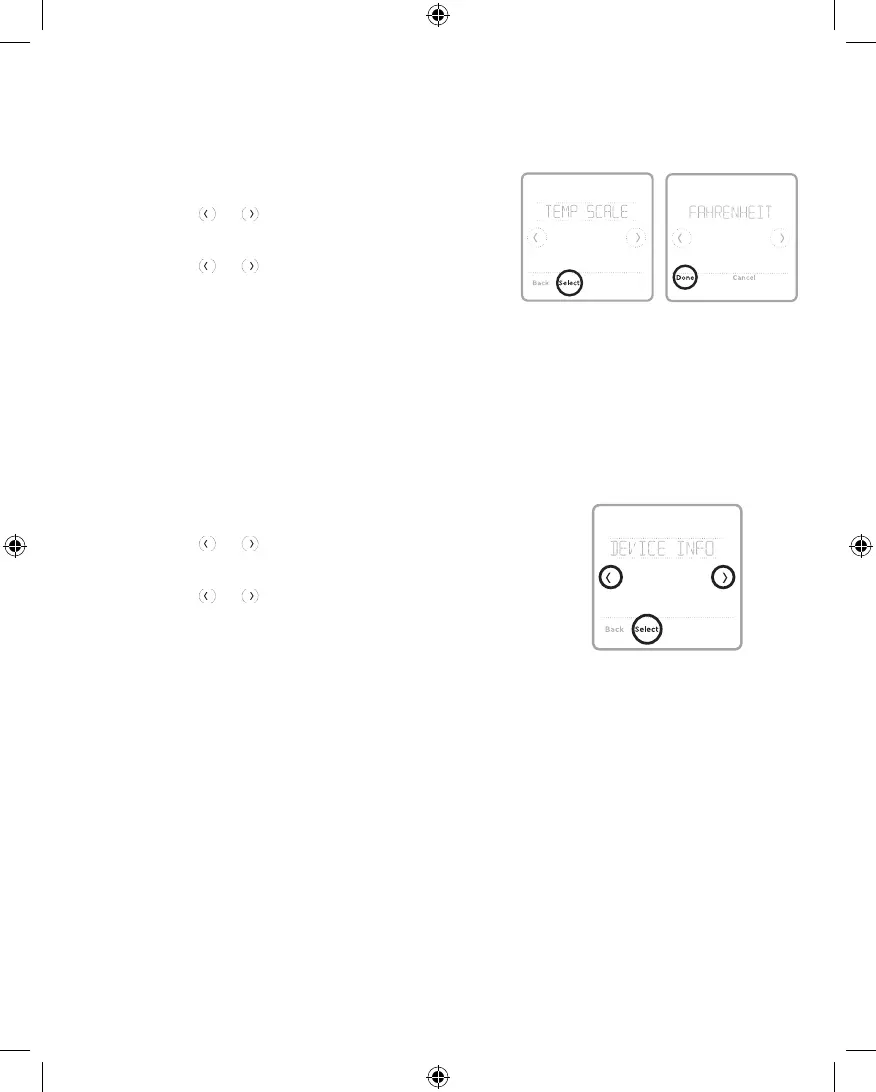
To select a temperature scale, follow the steps
below.
1 Touch Menu on the controller home screen.
2 Touch the or arrows until you see TEMP
SCALE, then touch Select.
3 Touch the or arrows to select
FAHRENHEIT or CELSIUS then touch Done
to save your changes.
4 Touch Back to return to the controller home
screen.
Choosing Fahrenheit or Celsius
To see your controller’s technical information, follow
the steps below.
1 Touch Menu on the controller home screen.
2 Touch the or arrows until you see DEVICE
INFO, then touch Select.
3 Touch the or arrows to view information such
as:
• Controller's software version
• RedLINK's software version
• Controller's production configuration date code
• Controller model
• Device serial number
• Receiver's software version
• Receiver model
• Indoor air sensor's firmware version (if
available)
• Indoor air sensor's battery (if available)
Viewing Controller Information
33-00447EFS_B.indd 15 10/17/2019 3:22:57 PM


 To Next Page