39
USER INTERFACE / RUN
RUN Main Screen / AUTO
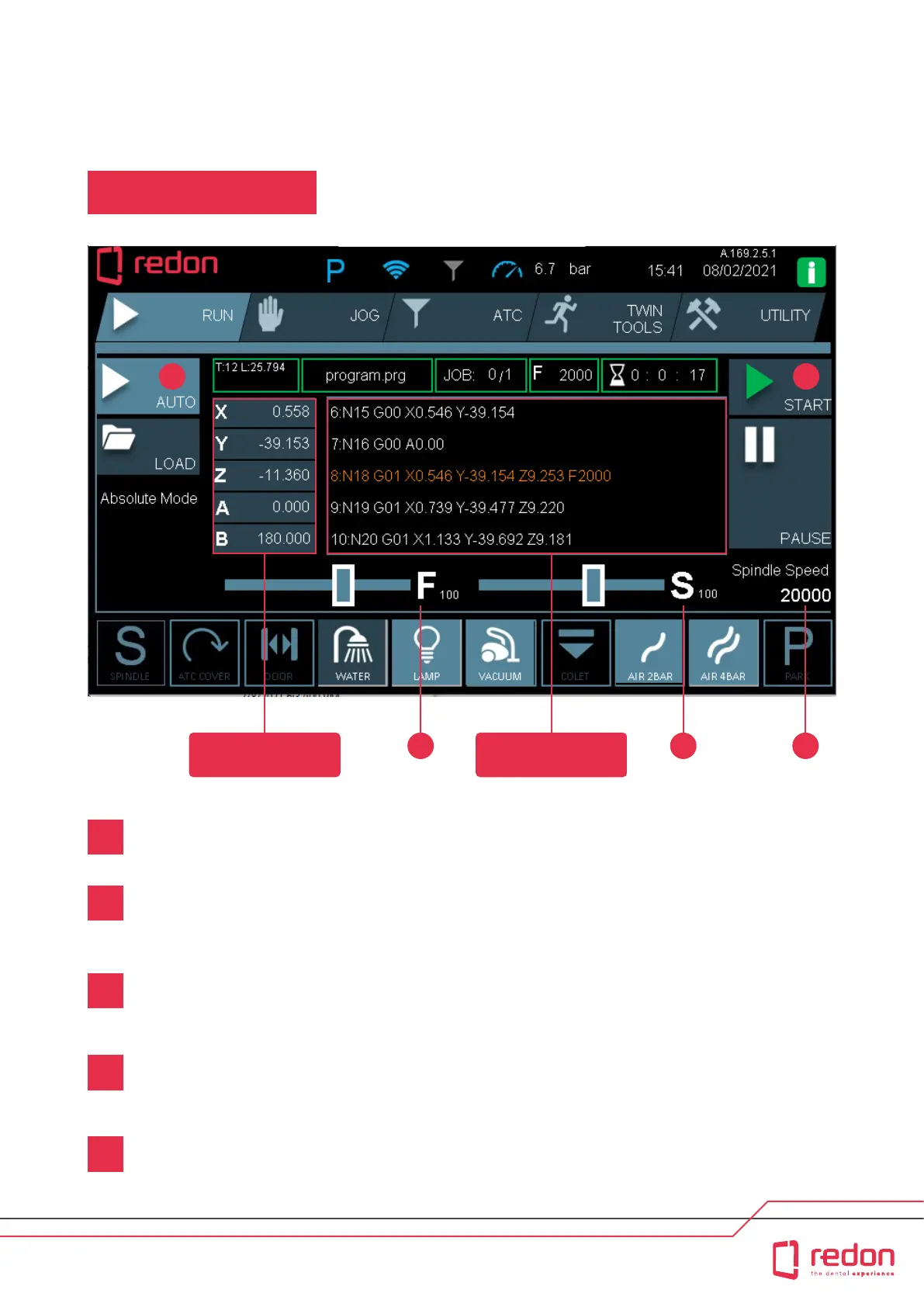
Aer selecting the programs to be run in the LOAD section, press the AUTO menu buon.
Press the START buon. Then, the machine will sta to run in fully automatic mode. The doors will automatically
close, the required tool will be automatically received, and its height will be measured. Cooling will be
automatically turned on as necessary, and the machine will sta milling.
The Spindle Speed indicator shows the current speed of the spindle. The value is shown in rpm.
The F bar represents the Feed which propoionally increases or reduces the machine’s speed. The F bar’s range of
value is between 0% and 100%. When it is set to 0%, the axes of the machine completely stop. In normal operation, this
value must be set to 100%.
The S bar represents the Speed which propoionally increases or reduces the spindle speed. The S bar’s range
of value is between 0% and 100%. When it is set to 0%, the spindle completely stops. In normal operation, this
value must be set to 100%.
1
2
3
4
5
Axis Coordinates Toolpath
1 2
3 4 5



 To Next Page