40
redon.com
USER INTERFACE / RUN
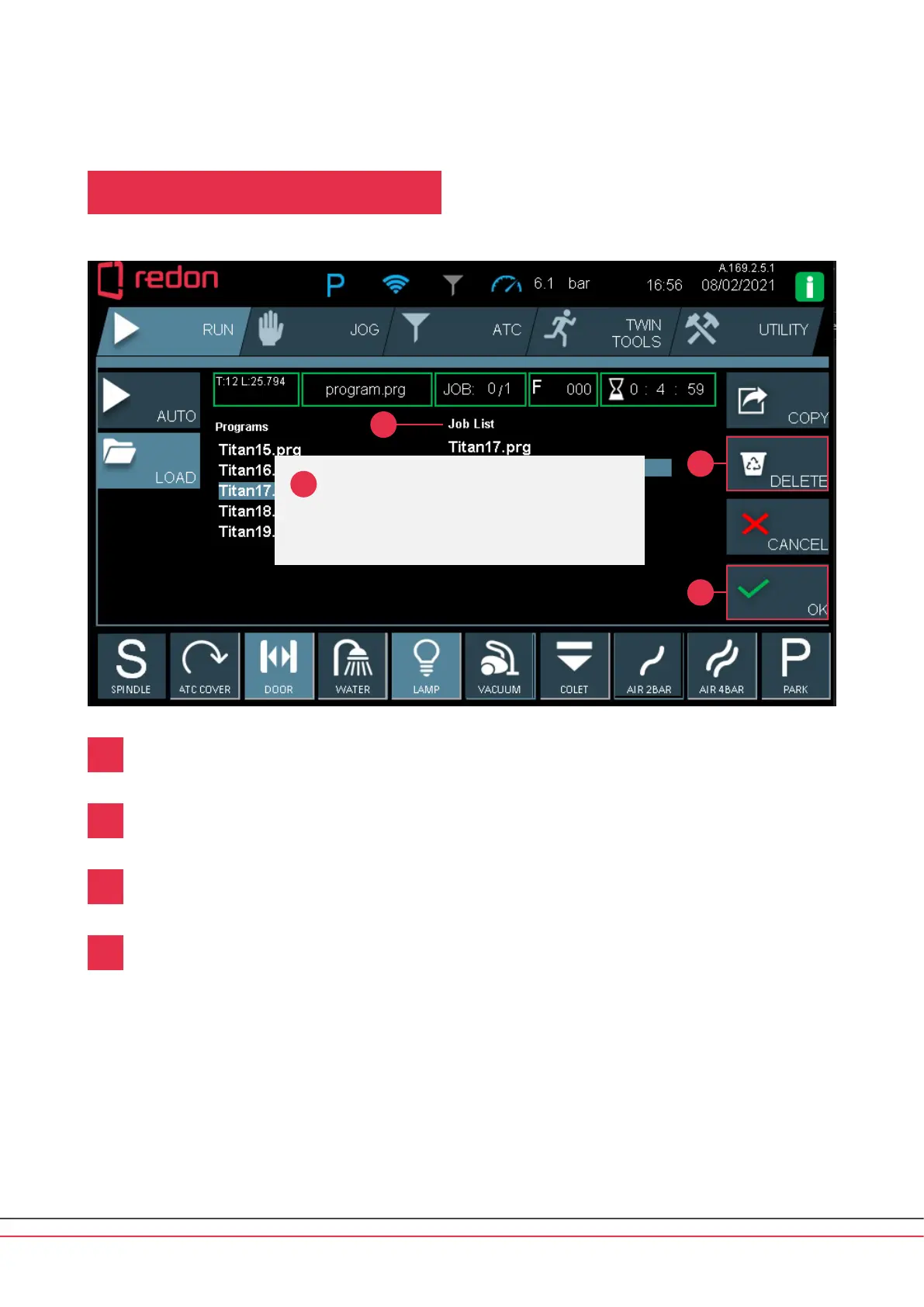
RUN Main Screen / LOAD / Deleting a Program
If you want to delete a program from the Job List column, select the program by touching it in the list.
Aer selecting the program, you can delete it by pressing the DELETE buon.
A conrmation pop-up appears and shows the prompt (Delete le from JobQue?)
Press the OK buon to complete the deletion operation. If you want to cancel the operation,
press the CANCEL buon.
1
2
3
4
Delete le from
JobQue?
1
2
3
4



 To Next Page