46
redon.com
USER INTERFACE / ATC
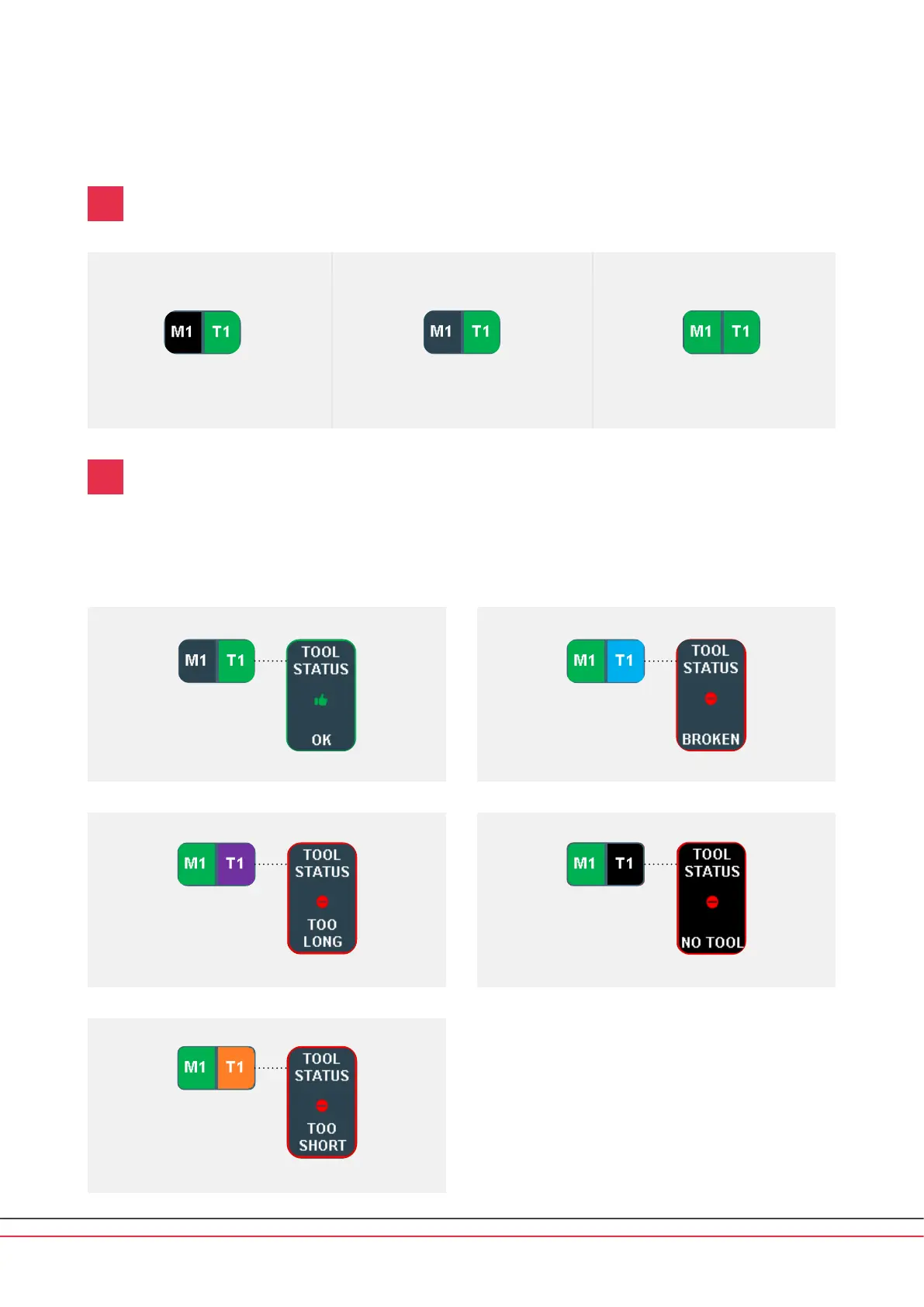
M1: Represents the tool position.
The section containing the tool numbers is represented with 4 dierent colors depending on 4 dierent
statuses. The tool status buon changes the status of the tools. Green indicates that the tool is available,
turquoise indicates that the tool is broken, purple indicates that the tool is long, yellow indicates that the shoer
tool is longer than 15 mm, and black indicates that there is no tool. The descriptions above apply to all tools in
the magazine. For example, if you want to measure or change the T1 tool, you will need to rst indicate on the
machine that the tool is available by seing the buon to green.
3.1
4
Empty Magazine
When M1 is black,
the magazine is empty.
When M1 is dark blue,
the tool is in the magazine.
When M1 is green,
the tool is on the spindle.
In Magazine In Spindle
Tool is
Available
T1 - Green
Tool is Long
T1 - Purple
Tool is Broken
T1 - Turquoise
No Tool
T1 - Black
Tool is Sho
T1 - Orange



 To Next Page