78
redon.com
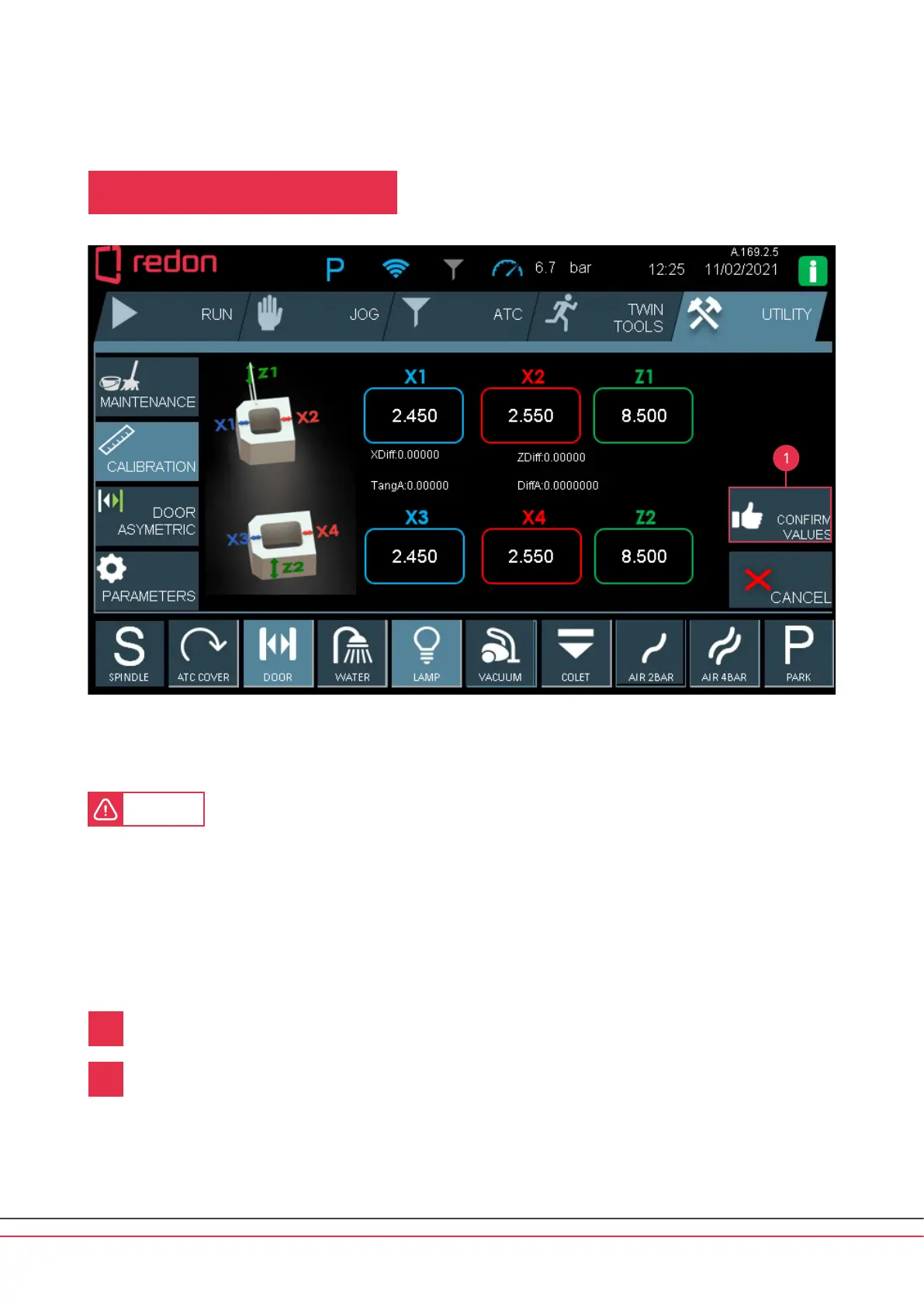
Aer processing is completed, the above screen is displayed. X1, X2 and Z values are measured with a digital caliper.
The values are entered in the respective windows on the screen.
CAUTION
• The digital caliper must be reset before use.
• Ensure that there are no burrs anywhere on the calibration piece. (Burrs may result in inaccurate measurements.)
• Each measurement must be taken at least 3 times.
• Ensure that the right values are entered in the right windows.
• The values entered must be reviewed.
• Please note that any incorrect value may cause the machine to hit the workpiece or any pa of it.
Aer entering the values, press the CONFIRM VALUES buon.
If you want to cancel the processing, press the CANCEL buon.
1
2
1
UTILITY / CALIBRATION
USER INTERFACE / UTILITY



 To Next Page