
 Need help?
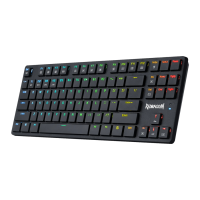
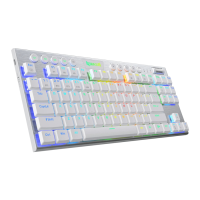
Do you have a question about the REDRAGON 621 Horus TKL and is the answer not in the manual?
Connect the keyboard via USB Type C cable and press FN+5 for successful connection.
Connect via USB receiver and press FN+4 to pair for 2.4G wireless mode.
Connect to Bluetooth devices by pressing FN+1/2/3 and scanning for the keyboard.
Overview of FN key combinations for backlight control, connection switching, and key mapping.
Steps to choose a profile group and press a macro key to play recorded sequences.
Steps to select a profile, press MR, double-press G keys, and save to delete macros.
 General
| Type | Mechanical |
|---|---|
| Backlight | RGB |
| Polling Rate | 1000Hz |
| Keycap Material | ABS |
| Anti-Ghosting | Yes |
| Cable Length | 1.8m |
| Key Rollover | N-Key Rollover |
| Form Factor | TKL |
| Connection Type | Wired |
| Weight | 1.8 pounds |
| Connectivity | USB |
| Keycaps | Double-shot |
| Actuation Force | 50g |
| Total Travel | 4mm |
| Interface | USB |

 To Next Page