
 Need help?
Do you have a question about the REDRAGON K630 DRAGONBORN and is the answer not in the manual?
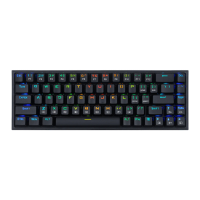
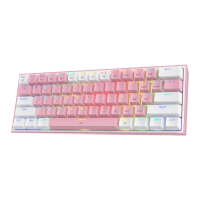
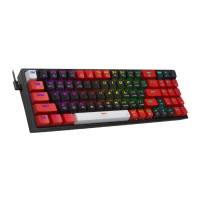
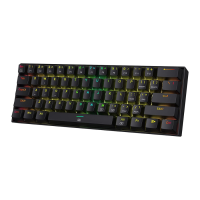
Manual for the Redragon Dragonborn wired 61 key mechanical keyboard.
Details on repair guarantees, exclusions, and consumable parts for Redragon products.
Lists operating systems supported by the keyboard.
Step-by-step guide for connecting the keyboard via USB Type-C.
Explains FN key combinations for accessing F1-F12, Insert, and Delete.
Controls for backlight modes, brightness, speed, color, and key lock.
Frequently asked questions regarding keyboard responsiveness and liquid spills.
This document provides operating instructions for the Redragon Dragonborn Wired 61 Key Mechanical Keyboard. It covers essential information for users, including how to set up the keyboard, an introduction to its key functions, backlight settings, and troubleshooting tips.
The Redragon Dragonborn is a wired 61-key mechanical keyboard designed for gaming and general use. It connects to a computer via a Type-C to USB cable and is a plug-and-play device, meaning no additional drivers are required for its basic functionality. The keyboard is compatible with various Windows operating systems, including Windows XP, Vista, Win7, Win8, and Win10.
The compact 61-key layout is achieved by utilizing a Function (FN) key, which allows other keys to perform secondary functions. This design maximizes desk space while retaining access to essential commands typically found on larger keyboards. The FN key works in conjunction with various other keys to provide a wide range of functionalities, including multimedia controls, navigation keys, and system commands.
The keyboard offers a comprehensive set of key functions accessible through the FN key. These include:
Function Keys (F1-F12):
1! = F12@ = F23# = F34$ = F45% = F56^ = F67& = F78* = F89( = F90) = F10-_ = F11=+ = F12Navigation and Editing Keys:
[{ = Insert]} = DEL (Delete);: = Home'" = End.> = PgUp (Page Up)/? = PgDn (Page Down)Arrow Keys (accessed via WASD):
A = Left arrow keyW = Up arrow keyS = Down arrow keyD = Right arrow keySystem Commands:
ESC = ~ (Tilde)WIN = Locks/unlocks the Windows key, preventing accidental presses during gaming.The Redragon Dragonborn keyboard features extensive backlight customization options, allowing users to personalize their typing and gaming experience. These settings are controlled using the FN key in combination with specific keys:
Backlight Modes:
Alt_R (Right Alt) cycles through various dynamic backlight modes. These modes include: "Go with the stream," "Clouds fly," "Winding Paths," "The trial of Light," "Breathing," "Normally on," "Pass without Trace," "Ripple Graff," "Swift action," "Digital Times," and "Flowers blooming." Each mode offers a distinct visual effect, enhancing the aesthetic appeal of the keyboard.Brightness Adjustment:
M allows users to adjust the lighting brightness. There are a total of 5 levels of brightness, enabling users to set the illumination to their preferred intensity, whether for bright environments or low-light conditions.Speed Adjustment:
, < controls the speed of the dynamic backlight effects. Similar to brightness, there are 5 levels of speed, allowing users to make the effects faster or slower according to their preference.Color Selection (DIY Mode):
Spacebar initiates the backlight color selection mode. In this mode, the Spacebar will continuously flicker, cycling through all available RGB colors. This indicates that the keyboard is ready for color customization. If the Spacebar does not flicker, it means the current backlight mode does not support this DIY color selection feature (e.g., "The Trial of Light" and "Flowers Blooming" modes are not compatible with this DIY mode). Once in color selection mode, users can press any key on the keyboard to set its backlight to the desired color. After selecting a color, all backlight modes will then display in that chosen color, providing a unified and personalized look.The manual provides basic troubleshooting and maintenance guidelines to ensure the longevity and proper functioning of the keyboard:
Connectivity Issues:
Liquid Spills:
Warranty Information:
 General
| Type | Mechanical |
|---|---|
| Backlighting | RGB |
| Connection | Wired |
| Connectivity | USB |
| Keycap Material | ABS |
| Interface | USB 2.0 |
| Polling Rate | 1000 Hz |
| Actuation Force | 50g |
| Actuation Point | 2.0 mm |
| Total Travel Distance | 4.0 mm |
| Switch Type | Redragon Red |
| Key Rollover | NKRO |
| Layout | 60% |
| Compatibility | Windows |
| Cable Length | 1.8 m |

 To Next Page