
 Need help?
Do you have a question about the REDRAGON K614 Anivia and is the answer not in the manual?
Details warranty coverage for electrical failures and lists excluded damages like physical impact or water submersion.
States consumable parts such as foot pads are not covered under the warranty.
Lists supported operating systems, including Windows XP through Windows 10.
Explains the USB Type-C connection for easy plug-and-play setup without needing drivers.
Details how the FN key modifies other keys to function as F1 through F12.
Explains FN key combinations for arrow keys and the system reset function.
Describes cycling through various predefined backlight effects using FN+Alt_R.
Instructions on adjusting backlight brightness and speed using FN+M and FN+<,>.
Details how to enter and set custom colors for backlighting using FN+Space.
Provides steps to check USB connection and port if the keyboard is not responding.
Outlines immediate actions for liquid spills, including disconnection and drying the keyboard.
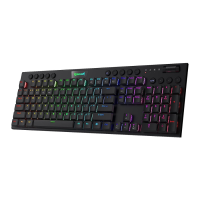
This document provides operating instructions for the Redragon Anivia mechanical gaming keyboard. It covers essential information for users, including system compatibility, how to connect the keyboard, a detailed breakdown of key functions, backlight settings, and troubleshooting tips.
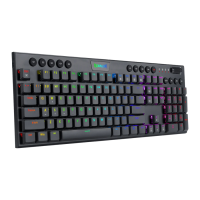
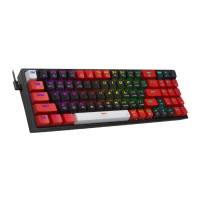
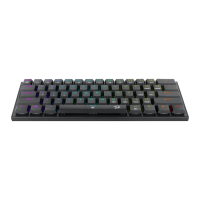
The Redragon Anivia is a mechanical gaming keyboard designed for various operating systems, including Windows XP, Vista, Win7, Win8, and Win10. Its primary function is to provide a responsive and customizable input device for gaming and general computer use. The keyboard features a plug-and-play design, meaning it does not require special drivers for basic functionality. It connects to a PC via a Type-C to USB cable, ensuring easy setup.
A core aspect of the Anivia keyboard is its extensive key function customization, primarily through the use of the FN (Function) key in combination with other keys. This allows users to access a wide range of secondary functions without needing to install additional software. These FN key combinations provide quick access to standard F1-F12 functions, as well as navigation keys like Insert, Delete, Home, End, Page Up, and Page Down. Additionally, the FN key is used to control arrow key functions, mapping them to the A, W, S, and D keys for convenience, especially in gaming scenarios where these keys are frequently used for movement. A factory reset option is also available by pressing and holding FN+ESC for 3 seconds, allowing users to quickly revert to default settings if needed.
The keyboard also boasts advanced backlight settings, offering a variety of visual effects and customization options. Users can cycle through different backlight modes, each with its own unique visual pattern, such as "Go with the stream," "Clouds fly," "Winding Paths," "The trial of Light," "Breathing," "Normally on," "Pass without Trace," "Ripple Graff," "Swift action," "Digital Times," and "Flowers blooming." These modes provide aesthetic enhancements and can contribute to an immersive gaming experience. Beyond predefined modes, the backlight system allows for granular control over brightness and speed. There are five levels of lighting brightness, adjustable via FN+M, and five levels of lighting speed, adjustable via FN+<,. A standout feature is the customized backlighting mode, activated by FN+Space. In this mode, users can set individual colors for specific keys, offering a high degree of personalization to match their preferences or highlight important keys for particular games.
The Redragon Anivia keyboard is designed for ease of use and adaptability. Its plug-and-play nature ensures that users can connect it to their computer and start using it immediately without the need for complex driver installations. This simplicity makes it accessible to a broad range of users, from casual gamers to more experienced enthusiasts.
The FN key combinations are a central usage feature, providing quick and intuitive access to a multitude of functions. For instance, FN+1! activates F1, FN+2@ activates F2, and so on, up to FN+0) for F10, FN+-_ for F11, and FN+=+ for F12. This allows users to perform common tasks and access program-specific shortcuts efficiently. Navigation keys are also integrated into the FN key system; FN+[{ activates Insert, FN+]} activates Delete, FN+;; activates Home, FN+'' activates End, FN+.> activates Page Up, and FN+/? activates Page Down. This compact design, often found in smaller form-factor keyboards, maximizes desk space while retaining full functionality. For gaming, the ability to map arrow keys to FN+A (Left), FN+W (Up), FN+S (Down), and FN+D (Right) can be particularly useful, allowing for a more centralized hand position and quicker access to movement controls.
The backlight settings offer significant usage flexibility. Users can easily switch between various dynamic lighting effects to suit their mood or the game they are playing. The ability to adjust brightness and speed means that the lighting can be tailored to different environments, from bright daylight to dimly lit rooms, ensuring optimal visibility and reducing eye strain. The customized backlighting mode is a powerful feature for gamers, allowing them to highlight specific keys for different games or applications. For example, a user might set the WASD keys to a distinct color for movement, while other action keys are set to another, providing immediate visual cues during intense gameplay. This level of customization enhances both the aesthetic appeal and the functional utility of the keyboard.
The Redragon Anivia keyboard includes practical maintenance and troubleshooting features to ensure its longevity and reliable performance. The warranty rules provided in the manual outline the conditions for repair, specifically covering failures due to electrical circuit problems within the guaranty period. This provides users with peace of mind regarding potential manufacturing defects. However, it's important to note that the warranty does not cover damages resulting from user actions such as disassembly, hard impacts, submersion in water, incorrect power input (improper current or voltage), or natural disasters like fire, flood, or earthquake. This distinction encourages users to handle the keyboard with care and adhere to proper usage guidelines. Consumable parts, such as foot pads, and spare parts replacements are also explicitly excluded from the warranty, which is a common practice for peripheral devices.
Troubleshooting guidance is provided for common issues. If the keyboard is unresponsive, the first step is to check the USB cable connection. Users are advised to ensure the cable is correctly inserted into the corresponding USB port on the computer and, if the issue persists, to try a different USB port. This simple diagnostic step can resolve many connectivity problems without requiring technical expertise.
A particularly useful maintenance feature is the advice for dealing with liquid spills. In the event of a spill, users are instructed to immediately remove the USB cable from the computer. This action is crucial to prevent short circuits and further damage to the internal electronics. After disconnecting, users should wipe up any excess liquid and then place the keyboard in a warm environment, such as under a lamp, to allow it to dry naturally before attempting to use it again. This practical advice can significantly increase the chances of salvaging the keyboard after an accidental spill, highlighting a user-friendly approach to common mishaps. The factory reset function (FN+ESC held for 3 seconds) also serves as a maintenance feature, allowing users to quickly revert to default settings if they encounter configuration issues or simply wish to start fresh with their key mappings and backlight settings. This helps in resolving software-related glitches without requiring complex manual reconfigurations.
 General
| Brand | Redragon |
|---|---|
| Model | K614 Anivia |
| Keycap Material | ABS |
| Connectivity | Wired |
| Interface | USB |
| Backlight | RGB |
| Cable Length | 1.8 m |
| Polling Rate | 1000 Hz |
| Compatibility | Windows, macOS, Linux |
| Keycaps | Double-shot injection |
| Anti-ghosting | Full N-key rollover |
| Media Keys | Yes |

 To Next Page