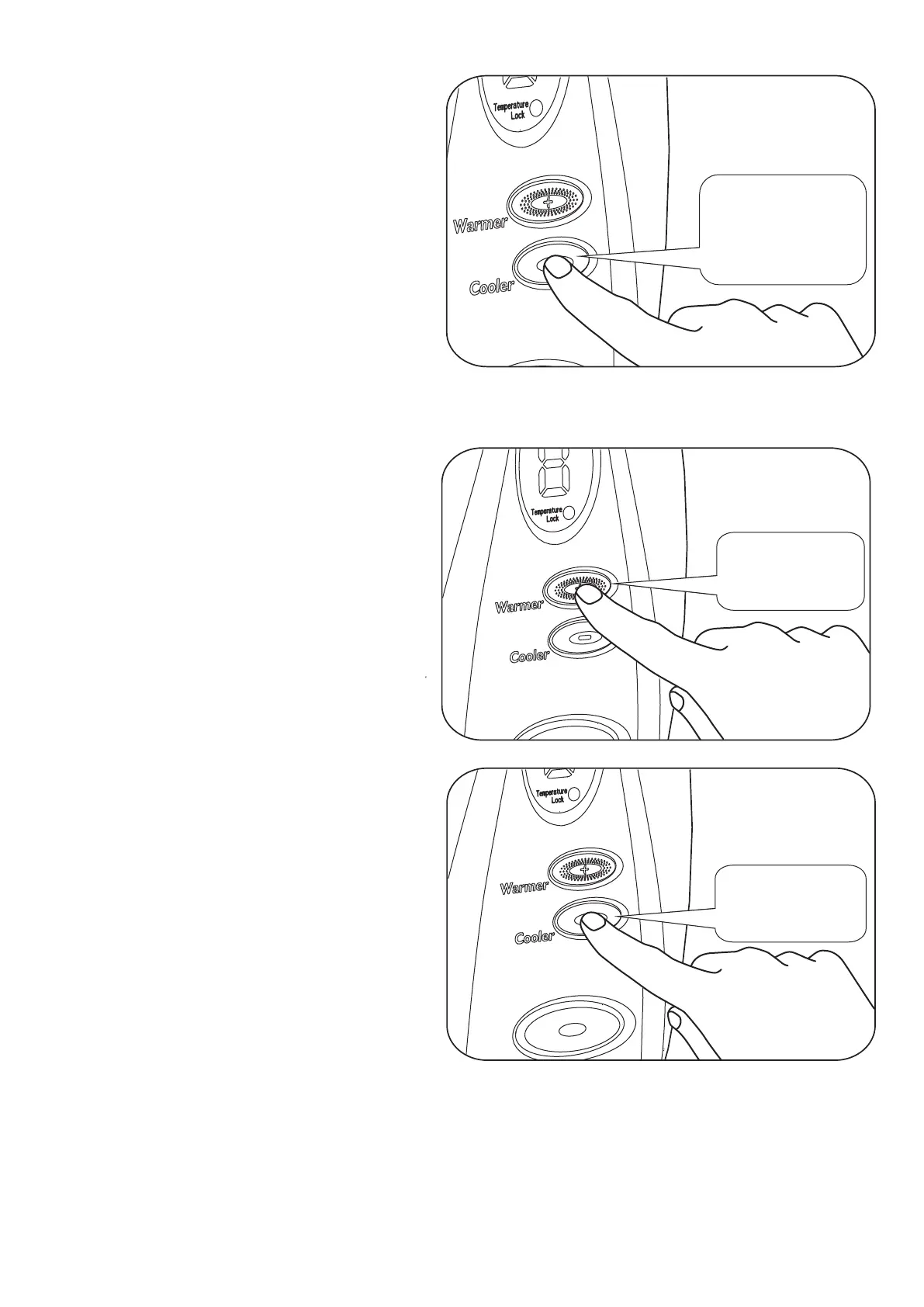
Diagram 15
Audible Short
Bleep
1
13
Always wait for a few seconds for the temperature to change to the new setting.
Press the Cooler Button to decrease the
temperature. (See Diagram 15).
(Confirmed with a Single bleep).
Pressing the Warmer Button when the
temperature is at Maximum will not
increase the temperature.
Four rapid Bleeps will sound.
(See Diagram 16).
Diagram 16
Audible Short
Bleep
4
Diagram 17
Audible Short
Bleep
4
Pressing the Cooler Button when the
temperature is at Minimum will not
decrease the temperature.
Four rapid Bleeps will sound.
(See Diagram 17).
Please Note!
The temperature adjustment range is set by the installer. (See Installer section).
When there is a limit to the adjustment, the “Temperature Lock” light is ON.
In the “Unlocked” setting there are eleven temperature options:-
L-1-2-3-4-5-6-7-8-9-H (Where L is about 25°C and H is about 46°C).


 To Next Page