16
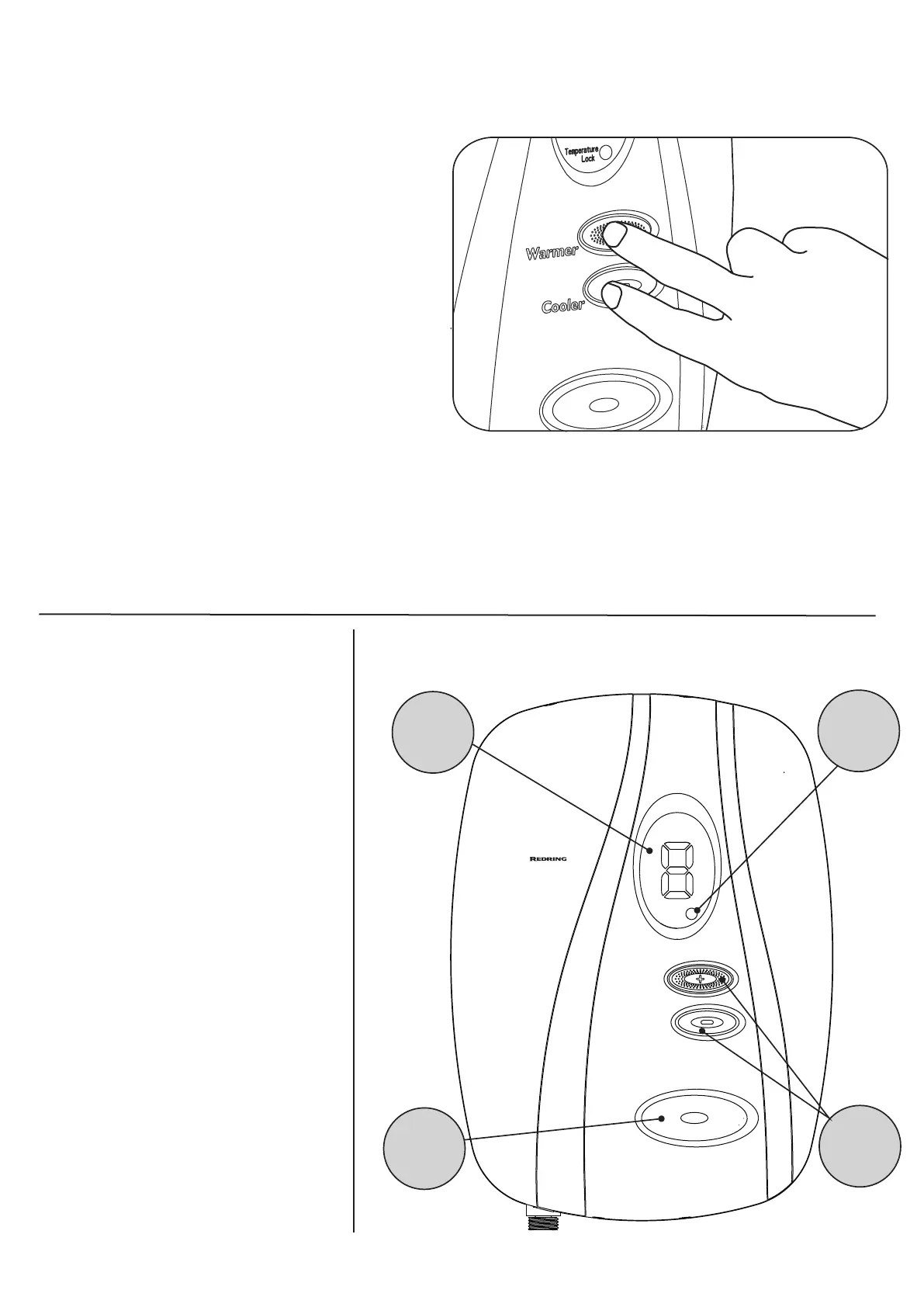
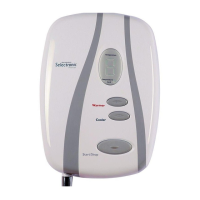
Diagram 24
Temperature Lock Override
Note: For Care Wash installations the
Temperature Lock Switch MUST be set to
ON (Templock Position 1 or 2) and must
not be overridden.
The temperature lock feature can be
overridden, while the shower is running,
by pressing the warmer and cooler
buttons together for more than three
seconds (See Diagram 24).
The shower will revert back to normal
operation (Unlocked).
However, it will return to temperature lock
mode the next time it is used.
START/STOP
BUTTON
DIGITAL
TEMPERATURE
RANGE
DISPLAY
TEMPERATURE
LOCK
INDICATOR
TEMPERATURE
CONTROL
BUTTONS
Warmer
Cooler
Start/Stop
Temperature
Temperature
Lock
Selectronic
Premier
How Your Shower Works
1. Water is heated instantaneously
as it flows over the heaters in the
heat exchanger assembly.
2. The thermostatic shower auto-
matically adjusts the power to the
heating elements and flow of
water to achieve the selected
water temperature. The electron-
ics senses the incoming water
temperature and the flow of water
through the heat exchanger.
It then works out how many
heaters to switch on so that the
shower temperature matches the
temperature selected by the
buttons.
3. The amount of hot water available
at the selected temperature is
limited by the total power of the
heater. The ideal flow rate is
calculated and adjusted
automatically.
4. The water is turned on and off by
the solenoid valve built into the
Shower.


 To Next Page