EasyManua.ls Logo

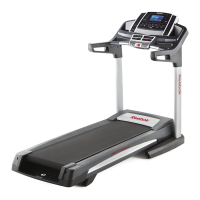
Reebok 1410 Treadmill - User Manual

Reebok 1410 Treadmill
40 pages
Print Icon
To Next Page IconTo Next Page
Loading...
!"#$%"&'()!(*
+++,-../01ļƒž&23.44,506
!!
'07.8&)0,&$9:*;<=;>,=
".-?@8&)0,&&&&&&&&&&&&&&&&&&&&&&&&&&&&&&&&&&&&&&
"#$%&!%'&!(&#$)*!+,-.&#!$+!%'&!(/)0&!
).12&!31#!#&3&#&+0&4
&&&&A(!:BC)
$.@7&@88&D-.5@E2?034&@37&?342-E5F
2?034&?3&2G?4&6@3E@8&/.H0-.&E4?3I&
2G?4&.JE?D6.32,&"@K.&2G?4&6@3E@8&
H0-&HE2E-.&-.H.-.35.,
(A:BL(:#&MC!$&
N($$():M&
:0&-.I?42.-&O0E-&D-07E52&@37&
@52?K@2.&O0E-&+@--@32O&207@OP&
I0&20&+++,-../014.-K?5.,506Q
-.I?42-@2?03,
A!":C'#$&A($#
R0-&4.-K?5.&@2&@3O&2?6.P&I0&20&
+++,-../014.-K?5.,506,
5#!0)**!678997::;7;:::
<1+4=>#$4!?!)4-4=?!/4-4!<@
A)%4!8!)4-4=;!/4-4!<@
S8.@4.&70&302&5032@52&2G.&420-.,
A&#$)*!
B,-.&#
!C&0)*

Questions and Answers

  • R
    rcannonJul 29, 2025
    What to do if Reebok Treadmill power does not turn on?
    • L
      lunaleslieJul 29, 2025
      First, ensure the power cord is connected to a surge suppressor, and that the surge suppressor is plugged into a grounded outlet, using only a surge suppressor that meets specific specifications. Also, verify that the key is properly inserted into the console. Finally, check the power switch on the treadmill frame near the power cord. If it protrudes, reset it by waiting five minutes before pressing it back in.
  • C
    Candace DoughertyAug 2, 2025
    Why does my Reebok Treadmill walking belt slow down when I walk on it?
    • S
      Stephen AllenAug 2, 2025
      If the walking belt slips when walked on, remove the key and unplug the power cord. Use the hex key to turn both idler roller screws clockwise, 1/4 of a turn. When correctly tightened, you should be able to lift each edge of the walking belt 2 to 3 inches off the walking platform. Plug the power cord back in, insert the key, and carefully walk on the treadmill for a few minutes.
  • J
    joshuahartAug 7, 2025
    What to do if Reebok Treadmill power turns off during use?
    • C
      christinenorrisAug 7, 2025
      Check the power switch; if it has tripped, wait five minutes, then press it back in. Ensure the power cord is plugged in; if it is, unplug it, wait five minutes, and plug it back in. Remove and reinsert the key from the console. If the treadmill still doesn't run, consult the front cover of the manual.
  • M
    Michele SmithAug 11, 2025
    How to fix Reebok 1410 walking belt if it is off-center or slips?
    • J
      Jay CampbellAug 11, 2025
      If the walking belt is off-center, remove the key and unplug the power cord. If the belt has shifted left, turn the left idler roller screw clockwise 1/2 turn with the hex key; if it shifted right, turn it counterclockwise 1/2 turn. Plug in the power cord, insert the key, and run the treadmill for a few minutes. If the walking belt slips when walked on, remove the key and unplug the power cord. Use the hex key to turn both idler roller screws clockwise, 1/4 of a turn. When correctly tightened, you should be able to lift each edge of the walking belt 2 to 3 inches off the walking platform. Plug the power cord back in, insert the key, and carefully walk on the treadmill for a few minutes.
  • N
    Natalie RomeroAug 15, 2025
    How to fix Reebok 1410 Treadmill not connecting to wireless network?
    • J
      James BellAug 16, 2025
      Ensure that the wireless settings on your console and the settings for your wireless network are correct. If your wireless network uses WEP encryption, try setting it to WPA or WPA2 encryption instead.
  • B
    brownjacquelineAug 20, 2025
    What to do if Reebok 1410 console displays remain lit after removing the key?
    • E
      Erika RothAug 20, 2025
      If the console features a display demo mode, designed to be used if the treadmill is displayed in a store. If the screen shows a preset presentation when you remove the key, the demo mode is turned on. To turn off the demo mode, hold down the Stop button for a few seconds. If the demo mode is still on, see step 7 on page 27 to turn off the demo mode.
  • B
    Benjamin LaneAug 25, 2025
    Why iFit mode does not function correctly on Reebok Treadmill?
    • L
      Laurie ClarkAug 25, 2025
      Make sure that the treadmill has the most current firmware available.

Summary

Important Precautions

Assembly

The Chest Heart Rate Monitor

Heart Rate Monitor Troubleshooting

Solutions for common problems encountered with the heart rate monitor.

Operation and Adjustment

How to Connect the Power Cord

Instructions for safely connecting the treadmill power cord and using a surge suppressor.

Console Features and iFit

How to Turn on the Power

How to Use the Touch Screen

How to Set up the Console

Treadmill Workout Modes

Manual Mode Operation

Guide for operating the treadmill in manual mode, adjusting speed and incline.

iFit Workout Integration

Steps for logging in and using iFit workouts with the treadmill.

How to Use the Equipment Settings Mode

How to Use the Maintenance Mode

How to Use the Wireless Network Mode

How to Fold and Move the Treadmill

General Troubleshooting

Walking Belt Adjustment and Care

Exercise Guidelines

Reebok 1410 Treadmill Specifications

General IconGeneral
Motor2.25 HP
Speed0-12 MPH
FoldingYes
DisplayLCD
Heart Rate MonitoringGrip Sensor

Related product manuals