Distance/mncline dis-
play--This dispiay
shows the distance that
you have waiked or run
and the incline ievei of
the treadmill The dispiay
wHichange from one number to the other every
few seconds, Note: Each time the incline changes,
the dispiay wHi show the incline setting for severai
seconds,
L I_
D#STANCE c=_JNCLINE
CaJodes/Putse
dispiay--Thb dispiay
shows the approximate
have burned, The dis-
play wHIalso show your
I 13i
CALORIES _ PULSE ' _
heart rate when you use the handgrip pulse sen-
sor or the optional chest pulse sensor. The display
will change from one number to the other every
few seconds.
Speed display--This
display shows the
speed of the walking
belt,
-LC
SPEED
Note: The console can
display speed and dis- l-
tance in either miles or i_ MP.
kilometres. To find which SPEED
unit of measurement is
selected, hold down the
Stop button while inserting the key into the con-
sob. An "E" for English miles or an "M" for metric
kilometres will appear in the Speed display. Press
the Speed increase button to change the unit of
measurement. When the desired unit of measure-
ment is selected, remove the key.
Pace/Time display--
When the manual mode i _1"_ F"_°/-- /_ 'i
or the iFIT.com mode is !t._ _J° _J _t i
selected, this display wiii = PACE = T_ME
show your current pace,
in minutes per mile, and
the elapsed time, The display will change from
one number to the other every few seconds,
When a program is selected (except for the Self
Select heart rate program), the display will show
the elapsed time and the time remaining in the pro-
gram,
To reset the displays, press the Stop button, re-
move the key, and then reinsert the key,
Measure your heart rate if desired.
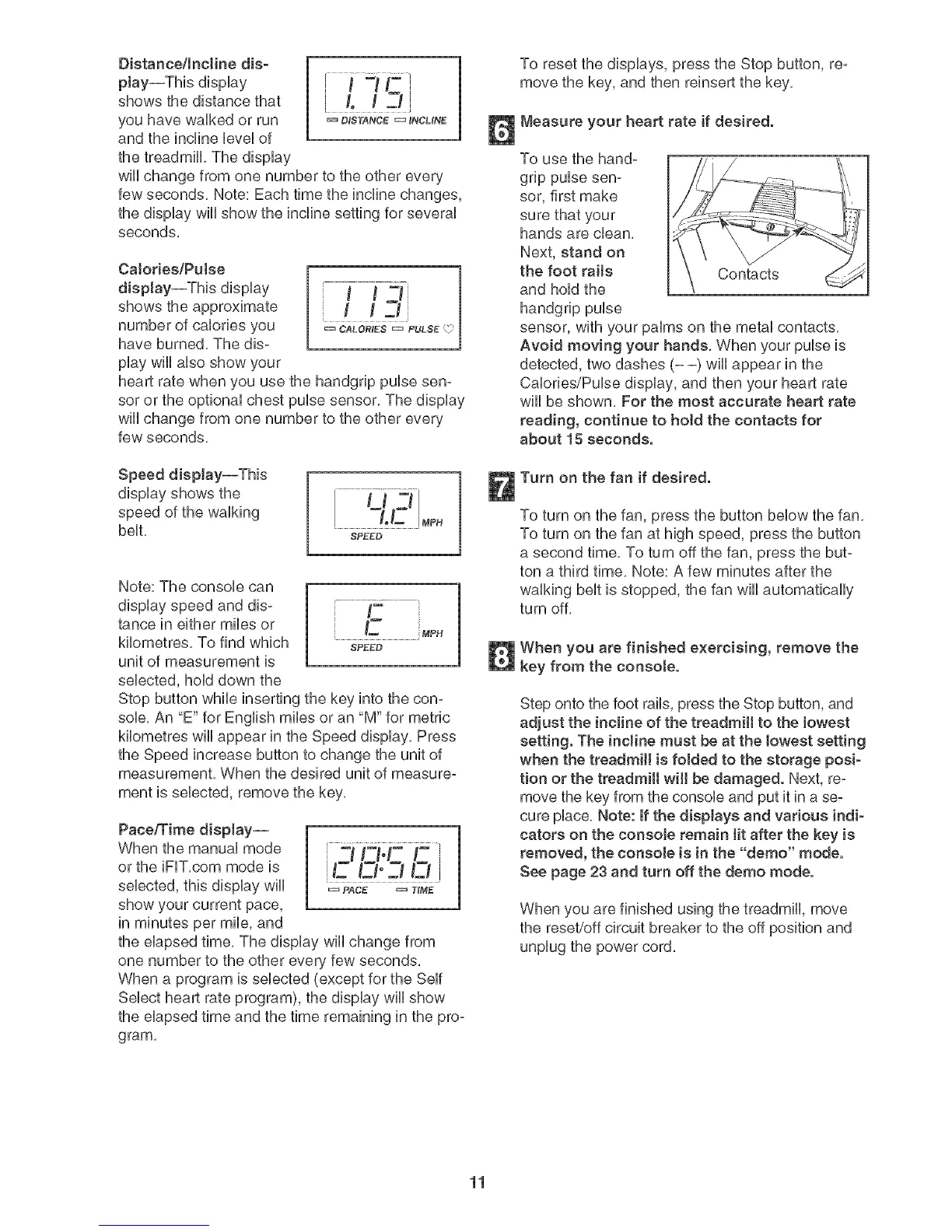
To use the hand-
grip pulse sen-
sor, first make
sure that your
hands are dean.
Next, stand on
the foot raits
and hold the
handgrip pulse
sensor, with your palms on the metal contacts,
Avoid moving your hands, When your pulse is
detected, two dashes (- -) will appear in the
Calories/Pulse display, and then your heart rate
will be shown, For the most accurate heart rate
reading, continue to hotd the contacts for
about 15 seconds,
Turn on the fan if desired.
To turn on the fan, press the button below the fan,
To turn on the fan at high speed, press the button
a second time, To turn off the fan, press the but-
ton a third time, Note: A few minutes after the
walking belt is stopped, the fan wiii automatically
turn off.
When you are finished exercising, remove the
key from the consote,
Step onto the foot rails, press the Stop button, and
adjust the incline of the treadmill to the lowest
setting, The incline must be at the lowest setting
when the treadmill is foJded to the storage posi-
tion or the treadmill will be damaged. Next, re-
move the key from the console and put it in a se-
cure place. Note: if the displays and various indi-
cators on the console remain Jitafter the key is
removed, the console is in the "demo" mode.
See page 23 and turn off the demo mode.
When you are finished using the treadmill, move
the reset/off circuit breaker to the off position and
unplug the power cord.
11







 To Next Page