EasyManua.ls Logo

Reer 50010 - User Manual

Reer 50010
84 pages
Go to English
Print Icon
To Next Page IconTo Next Page
Loading...
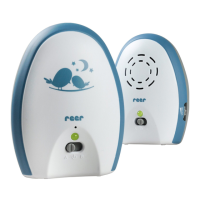
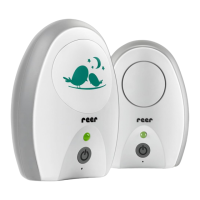
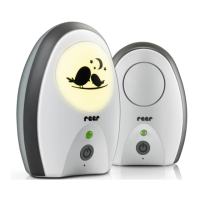
Babyphone Neo 200
Gebrauchsanleitung, Art.Nr.: 50010
Babyphone Neo 200
Manual de uso, N° d‘art.: 50010
Babyphone Neo 200
Notice d‘utilisation, Art. Núm.: 50010
Dětská chůvička Neo 200
Návod k poití, Artikl č: 50010
Babyphone Neo 200
Használati utasítás, Cikkszám: 50010
Baby monitor Neo 200
Instructions for use, Art.no:: 50010
Babyphone Neo 200
Istruzioni per l‘uso, Art. Nr.: 50010
Babyfoon Neo 200
Gebruiksaanwijzing, Art. nr.: 50010
Monitor za bebe Neo 200
Uputstvo za upotrebu, Broj artikla: 50010
Elektronska varuška Neo 200
Navodila za uporabo, Stevilko artikla: 50010
DE
ES
FR
CZ
HU
GB
IT
NL
RS
SI
NEO 200

Table of Contents

Question and Answer IconNeed help?

Do you have a question about the Reer 50010 and is the answer not in the manual?

Summary

General Safety Instructions

Installation and Technical Details

Safety Instructions Regarding Installation

Safety guidelines for setting up and installing the baby monitor units.

Technical Specification

Details on the technical specifications of the baby monitor, including frequency and range.

Product Overview and Setup

Scope of Delivery

Lists the items included in the baby monitor package.

Description of Babyphone

Provides a detailed description of the parent and baby units.

Before First Use

Instructions on how to prepare and use the baby monitor for the first time.

Unit Indicators and Operation

Status LED Baby Unit

Explains the meaning of the status LED on the baby unit.

Status LED Parent Unit

Explains the meaning of the status LED on the parent unit.

Battery Operation of the Parent Unit

Instructions on how to operate the parent unit using batteries.

Usage and Maintenance

Tips for Extending the Range

Advice on factors affecting and improving the reception range.

Volume Control; Parent Unit

How to adjust the volume of the receiver on the parent unit.

Cleaning and Maintenance

Guidelines for cleaning and maintaining the baby monitor unit.

Warranty and Disposal

Warranty

Information regarding the product warranty and claim process.

Disposal Instructions

Instructions on how to properly dispose of the product and batteries.

Troubleshooting

Status LED Does Not Light Up

Addresses issues with the status LED not illuminating on the baby monitor units.

Status LED Flashes Orange

Explains what an orange flashing status LED signifies on the parent unit.

Status LED Flashes Red

Indicates that the batteries are depleted when the status LED flashes red.

No Sound Transmission Despite Established Connection

Provides solutions for when no sound is transmitted even with a connection.

Hearing Other Wireless Devices

Explains interference from other wireless devices and how to change channels.

Loud Whistling Tone (Feedback)

Describes how to resolve loud whistling feedback from the parent unit.

No Connection; Random Noise; Connection Lost

Offers troubleshooting steps for lost connection, random noise, or no communication.

Summary

General Safety Instructions

Installation and Technical Details

Safety Instructions Regarding Installation

Safety guidelines for setting up and installing the baby monitor units.

Technical Specification

Details on the technical specifications of the baby monitor, including frequency and range.

Product Overview and Setup

Scope of Delivery

Lists the items included in the baby monitor package.

Description of Babyphone

Provides a detailed description of the parent and baby units.

Before First Use

Instructions on how to prepare and use the baby monitor for the first time.

Unit Indicators and Operation

Status LED Baby Unit

Explains the meaning of the status LED on the baby unit.

Status LED Parent Unit

Explains the meaning of the status LED on the parent unit.

Battery Operation of the Parent Unit

Instructions on how to operate the parent unit using batteries.

Usage and Maintenance

Tips for Extending the Range

Advice on factors affecting and improving the reception range.

Volume Control; Parent Unit

How to adjust the volume of the receiver on the parent unit.

Cleaning and Maintenance

Guidelines for cleaning and maintaining the baby monitor unit.

Warranty and Disposal

Warranty

Information regarding the product warranty and claim process.

Disposal Instructions

Instructions on how to properly dispose of the product and batteries.

Troubleshooting

Status LED Does Not Light Up

Addresses issues with the status LED not illuminating on the baby monitor units.

Status LED Flashes Orange

Explains what an orange flashing status LED signifies on the parent unit.

Status LED Flashes Red

Indicates that the batteries are depleted when the status LED flashes red.

No Sound Transmission Despite Established Connection

Provides solutions for when no sound is transmitted even with a connection.

Hearing Other Wireless Devices

Explains interference from other wireless devices and how to change channels.

Loud Whistling Tone (Feedback)

Describes how to resolve loud whistling feedback from the parent unit.

No Connection; Random Noise; Connection Lost

Offers troubleshooting steps for lost connection, random noise, or no communication.

Reer 50010 Specifications

General IconGeneral
Maximum range300 meters
Number of Channels2
Temperature MonitoringYes
Night LightNo
Two-Way CommunicationNo
Power sourceBattery / Mains
FeaturesECO mode
Model50010

Related product manuals