EasyManua.ls Logo

Reer 50040 - User Manual

Reer 50040
43 pages
Go to English
Print Icon
To Next Page IconTo Next Page
Loading...
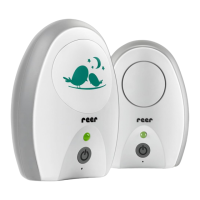
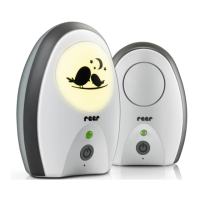
Babyphone Neo Digital
Gebrauchsanleitung, Art.Nr.: 50040
Babyphone Neo Digital
Manual de uso, N° d‘art.: 50040
Babyphone Neo Digital
Notice d‘utilisation, Art. Núm.: 50040
Monitor za bebe Neo Digital
Uputstvo za upotrebu,
Broj artikla: 50040
Babyphone Neo Digital
Instructions for use, Art.no:: 50040
Babyphone Neo Digital
Istruzioni per l‘uso, Art. Nr.: 50040
Babyfoon Neo Digital
Gebruiksaanwijzing, Art. nr.: 50040
Dětská chůvička Neo Digital
Návod kpoužití, Artikl č: 50040
DE
ES
FR
RSGB
IT
NL
CZ
50040 Focus
NEO 200
Question and Answer IconNeed help?

Do you have a question about the Reer 50040 and is the answer not in the manual?

Summary

General Safety Instructions

Installation Safety

Technical Specifications

Scope of Delivery

Product Description

Initial Setup

Tips for Attaching Parent Unit

Attach parent unit to belt or hang on wall using clip or fasteners.

Status Indicators

Baby Unit Status LED

Indicates the status of the baby unit's on/off switch.

Parent Unit Status LED

Indicates the status of the parent unit's on/off switch.

Power and Battery Management

Battery Operation

Details on using rechargeable NiMH AAA batteries and charging the unit.

Core Functions

Range Control

System for monitoring transmission range with visual and acoustic alerts.

ECO Mode

Standby mode for reduced power consumption and radiation emission.

Paging Function

Activates an acoustic signal on the baby unit to locate the parent unit.

Volume Control

Adjusts the receiver volume on the parent unit using '+' and '-' buttons.

Range Extension Tips

Warranty Information

Disposal Instructions

Troubleshooting

Status LED Issues

Covers LED not lighting up or flashing red/green.

Sound and Connection Problems

Addresses no sound transmission, loud whistling, or lost connection.

Summary

General Safety Instructions

Installation Safety

Technical Specifications

Scope of Delivery

Product Description

Initial Setup

Tips for Attaching Parent Unit

Attach parent unit to belt or hang on wall using clip or fasteners.

Status Indicators

Baby Unit Status LED

Indicates the status of the baby unit's on/off switch.

Parent Unit Status LED

Indicates the status of the parent unit's on/off switch.

Power and Battery Management

Battery Operation

Details on using rechargeable NiMH AAA batteries and charging the unit.

Core Functions

Range Control

System for monitoring transmission range with visual and acoustic alerts.

ECO Mode

Standby mode for reduced power consumption and radiation emission.

Paging Function

Activates an acoustic signal on the baby unit to locate the parent unit.

Volume Control

Adjusts the receiver volume on the parent unit using '+' and '-' buttons.

Range Extension Tips

Warranty Information

Disposal Instructions

Troubleshooting

Status LED Issues

Covers LED not lighting up or flashing red/green.

Sound and Connection Problems

Addresses no sound transmission, loud whistling, or lost connection.

Reer 50040 Specifications

General IconGeneral
Model50040
Sound ActivationYes
Temperature MonitoringNo
Night LightYes
Two-Way CommunicationNo
DisplayNo
TypeBaby Monitor
TechnologyDigital
Range300 m
Power sourceBattery / Mains

Related product manuals