© 2006 GE ECM by Regal-Beloit
- 28 -
Indoor Blower Motors
v0.2
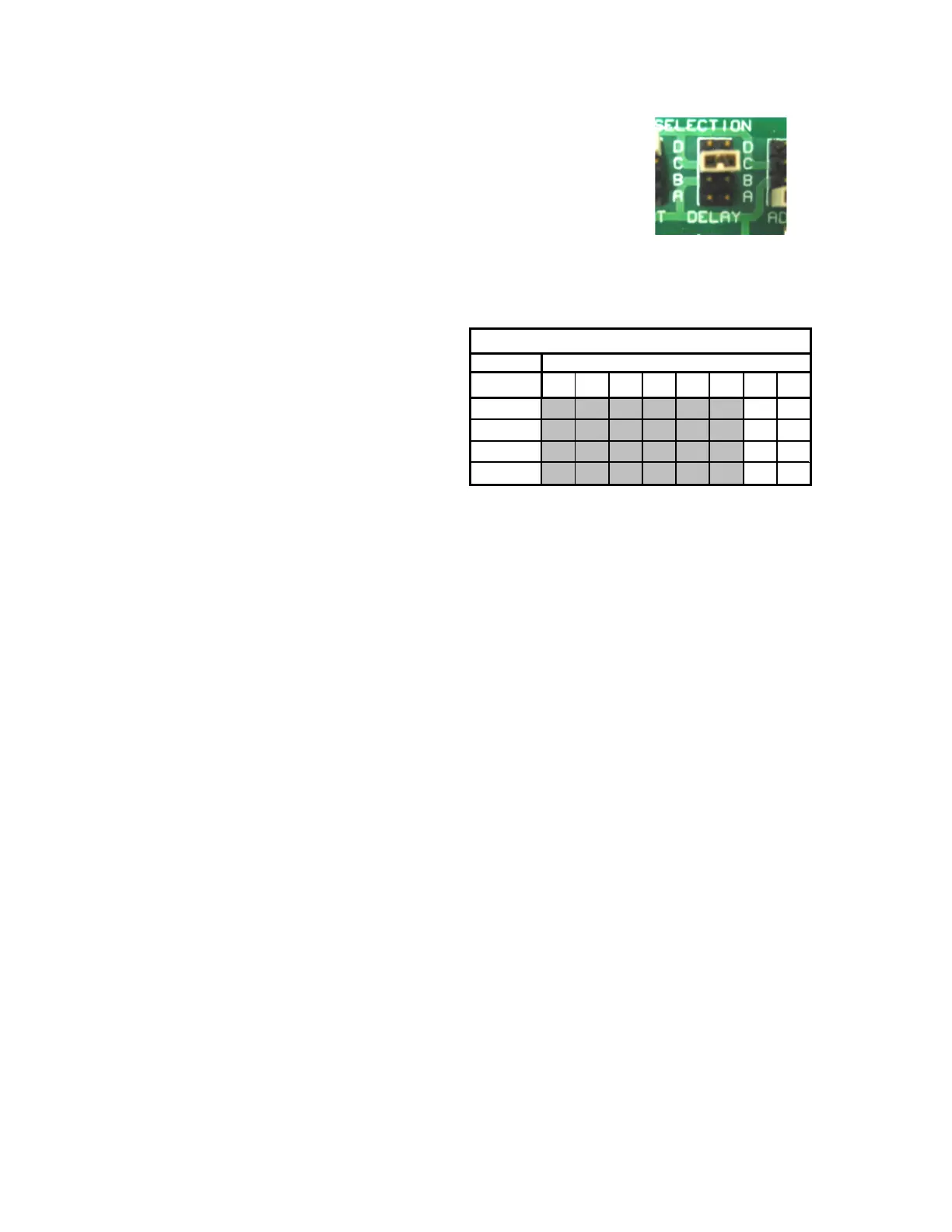
Climate (Delay) Profiles
Installation
- This option is only available in the thermostat mode.
- There are up to four unique Climate/Delay Profile options.
Example of Airflow Table
- Heating selections typically use fixed on delays with adjustable off delays.
- Each profile changes both the slew rate and the airflow at each level.
- The Climate/Delay Profiles are specific to each motor program.
- Many manufacturers have optimized dehumidification using the available
profiles.
Benefits
- The motor runs at a reduced airflow on initial start-up to allow the system coils
to heat up or cool down to eliminate unwanted hot or cold air blasts.
- The profiles help to alleviate temperature extremes and noticeable
temperature swings. The desired temperature may be reached before airflow
reaches 100%, saving energy/money, while keeping the noise to a minimum.
- The controlled ramping eliminates the loud start-up found in standard systems
with induction motors
- Ramping down to zero slowly allows the system to take advantage of already
heated or cooled air left over in the ventilation system.
1 2 3 4 5 6 7 8
A
0 0
B
1 0
C
0 1
1 1
Dip Switch Number
Climate/Delay Profile Selection
- Instead of simple on/off delay
settings, profiles provide more
control of timing and airflow.
- Profiles are available for the
heating or cooling
selections but not both.
- They are typically applied to
the cooling selections.



 To Next Page