1-56
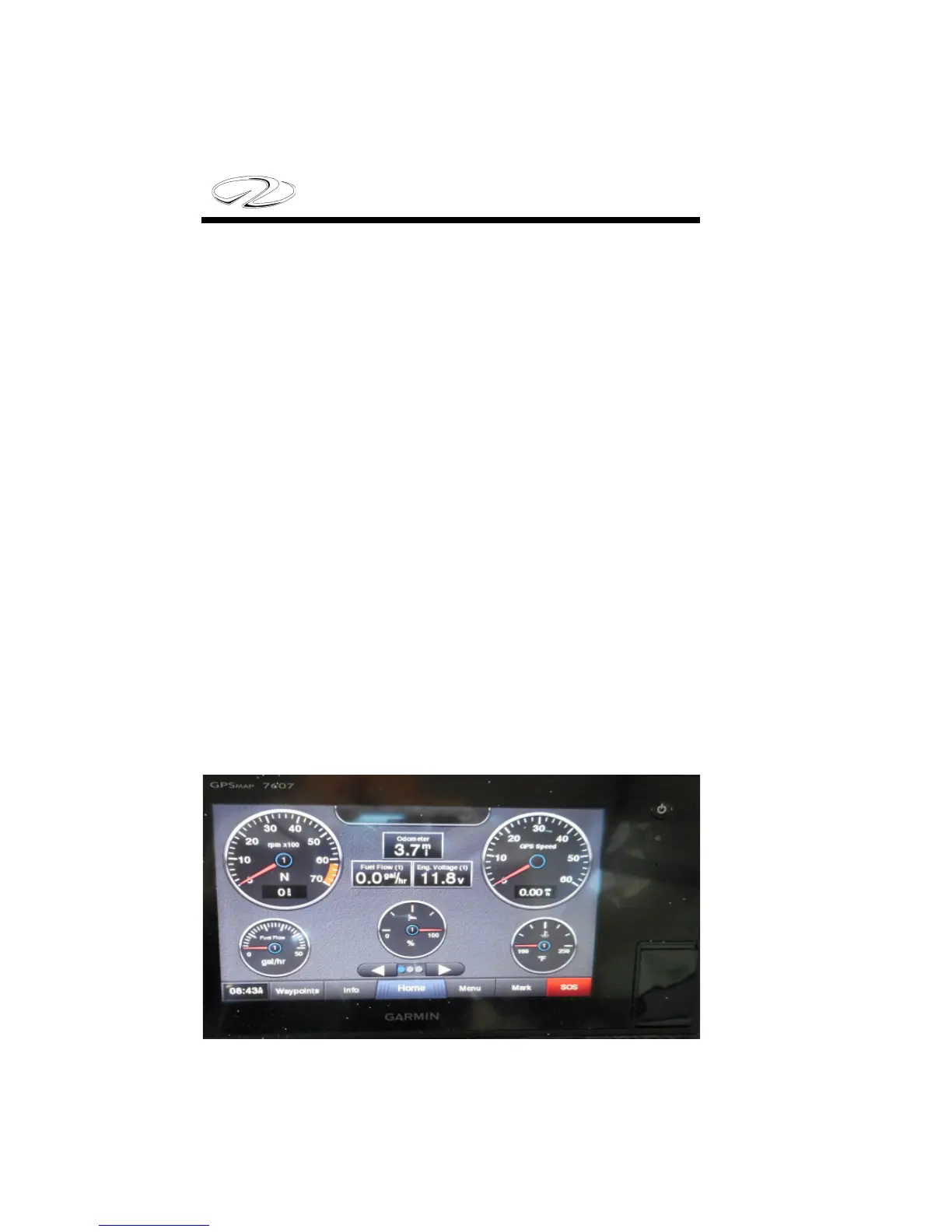
Garmin Engine Monitoring Display
A Garmin chartplotter is currently standard equipment on your
outboard. It features many GPS features along with the ability to
monitor engine system functions including revolutions per minute
(rpm’s), GPS speed, voltage, fuel ow rate, trim, and temperature
along with tracking engine hours.
Note that the Garmin and Fusion circuitry use individual sources
to power up the system. e key switch does not power up these 2
systems. Also, the depth and fuel gauge displays are independent of
the Garmin engine displays.
1. To power up the Garmin GPS press the on button located on the
upper display.
2. e function AV/Gauges,Controls will appear as one of the choice
boxes. Press the box. Another screen with engine will appear.
3. Press the engine box and the engine gauge displays will appear
(oil pressure is engine code driven only); fuel level uses dash gauge
to display fuel levels).



 To Next Page