Access Code into Memory
In most cases, this feature is not
used. It is usually only required
when the telephone is installed
outside of a residential application
where you may have to dial a
number(s), such as "9", to get an
outside line. Whatever number(s) is programmed as an Access
Code will automatically be dialed, followed by a 3 second
pause, prior to any number dialed from Speed Dial, or from the
Call Back Feature.
To set up the access code:
1 Press the DIRECTORY / STORE key until the display screen reads
ENTER ACCESS CODE.
2 Enter the desired number, such as 9.
Note: There is no need to enter PAUSE. The Dial Call Back
operation automatically inserts a 3 second pause after the
access code number is dialed.
To delete the access code:
1 Press the DIRECTORY / STORE key until the display screen reads
ENTER ACCESS CODE.
2 Press the DELETE key.
3 Press the DIRECTORY / STORE key again and the screen will go
back to its normal position after a 15 second delay.
User’s Guide
Programming The Telephone
20
Regency™ Series 400 Single Line Caller ID Telephone
User’s Guide
Programming The Telephone
Regency™ Series 400 Single Line Caller ID Telephone
15
Speed Dial continued
Manual entry for memory storing
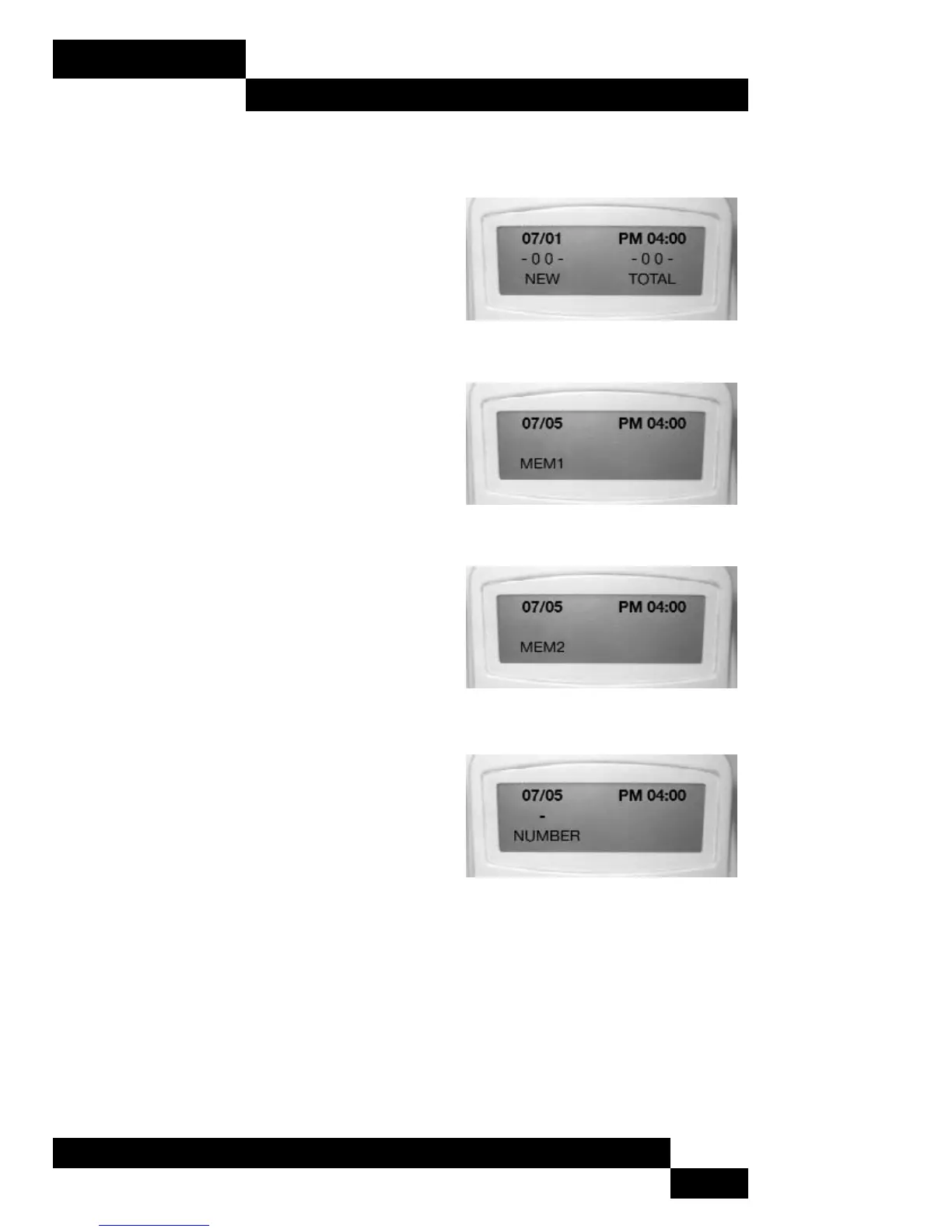
1 Confirm the display is in the idle mode as
shown in Figure 1.
2 Press the DIRECTORY / STORE key until the
LCD display is similar to Figure 2.
3 Press the UP / DOWN key to change the
memory location to the desired memory
location. (MEM 1, MEM2, … MEM10) (See
Figure 2 then 3.)
4 Enter the name by pressing the alphabetic
characters repeatedly on the keypad.
(see keypad guide on next page)
5 Use delete key to delete an incorrect
entry.
6 When the name is complete, press the
DIRECTORY STORE key once to store the
information.
7 The LCD will request NUMBER (Figure 4.)
8 Enter the number using the dialing
keypad. Press the DIRECTORY STORE key.
9 Press the DIRECTORY / STORE key twice to
bypass the store AREA CODE and ACCESS
CODE. These two areas are not part of the speed dial programming and any
changes could affect the proper operation of other features. See pages
13-15 for further information about AREA CODE AND ACCESS CODE.
To program additional numbers, repeat steps 2 thru 9.
Manual entry from keypad (guide).
Figure 1
Figure 4
Figure 3
Figure 2



 To Next Page