5.2 Fixing the 7” TFT LCD Monitor (Stand):
5.2.1 Unpacking:
Remove the system from its box carefully and its plastic protection.
Remove the plastic bag from the monitor and
place the monitor over a safe surface to avoid
falls.
Remove the screen protector film only when
the installation is finished.
5.2.2 Before Installing:
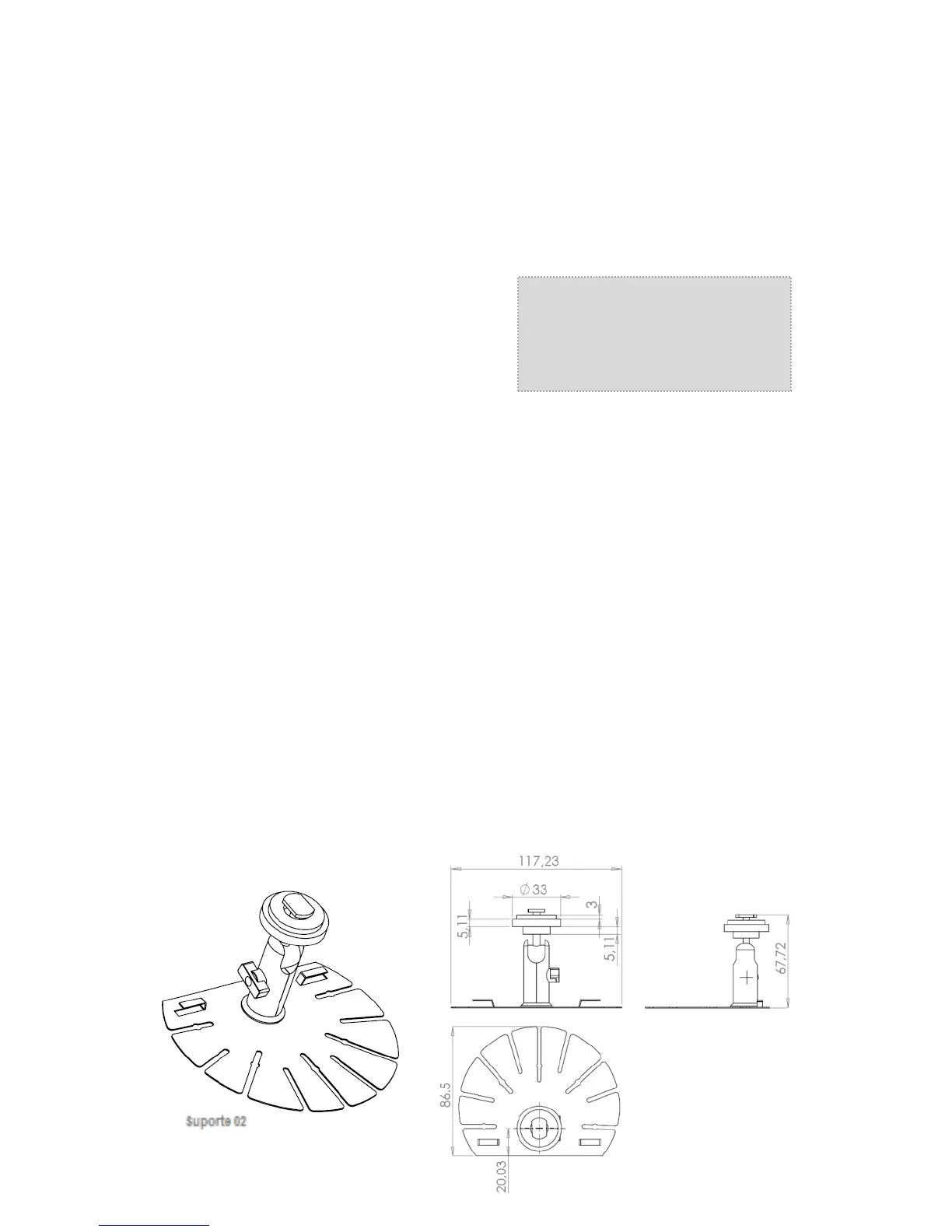
Separate the mounting brackets “02” and verify the best location where it may be installed
allowing the best driver’s vision.
Clean the surface where the pedestal will be placed (Use isopropyl rubbing alcohol, wipe
gently and let dry).
Remove the double sided tape liner that comes glued with the pedestal. Fix the pedestal
over the surface that was previously cleaned. The drying time of the double sided tape is 24
hours. Never apply excessive force over the brackets; only 20% of adhesive capacity is
being used during the fixing process.
Fit the monitor to the brackets adjusting it to the bracket rail, adjust the height and tighten the
screws.
Connect the power cord, trigger, camera and 12Vdc output cameras. (See figure 8 –
Connection Diagram).
Remove the screen protector film.
5.2.3 Stand support diagram:


 To Next Page