BATTERY INSTALLATION
8
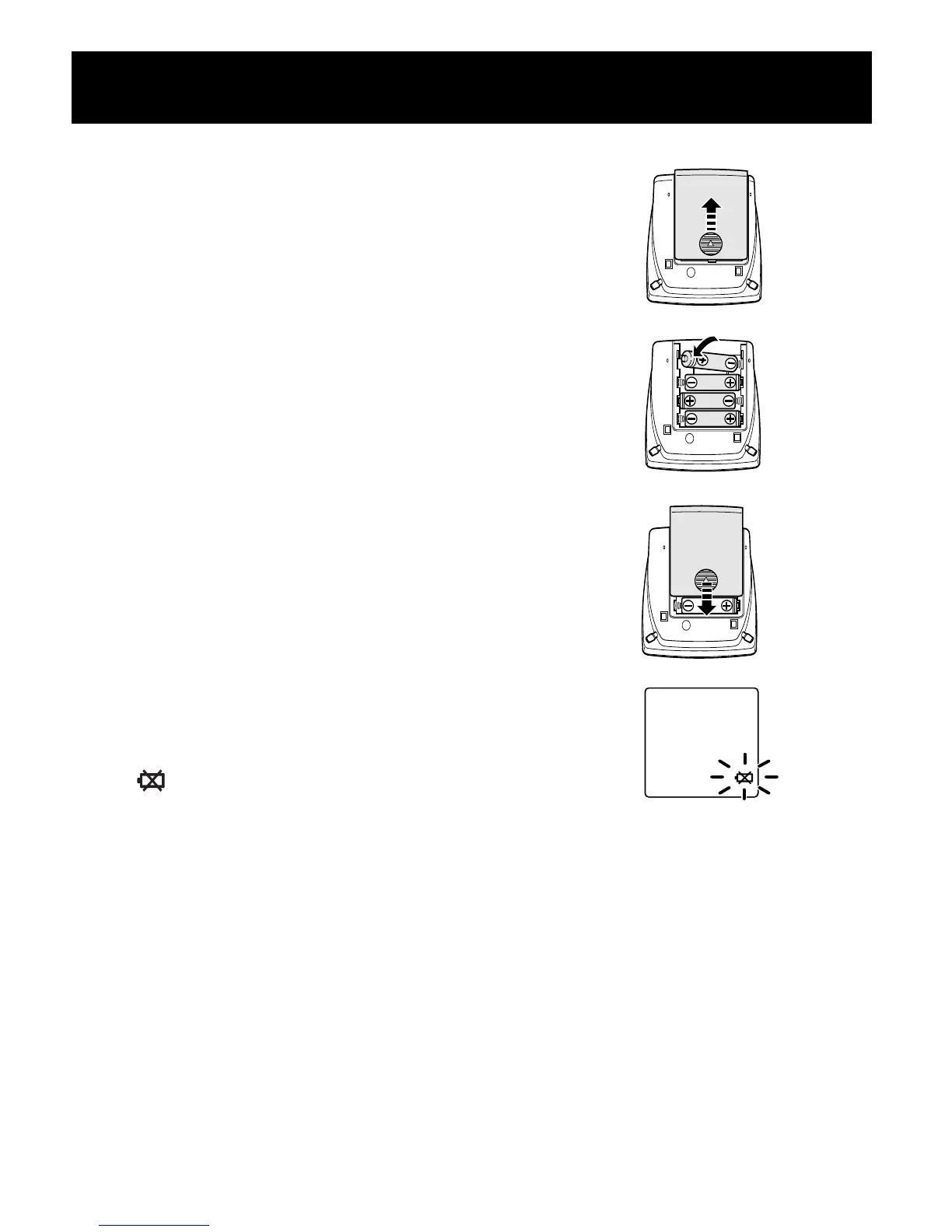
1. Press the ▼ indicator on the
battery cover and slide the cover
off in the direction of the arrow.
2. Install 4 “AAA” size batteries so
the + (positive) and - (negative)
polarities match the polarities of
the battery compartment as indicated.
3. Replace the battery cover.
BATTERY REPLACEMENT
Low Battery Indicator
When the Low Battery Indicator appears on the display screen remove
all the batteries. Replace with four new batteries at the same time. Long
life alkaline batteries are recommended.
NOTE: Measurement values stored in the memory will not be deleted
during battery replacement.
After replacing the batteries, reset the date and time.
Refer to page 9, Setting the Date and Time.
412CRELN2 IM.tif 1/23/06 9:23 AM Page 8



 To Next Page