ENGLISH
4
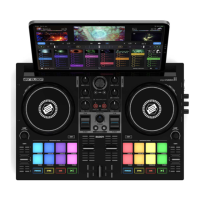
CONNECTING THE RELOOP MIXTOUR PRO
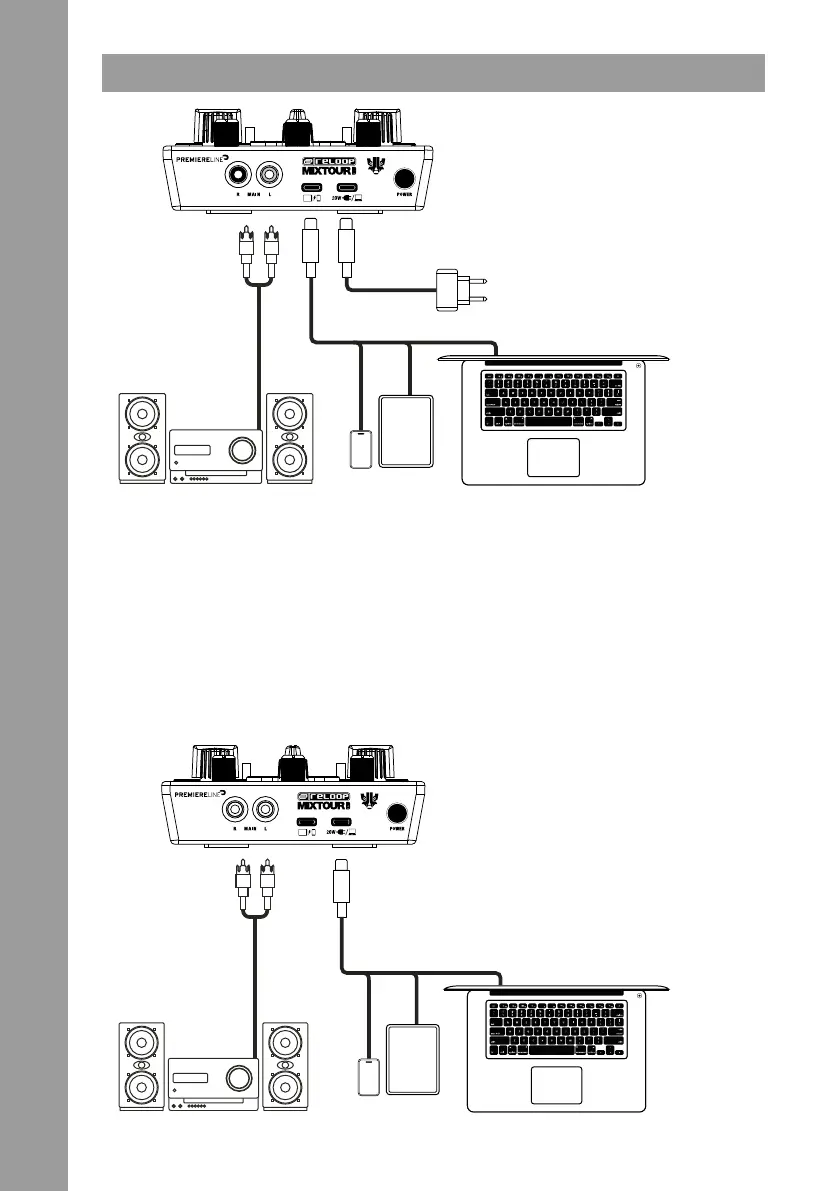
POWER
Connect your playback device’s power supply to the Mixtour Pro’s power port (28). If your device’s power supply uses
a lightning connection, use the supplied USB-C cable for this step. Your playback device will be charged by the Mixtour
Pro (min. 20W power supply).
USB CONNECTION
Connect your playback device to the Reloop Mixtour Pro’s USB-C Connection Port (27) using either the included USB-C
cable or a Lightning to USB-C cable.
MASTER OUT
Connect your main system (e.g. active speakers) to the Master Out (RCA) (26).
NOTE
Alternatively, the Mixtour Pro can be bus-powered by USB-C devices (e.g., a laptop or iPad) with sufcient power output.
In the example below, the Mixtour Pro is connected to the desired playback device via the USB-C Power Port (29).
USB-C
USB-C
USB-C
USB-C
iOS
iPad
PC / Mac
USB-C
USB-C
USB-C / USB-A
USB-C /
Lightning
USB-C /
Lightning
iOS
iPad
USB-C Power adapter
(not included)
PC / Mac


 To Next Page