ENGLISH
51
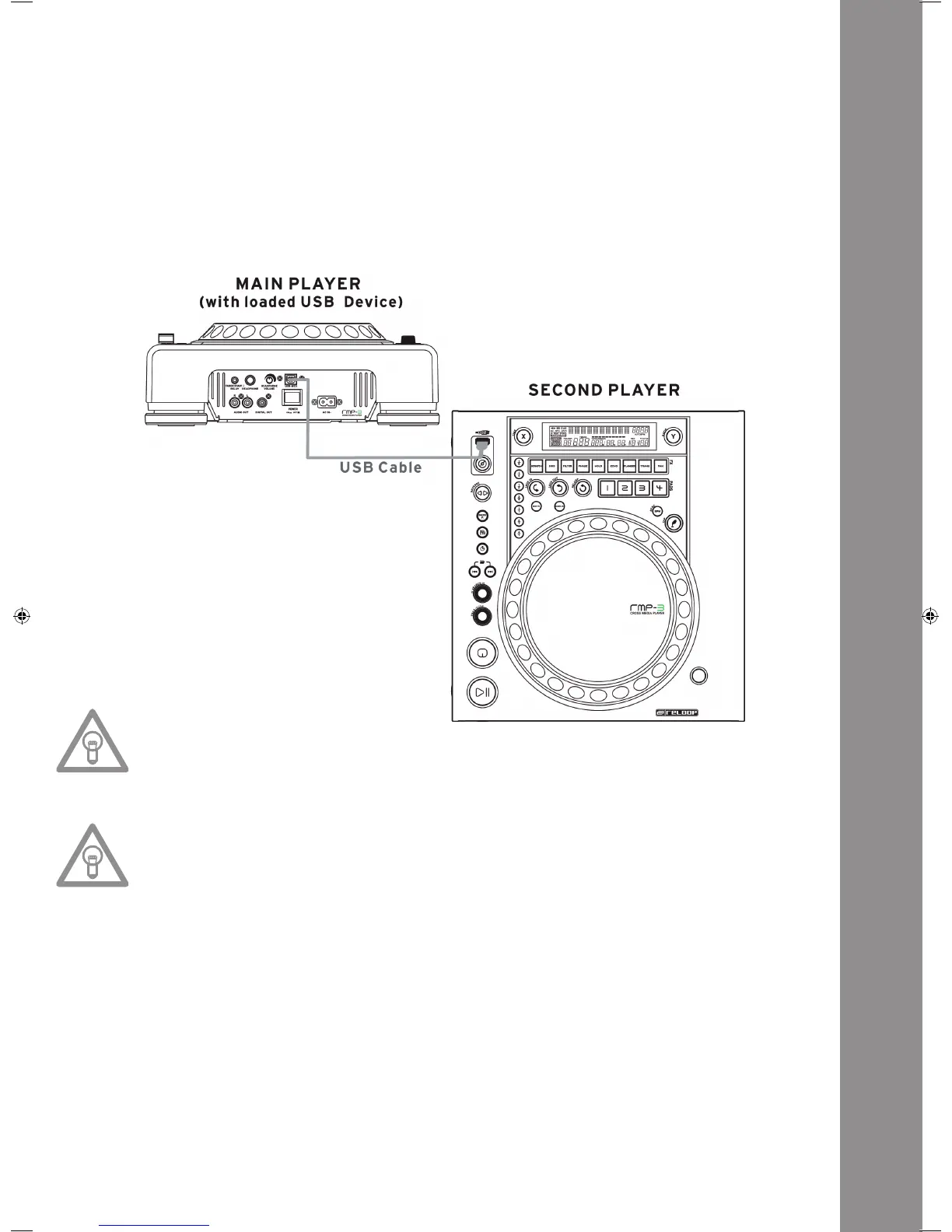
3. Connecting Two RMP-3 Players for the Audio Link Mode
Player 1 (Master)=RMP-3connectedtotheUSBdatacarrier
Forthemasterplayerselect„USB=LINK“inthesubmenu.
Path:pushTime+TrackButtons>ItemC.MIDISET>USB=LINK
HoldtheShiftButton-46-andturntheTrackWheel-4-inordertoswitchmodes.
• Connect the USB data carrier to the upper USB port -47-.
• Connect the USB media port on the rear of the rst player -49- to the USB data port -47- of the
second player.
NOTE!
It is recommended to use a USB cord which is no more than 1 meter.
NowyoucanaccesstheUSBdriveoftherstplayer(master)byusingthesecondplayerinUSB
mode.
NOTE!
Pleas also refer to the chapter „Submenu“, item 2. Playlist regarding sorting and search func-
tions.
IM_RMP3_GB.indd 51 03.11.2009 09:18:44



 To Next Page