18
CLEANING YOUR i-LIGHT® SMOOTH SENSE DEVICE
CAUTION: Before cleaning your i-LIGHT® Smooth Sense, make sure that the device is
switched OFF and the power cord is disconnected from the device.
• Regular cleaning helps to ensure optimal results and a long life for the i-LIGHT® Smooth
Sense device .
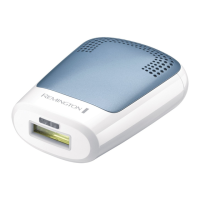
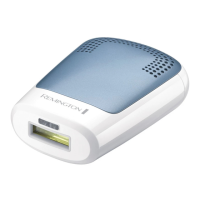
• To clean the flash window, use only the lint-free cloth included with your i-LIGHT® Smooth
Sense device. Take care not to scratch or chip the flash window. Scratches and chips can
reduce the effectiveness of the unit.
• For stubborn stains on the window, dampen a cotton swab with surgical spirit or rubbing
alcohol, apply to the flash window and clean gently with the lint free cloth provided.
• Use a small hand-held vacuum to remove dust and debris from the hand piece vents.
WARNING: If the flash window is cracked or broken, the unit must not be used. Never scratch
the filter glass or the metallic surface inside the treatment head.
CAUTION: The i-LIGHT® Smooth Sense is a high voltage device. Never immerse in water. Never
clean the unit or any of its parts under a tap or in a dishwasher.
Storage
• Switch the unit off, unplug and allow to cool for 10 minutes before storage.
• Store the unit in a dry place at a temperature between 15º C and 35º C
.
TROUBLESHOOTING
• Always read these instructions fully before using i-LIGHT® Smooth Sense.
• Refer to this troubleshooting guide if you experience any problems with i-LIGHT® Smooth
Sense, as this section addresses the most common problems you could encounter with
i-LIGHT® Smooth Sense. If you have followed the instructions in this section and continue to
experience problems, please contact the Remington® Service Centre for further assistance.
The power switch is ON, but the unit is not working.
• Make sure the unit is plugged into a working electrical outlet.
• Try switching to a different outlet.
The unit appears to have cracks or is broken.
• Do not use if the unit is damaged.


 To Next Page
 Loading...