2
4
5
NU747_1_G1-FRA.qxd 17/02/05 9:22 Page 1.09
BC85 - NU747-1
C:\Documentum\Checkout\NU747_1_T1-ENG.win 3/3/2005 11:53
-page15
1.09
RENAULT CARD: use in hands-free mode (continued)
Locking the doors and luggage
compartment
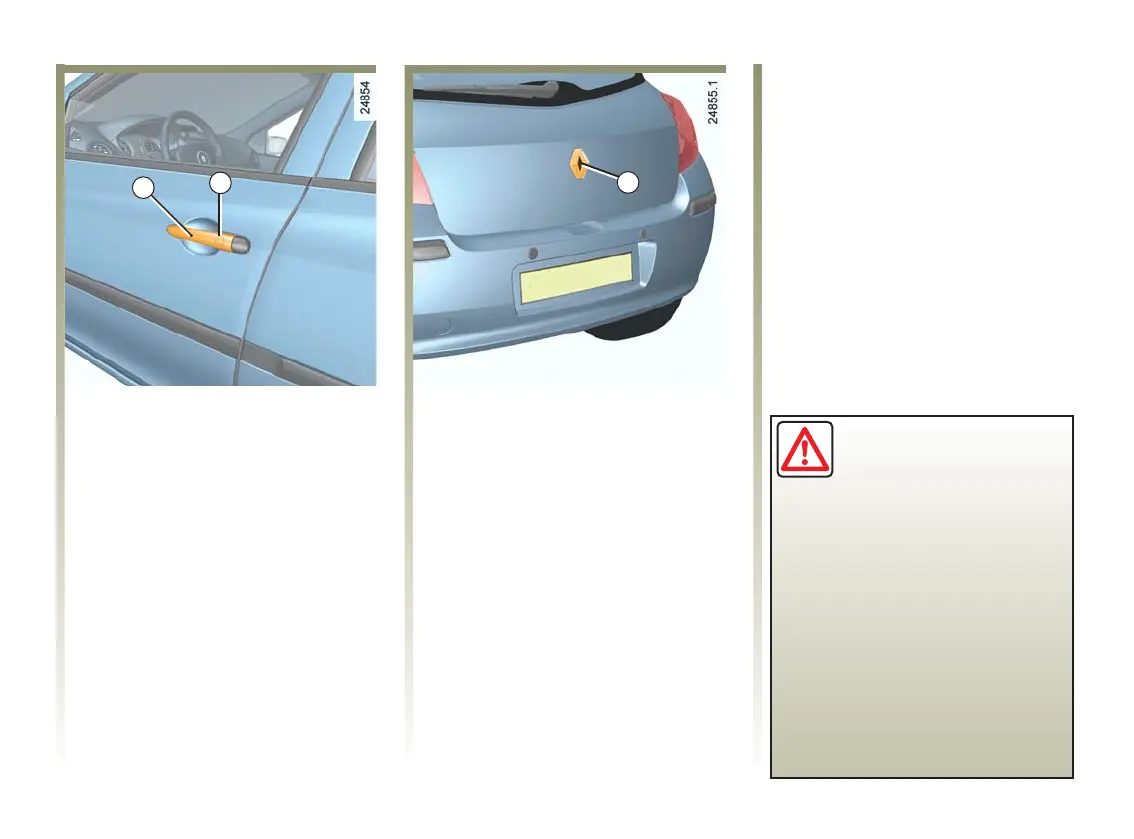
Holding the RENAULT Card and
with the doors and luggage
compartment closed, press the
button 4 locatedononeofthe
handles 2 or the button 5 on the
luggage compartment.
Thesideindicatorsandhazard
warning lights flash twice to
indicate that the doors have locked.
Note: the RENAULT Card must be
within the vehicle's access zone for
locking with the buttons to be
possible.
If a door or the tailgate is open or not
properly shut, or if a RENAULT
Card is present in the reader, the
doors or tailgate lock then quickly
unlock and the hazard warning
lights and side repeaters indicators
do not flash.
If you wish to check that the doors
are locked after locking with the
RENAULT Card or the buttons on
the handles, you have
approximately three seconds to try
the door handles without unlocking
them.
After this delay, the Hands-Free
mode is activated once again, and
any movement of the handle will
unlock the doors.
Driver's responsibility
Never leave your vehicle
with the RENAULT Card
inside and never leave a
child (or a pet) unsupervised.
There is a risk that they could
start the engine or operate
electrical equipment (electric
windows)andtrappartoftheir
body (neck, arms, hands, etc.).
Risk of serious injury.













 To Next Page