2531425314
25177
1
3
2
A
NU747_1_G1-FRA.qxd 17/02/05 9:25 Page 1.84
BC85 - NU747-1
C:\Documentum\Checkout\NU747_1_T1-ENG.win 3/3/2005 11:54
-page90
1.84
CLOCK
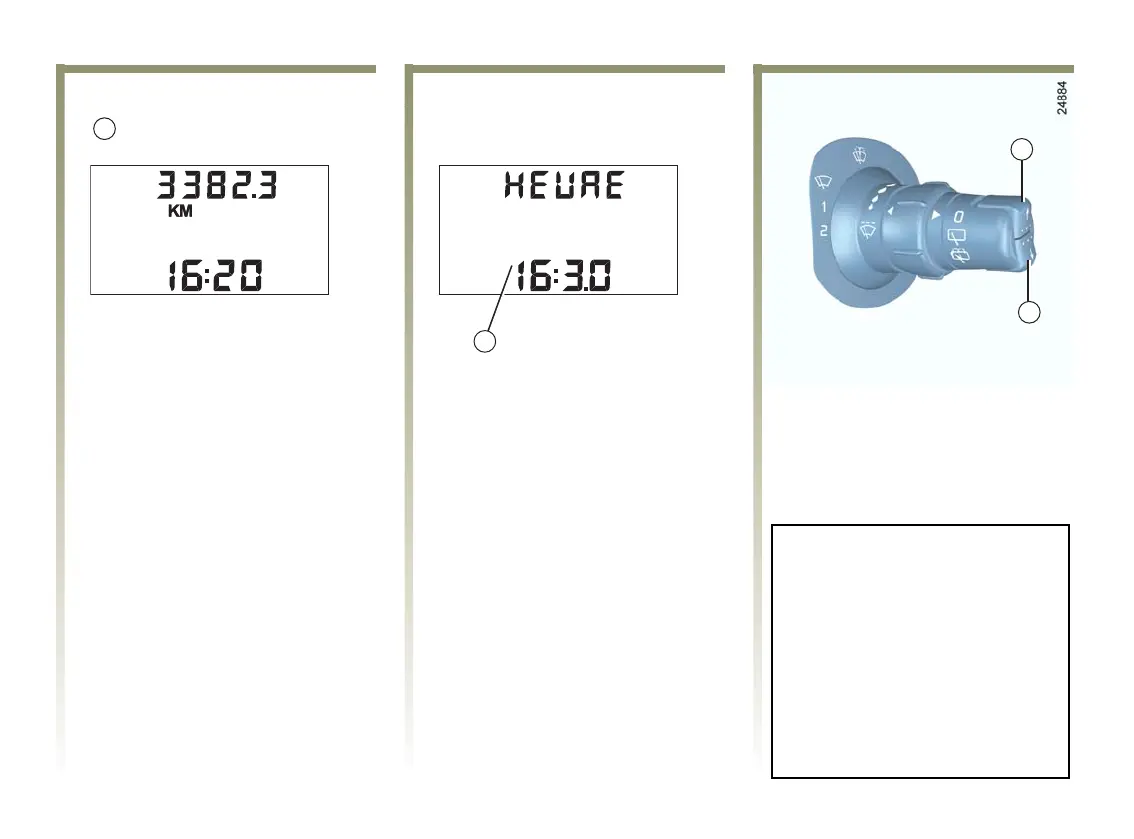
Display A
Thetimeisdisplayedwhenthe
ignition is switched on.
To access display 1 which adjusts
the clock, press button 2 or 3.
The hours and the minutes flash to
show adjustment mode; press and
hold down button 3 to adjust the
hours.
When the hours are flashing, press
button 2 repeatedly or hold down to
adjust them.
Then press and hold down button 3
to confirm the hour setting.
When the minutes are flashing,
press button 2 repeatedly or hold
down to adjust them.
When the adjustment is finished,
the hours and minutes remain lit on
the display for 2 seconds. The time
has been set.
You may change displays.
If the electrical supply is cut
(battery disconnected, broken
supply wire, etc.), the clock will
lose its time setting.
The clock must be reset.
We recommend that you do not
make these settings while
driving.













 To Next Page