2.134
ENG_UD73765_6
Aide au parking (BJA - Renault)
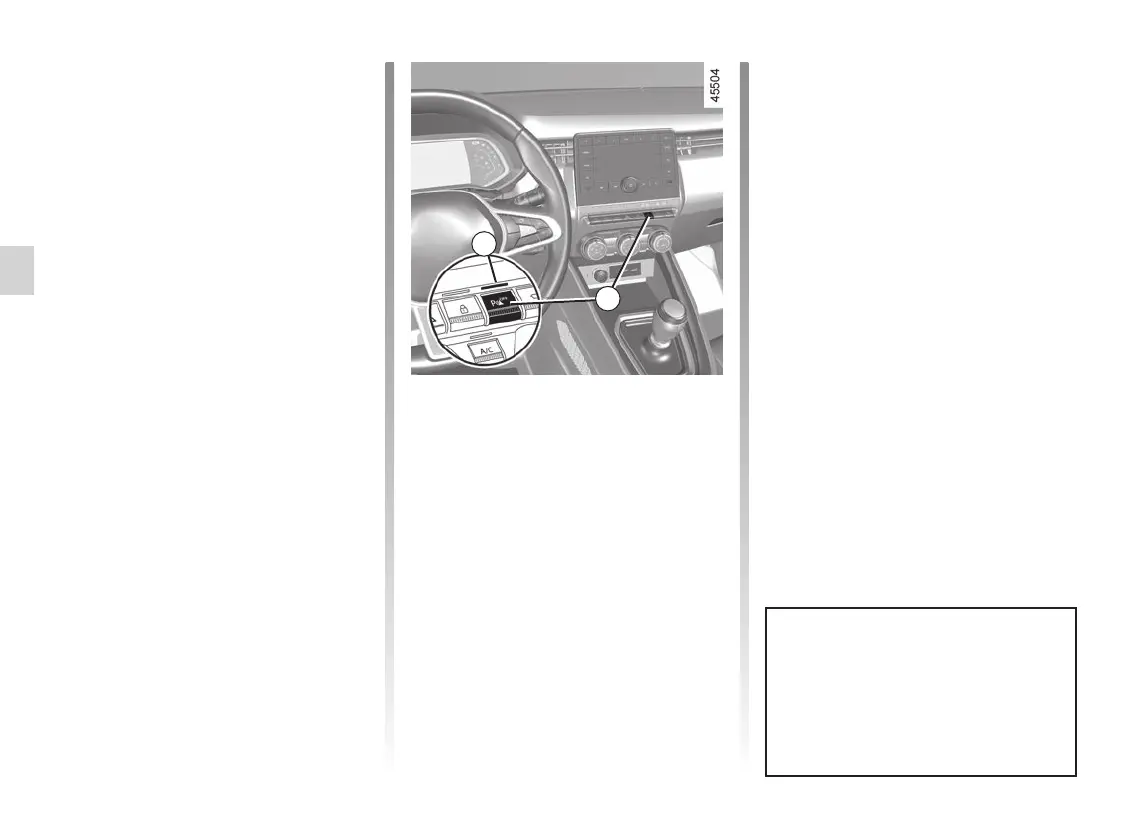
Vehicles not fitted with a multimedia
screen
With the vehicle stopped, press the 6
switch to deactivate parking distance
control. The switch warning light illu-
minates. Press again on the 6 switch
to activate the function. The switch 5
warning light goes out.
Adjustment
Vehicles fitted with a multimedia
screen 4
Depending on the vehicle, with the
engine running, some settings can be
adjusted from the multimedia screen 4.
Please refer to the multimedia instruc-
tions for further information.
Parking distance control audio
volume
Adjust the volume of the parking dis-
tance control by pressing + or -.
PARKING DISTANCE CONTROL (4/7)
When the vehicle is travelling at a
speed below approximately 6 mph
(10 km/h), some noises (motorcy-
cle, lorry, pneumatic drill etc.) may
trigger the beeping sound of the
parking distance control.
6
System sound
Enables the system sound to be
chosen.
Deactivating the system sound
Activate or deactivate the parking dis-
tance control sound.
Note: if you deactivate the sound, you
will no longer be notified with beeps
when approaching an obstacle.
5
















 To Next Page